
Author
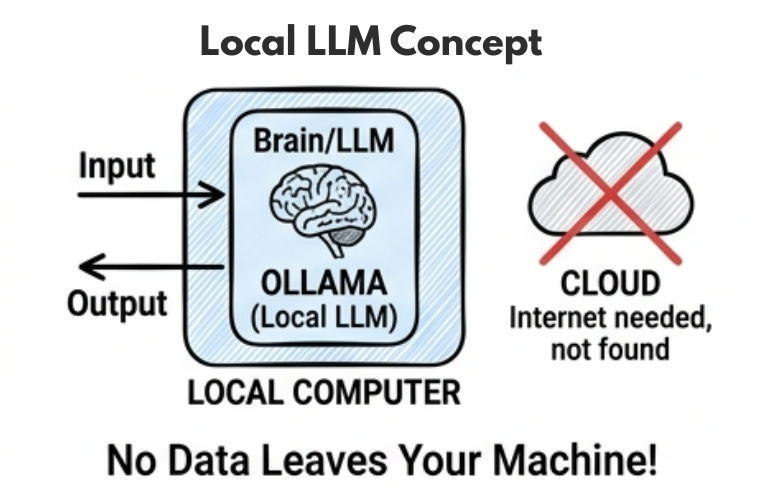
Local LLMs with Ollama allow you to run powerful AI models directly on your own machine without relying on external APIs which helps improve privacy, reduce cost, and enable offline usage.
This approach is widely used in modern backend systems to build secure and efficient AI applications without sending data to cloud providers.
? Instead of calling external APIs, your application can directly use local AI models.
Local LLMs are artificial intelligence models that run directly on your own system such as a laptop, desktop, or server instead of relying on cloud-based platforms.
Popular examples of local models include LLaMA, Mistral, and Gemma, which are widely used for building offline and private AI applications. This approach ensures better data privacy, improved control, and the ability to use AI even without an internet connection.
? In simple words: You download the model and run it locally, so your data does not need to be sent over the internet.
Example (Using Ollama API)
import org.springframework.web.client.RestTemplate;

public class LocalLLMExample {

    public static void main(String[] args) {

        RestTemplate restTemplate = new RestTemplate();

        String url = "<http://localhost:11434/api/generate>";

        String request = """
        {
          "model": "llama3",
          "prompt": "Explain Kubernetes in simple words",
          "stream": false
        }
        """;

        String response = restTemplate.postForObject(url, request, String.class);

        System.out.println(response);
    }
}
Local LLMs provide several practical advantages when building secure and efficient AI applications.
? These benefits make local LLMs ideal for internal tools, enterprise systems, and applications that handle sensitive data.
Ollama is a lightweight and developer-friendly tool that makes it very easy to run Large Language Models (LLMs) locally using simple commands.
It removes the complexity of setting up AI models and allows you to start working with local AI quickly and efficiently.
Download and install Ollama from the official website.
Once installed, you can verify the installation using the following command.
ollama --version
? This confirms that Ollama is installed and ready to use.
To start using a local LLM, you need to run a model using Ollama.
ollama run llama3
? This command automatically downloads the model (if not already available) and runs it on your system.
? Once the model starts, you can directly interact with it through your terminal just like an AI chatbot.
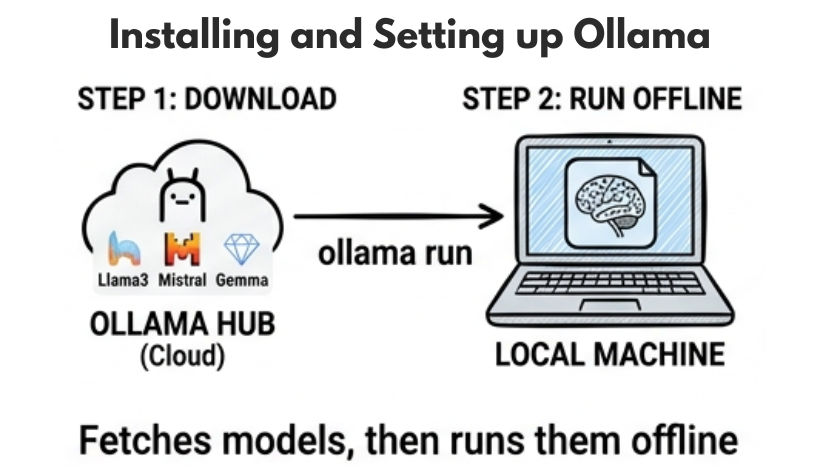
Ollama supports multiple AI models that you can run locally based on your needs and system performance.
Each model is designed for different use cases such as general tasks, speed, or efficiency.
Example Commands
ollama run mistral
ollama run llama3
? These commands download and run the selected model on your local machine.
? Once the model starts, you can interact with it directly through the terminal.
When you run a model using Ollama, it automatically starts a local server in the background.
<http://localhost:11434>
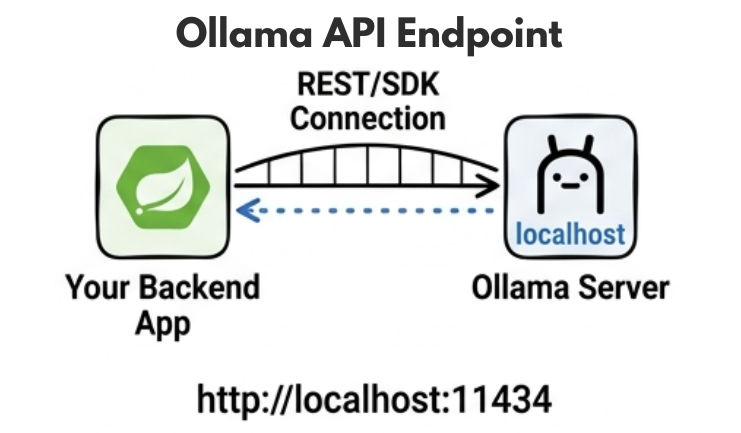
? This endpoint is used by your applications to send requests and receive responses from the local AI model.
? You can connect your backend (like Spring Boot) to this URL to integrate local LLM functionality.
You can connect Ollama with your Spring Boot application using either direct API calls or by using Spring AI for a more structured approach.
This allows your backend to use local AI models instead of relying on external cloud APIs.
Example Configuration (Spring AI)
spring.ai.ollama.base-url=http://localhost:11434
spring.ai.ollama.chat.model=llama3
? This configuration tells your Spring Boot application to connect to the local Ollama server and use the specified model.
Example Usage
chatClient.prompt()
    .user("Explain Docker in simple words")
    .call()
    .content();
? This sends a request to the local LLM and returns the generated response.
? Now your backend is using a local AI model instead of a cloud-based API.
import org.springframework.web.client.RestTemplate;

public class OllamaService {

    public String generateResponse(String prompt) {

        RestTemplate restTemplate = new RestTemplate();

        String url = "<http://localhost:11434/api/generate>";

        String request = """
        {
          "model": "llama3",
          "prompt": "%s",
          "stream": false
        }
        """.formatted(prompt);

        return restTemplate.postForObject(url, request, String.class);
    }
}
String request = """
{
  "model": "llama3",
  "prompt": "%s",
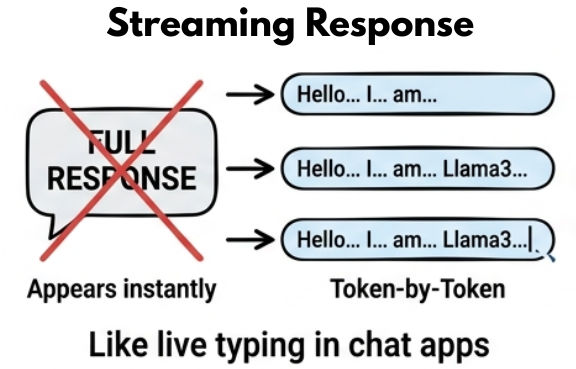
  "stream": true
}
""".formatted(prompt);
Running local LLMs depends heavily on your system resources and hardware configuration.
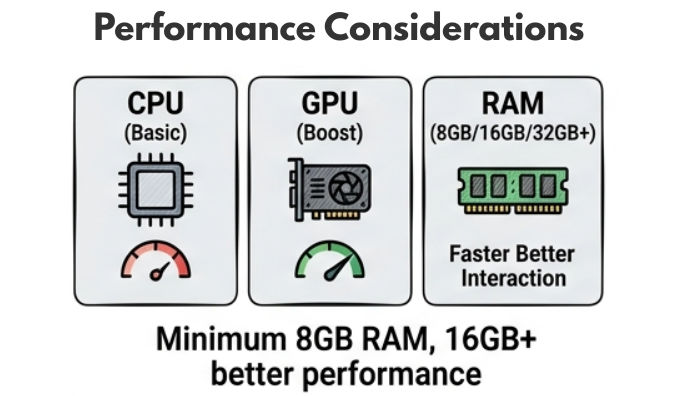
? Small models can run smoothly on normal laptops, while larger models require high-performance machines.
Local LLMs are powerful, but they also come with some practical limitations.
? Due to these limitations, local models alone may not be ideal for high-scale production systems.
In real-world applications, a hybrid approach is often used to combine the strengths of both local and cloud-based AI models.
This approach helps balance performance, cost, and data privacy efficiently.
Example
Benefits
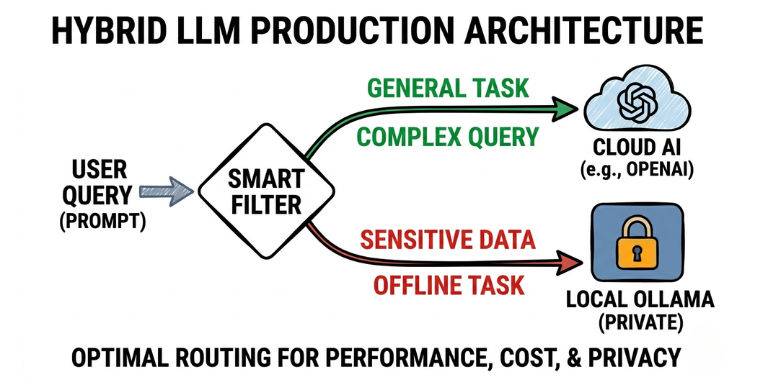
? This approach provides the best balance of speed, cost, and privacy.
Local LLMs with Ollama are widely used in different real-world scenarios.
Local LLMs with Ollama provide a powerful way to run AI models directly on your system with better privacy, control, and cost efficiency.
It is a great choice for developers who want to build AI applications without fully depending on cloud providers.
? Start with small models, test performance, and gradually move towards hybrid architectures for building real-world scalable AI systems.
