
Author
Setting up a local Kubernetes environment is an essential first step for learning, testing, and developing Kubernetes applications without relying on cloud infrastructure.
? In simple terms: A local setup allows you to run and experiment with Kubernetes directly on your own machine.
It is widely used by developers to build, test, and debug applications locally before deploying them to production environments.
A local Kubernetes environment allows you to work more efficiently and safely without depending on external cloud services.
Key Benefits
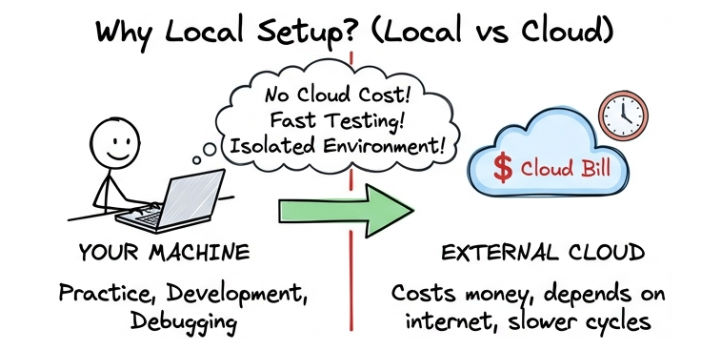
? A local setup makes learning Kubernetes easier, development faster, and testing more reliable.
kubectl is the command-line tool used to interact with a Kubernetes cluster, allowing you to deploy, manage, and monitor applications.
Install kubectl (Linux)
curl -LO "<https://dl.k8s.io/release/$>(curl -L -s <https://dl.k8s.io/release/stable.txt>)/bin/linux/amd64/kubectl"
chmod +x kubectl
sudo mv kubectl /usr/local/bin/
Verify Installation
kubectl version --client
? If installed correctly, this command will display the client version of kubectl.
Minikube is a tool that allows you to run a single-node Kubernetes cluster locally, making it ideal for learning and development.
Install Minikube
curl -LO <https://storage.googleapis.com/minikube/releases/latest/minikube-linux-amd64>
sudo install minikube-linux-amd64 /usr/local/bin/minikube
Start Minikube
minikube start
? This command creates and starts a local Kubernetes cluster on your machine.
Verify Minikube
kubectl get nodes
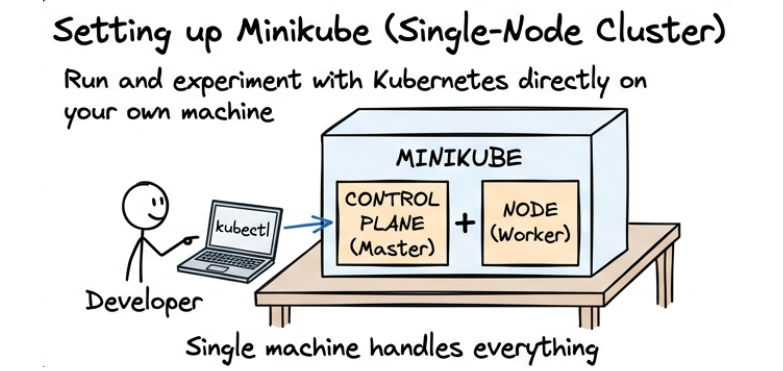
? The output should show a node in Ready state, confirming the cluster is running.
Kind (Kubernetes IN Docker) allows you to run Kubernetes clusters using Docker containers.
It is lightweight, fast, and widely used for testing, development, and CI/CD pipelines.
Install Kind
curl -Lo ./kind <https://kind.sigs.k8s.io/dl/latest/kind-linux-amd64>
chmod +x kind
sudo mv kind /usr/local/bin/kind
Create Cluster
kind create cluster
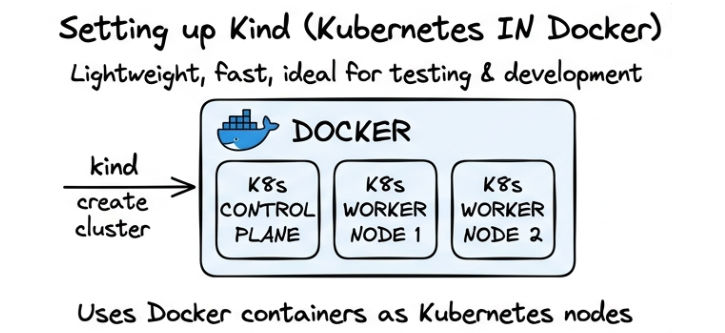
? This command creates a Kubernetes cluster using Docker containers on your local machine.
After setting up your Kubernetes environment, it’s important to verify that the cluster is running correctly.
Check Nodes
kubectl get nodes
? The output should show your node in Ready state, indicating that the cluster is active.
kubectl get pods -A
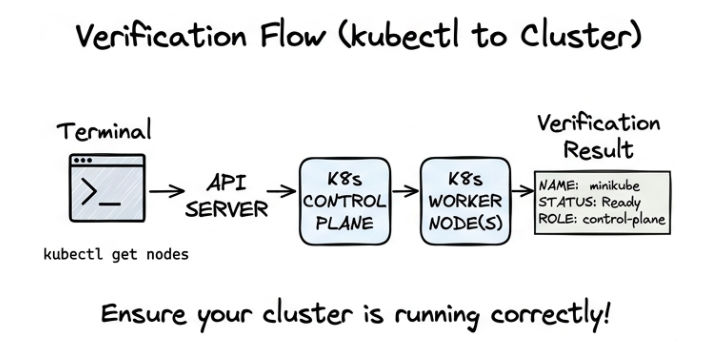
? This command displays all running system pods across all namespaces.
Now let’s deploy your first application in Kubernetes and expose it for access.
Create Deployment
kubectl create deployment my-app --image=nginx
Expose Service
kubectl expose deployment my-app --type=NodePort --port=80
Check Pods
kubectl get pods
? Your application is now running inside Kubernetes.
Check Service
kubectl get services
? Displays the service and assigned NodePort.
Access Application (Minikube)
minikube service my-app
? This command opens your application in the browser.
Setting up a local Kubernetes environment enables you to learn, test, and build applications efficiently without relying on cloud infrastructure.
kubectl → Interact with and manage the cluster.With a local setup, you can safely experiment, build confidence, and prepare for real-world Kubernetes deployments in production environments.
