
Author
In modern software development, delivering applications quickly and reliably is important. CI/CD pipelines help automate the process of building, testing, and deploying applications.
A well-designed CI/CD pipeline ensures that every code change is automatically tested and ready for deployment, reducing errors and saving time.
With GitHub Actions, you can create automated workflows that run whenever you push code, making development faster and more consistent.
? In simple terms, CI/CD using GitHub Actions helps you automate your development process, improve code quality, and deliver updates faster.
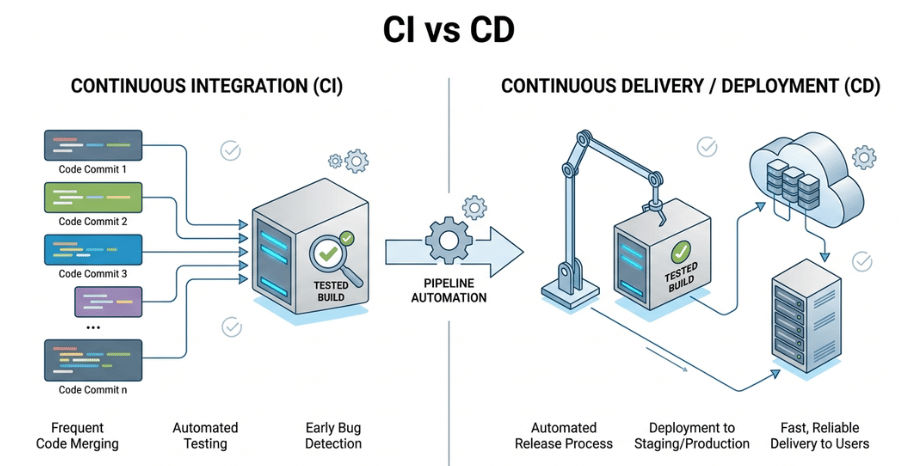
CI/CD stands for Continuous Integration and Continuous Delivery/Deployment. It is a modern DevOps practice used to automate software development and release processes.
Continuous Integration (CI): In CI, developers frequently push code to a shared repository. Every change is automatically:
? This helps detect bugs early and ensures code stability.
Continuous Deployment/Delivery (CD): After successful CI:
? CD ensures your application is always ready for production deployment.
Example (GitHub Actions Steps)
- name: Build Application
  run: mvn clean package

- name: Run Tests
  run: mvn test

- name: Build Docker Image
  run: docker build -t myapp:latest .
? This pipeline runs automatically every time new code is pushed.
Automation is a core part of modern DevOps because it improves speed, accuracy, and consistency in software delivery.
? In simple words, automation makes the software delivery process faster, safer, and more scalable.
| Feature | Continuous Integration (CI) | Continuous Delivery / Deployment (CD) |
|---|---|---|
| Purpose | Integrates code changes and runs automated tests | Automates application release and deployment |
| Stage in Pipeline | Early stage (development phase) | Final stage (release and production) |
| Main Focus | Code quality, build stability, and testing | Fast, safe, and reliable delivery to users |
| Key Activities | Code build, unit testing, integration testing | Packaging, deployment, infrastructure updates |
| Common Tools | GitHub Actions, Jenkins, Maven, JUnit | Docker, Kubernetes, ArgoCD, Helm |
| Output | Verified and tested build artifact | Running application in staging or production |
GitHub Actions is a powerful built-in CI/CD automation tool provided by GitHub. It allows developers to automate their software workflows directly inside a GitHub repository without needing external tools.
With GitHub Actions, you can automate tasks like building code, running tests, and deploying applications whenever specific events occur.
GitHub Actions is widely used for:
Trigger Events in GitHub Actions : Workflows are automatically triggered based on events such as:
push → When code is pushed to repositorypull_request → When a pull request is created or updatedrelease → When a new release is published? These triggers help automate CI/CD pipelines without manual intervention.
GitHub Actions workflows are defined using YAML files stored inside the repository.
Path :
.github/workflows/ci-cd.yml
Key Components of a Workflow
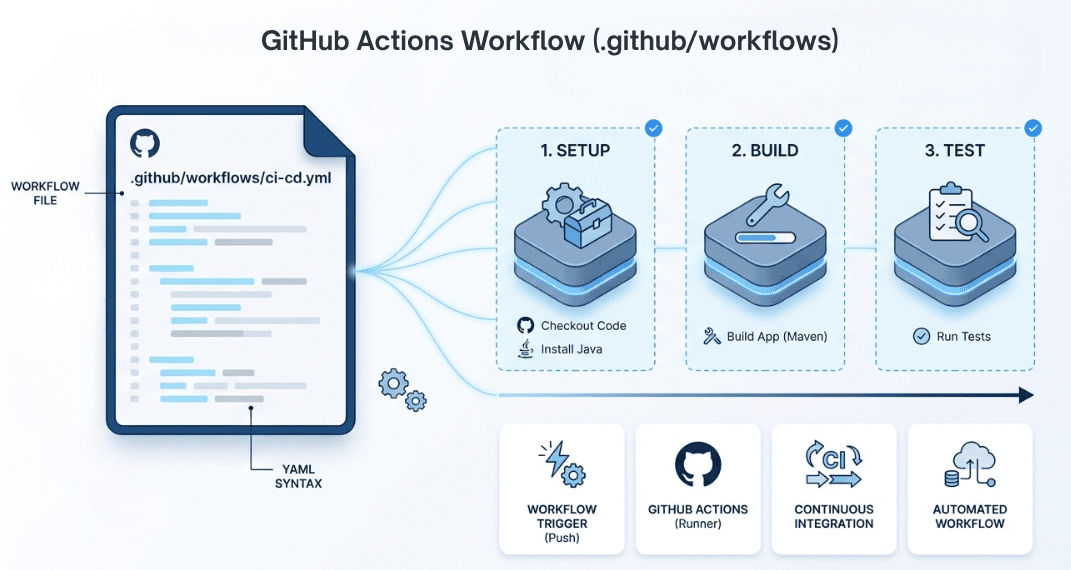
? This structure defines how your CI/CD pipeline executes automatically.
Below is a simple and real-world CI pipeline example:
name: CI Pipeline

on:
  push:
    branches: ["main"]

jobs:
  build:
    runs-on: ubuntu-latest

    steps:
      - name: Checkout Code
        uses: actions/checkout@v3

      - name: Set up Java
        uses: actions/setup-java@v3
        with:
          java-version: '17'

      - name: Build Project
        run: mvn clean package

      - name: Run Tests
        run: mvn test
The build pipeline is the first stage in a CI/CD workflow. It converts source code into a runnable and deployable application.
This step ensures that the application compiles successfully and is ready for testing and deployment.
What Build Pipeline Does
? The main goal is to produce a stable and deployable build.
Example (Java Build with Maven)
- name: Build Application
  run: mvn clean package
The test pipeline runs automatically after the build stage to ensure that the application is working correctly.
It validates the application before deployment and helps catch issues early in the development cycle.
What Test Pipeline Includes
? This ensures that only stable and tested code moves forward in the pipeline.
Example (Run Tests)
- name: Run Tests
  run: mvn test
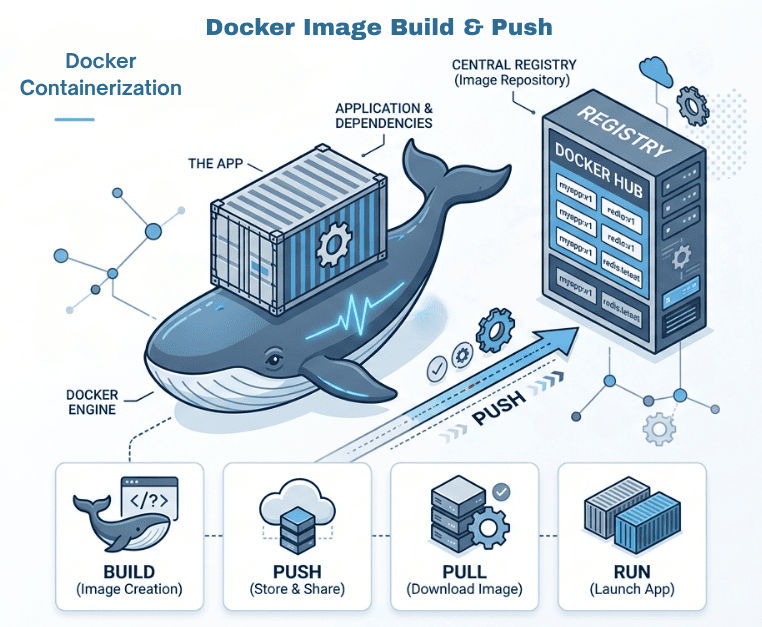
After the application is successfully built and tested, the next step in the CI/CD pipeline is to containerize the application using Docker.
This step ensures that the application runs consistently across all environments like development, staging, and production.
What This Step Does
? This makes the application portable and deployment-ready.
Popular Container Registries
Example (Build & Push Docker Image)
- name: Build Docker Image
  run: docker build -t username/myapp:v1 .

- name: Login to Docker Hub
  run: echo "${{ secrets.DOCKER_PASSWORD }}" | docker login -u "${{ secrets.DOCKER_USERNAME }}" --password-stdin

- name: Push Docker Image
  run: docker push username/myapp:v1
The final stage of a CI/CD pipeline is deploying the application to a Kubernetes cluster, which provides a scalable and production-ready environment.
This step ensures that your application runs reliably across different environments with minimal manual effort.
What This Step Does
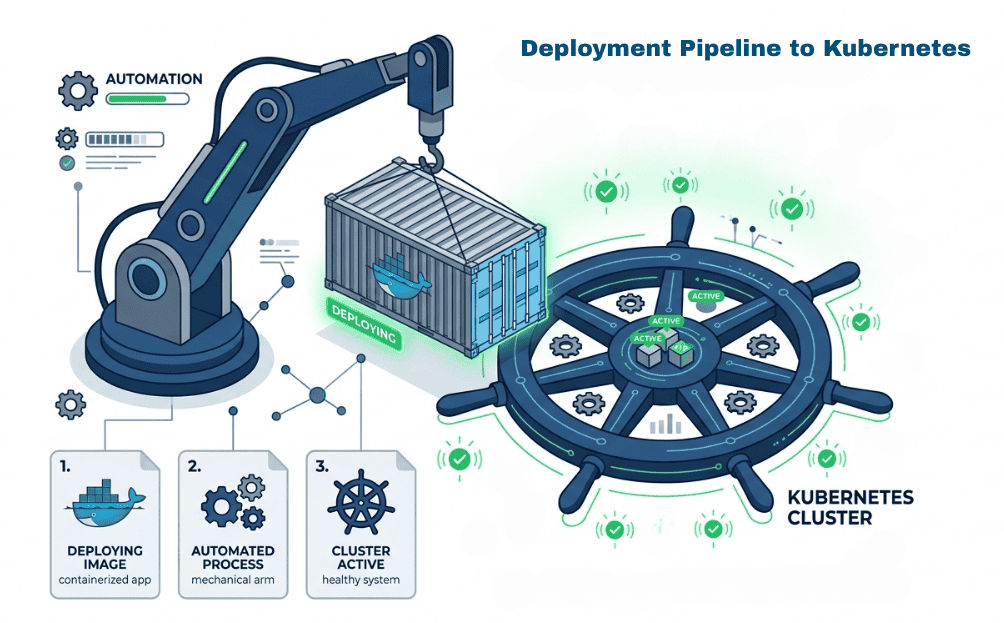
? This ensures high availability, scalability, and production stability.
Example (GitHub Actions)
- name: Set up Kubeconfig
  run: |
    mkdir -p $HOME/.kube
    echo "${{ secrets.KUBE_CONFIG }}" > $HOME/.kube/config

- name: Deploy to Kubernetes
  run: kubectl apply -f deployment.yaml
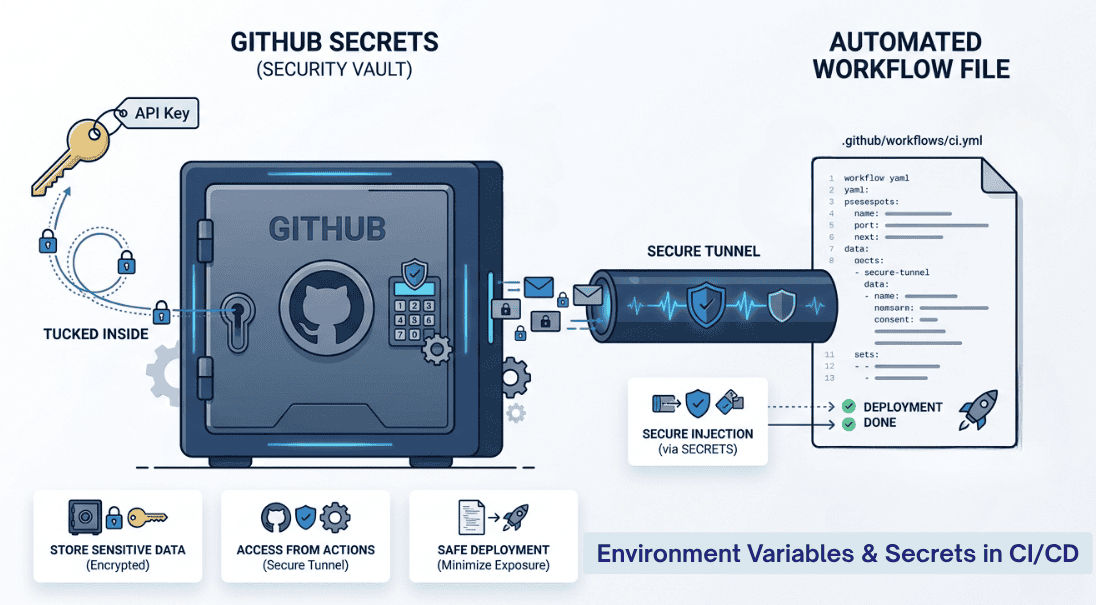
CI/CD pipelines often require sensitive information such as API keys, database credentials, and authentication tokens.
Instead of hardcoding them in the codebase, GitHub Actions provides Secrets Management to securely store and access them.
Examples of Secrets
Common Environments
? This helps manage configurations safely across different environments.
Example (Environment Variables)
env:
  APP_ENV: production
Using Secrets
- name: Login to Docker Hub
  run: echo "${{ secrets.DOCKER_PASSWORD }}" | docker login -u "${{ secrets.DOCKER_USERNAME }}" --password-stdin
The CI/CD pipeline represents the end-to-end automation process that takes code from development to production deployment using GitHub Actions.
Developer Push → GitHub Actions → Build → Test → Docker Image → Push → Kubernetes Deployment
This shows how a real-world CI/CD pipeline works from code to deployment.
name: CI/CD Pipeline

on:
  push:
    branches: ["main"]

jobs:
  build-test-deploy:
    runs-on: ubuntu-latest

    steps:
      - name: Checkout Code
        uses: actions/checkout@v3

      - name: Set up JDK
        uses: actions/setup-java@v3
        with:
          java-version: '17'

      - name: Build Application
        run: mvn clean package

      - name: Run Tests
        run: mvn test

      - name: Build Docker Image
        run: docker build -t username/myapp:latest .

      - name: Login to Docker Hub
        run: echo "${{ secrets.DOCKER_PASSWORD }}" | docker login -u "${{ secrets.DOCKER_USERNAME }}" --password-stdin

      - name: Push Docker Image
        run: docker push username/myapp:latest

      - name: Deploy to Kubernetes
        run: kubectl apply -f deployment.yaml
CI/CD pipelines using GitHub Actions automate the entire software delivery lifecycle — from code commit to production deployment.
They ensure:
? In modern DevOps, CI/CD is essential for building and deploying applications efficiently at scale.
