
Author
Kubernetes provides powerful built-in features to automatically detect failures and recover applications without manual intervention. This makes applications more reliable and production-ready.
? In simple words: Kubernetes can automatically detect problems and fix broken applications.
Self-healing is a core feature of Kubernetes that allows it to automatically restart, replace, or reschedule failed containers and pods to maintain the desired state.
? Instead of manually fixing issues, Kubernetes ensures your application keeps running smoothly.
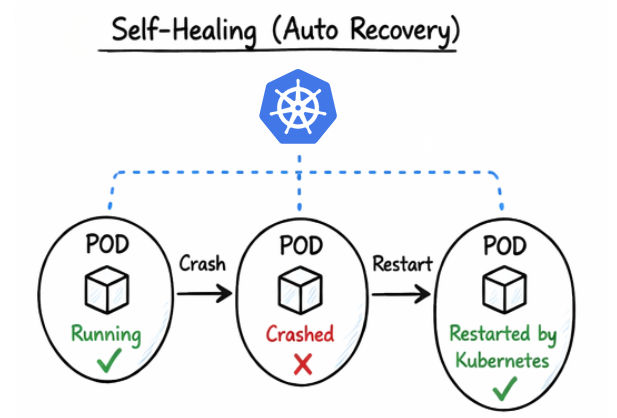
Kubernetes continuously monitors the health of applications and detects issues using multiple mechanisms:
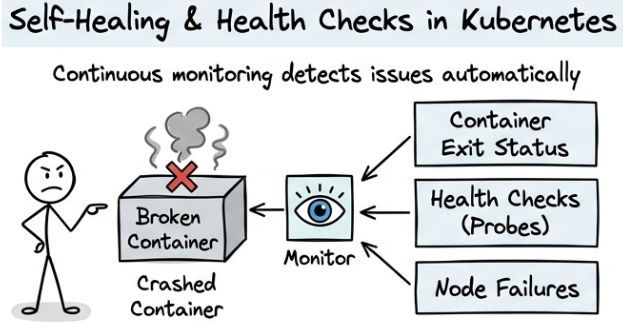
The Pod Restart Policy defines what Kubernetes should do when a container inside a pod stops or crashes.
It controls how Kubernetes handles container failures.
Restart Policy Options:
Example
apiVersion: v1
kind: Pod
metadata:
  name: restart-pod
spec:
  restartPolicy: OnFailure
  containers:
  - name: my-container
    image: busybox
    command: ["sh", "-c", "exit 1"]
What This Configuration Does
exit 1).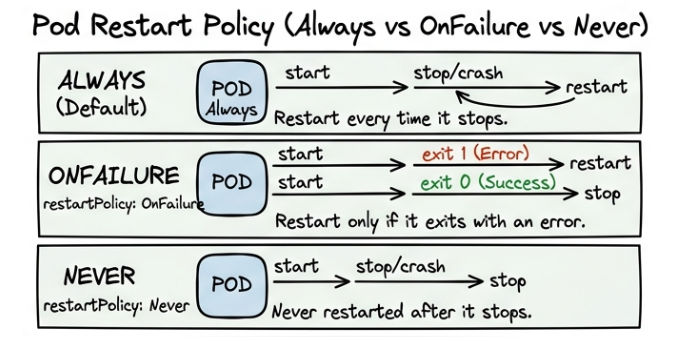
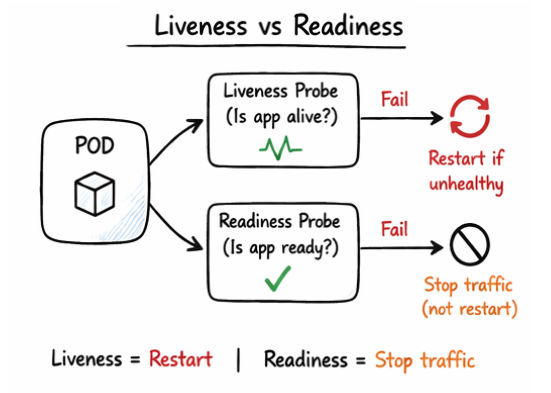
A Liveness Probe checks whether the application inside a container is still running properly.
If the probe fails, Kubernetes assumes the application is unhealthy and restarts the container automatically.
Example
apiVersion: v1
kind: Pod
metadata:
  name: liveness-pod
spec:
  containers:
  - name: my-app
    image: nginx
    livenessProbe:
      httpGet:
        path: /
        port: 80
      initialDelaySeconds: 5
      periodSeconds: 10
A Readiness Probe checks whether the application is ready to receive traffic.
If the probe fails, Kubernetes does not send traffic to that pod, but the container is not restarted.
Example
apiVersion: v1
kind: Pod
metadata:
  name: readiness-pod
spec:
  containers:
  - name: my-app
    image: nginx
    readinessProbe:
      httpGet:
        path: /
        port: 80
      initialDelaySeconds: 5
      periodSeconds: 10
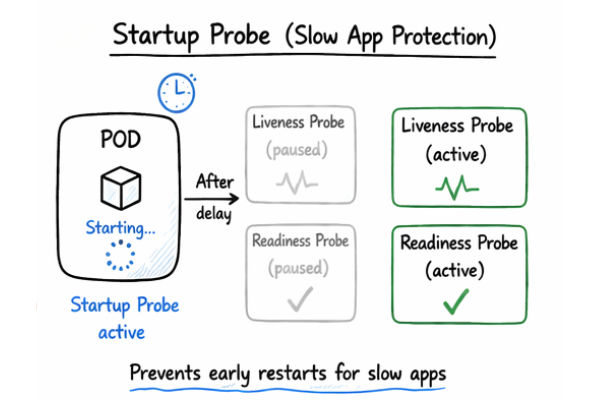
A Startup Probe is used for slow-starting applications to give them enough time to initialize before other health checks begin.
It ensures that Kubernetes does not kill or restart the container while the application is still starting.
It helps to:
Example
apiVersion: v1
kind: Pod
metadata:
  name: startup-pod
spec:
  containers:
  - name: my-app
    image: nginx
    startupProbe:
      httpGet:
        path: /
        port: 80
      failureThreshold: 30
      periodSeconds: 10
CrashLoopBackOff is a common Kubernetes error that occurs when a container keeps crashing repeatedly after starting.
The cycle looks like this:
Start → Crash → Restart → Crash → Repeat
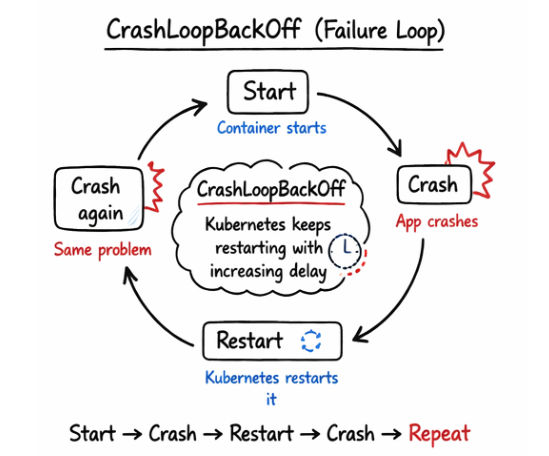
? Kubernetes keeps restarting the container, but with increasing delay between attempts (back-off time).
Common Reasons
Example
Check pod status:
kubectl get pods
Output:
NAME        READY   STATUS             RESTARTS
my-app      0/1     CrashLoopBackOff   5
How to Debug
Check logs of the container:
kubectl logs <pod_name>
Describe the pod for more details:
kubectl describe pod <pod_name>
Suppose your app has a wrong database URL:
? In simple words: CrashLoopBackOff means your container is stuck in a crash-restart loop and needs fixing.
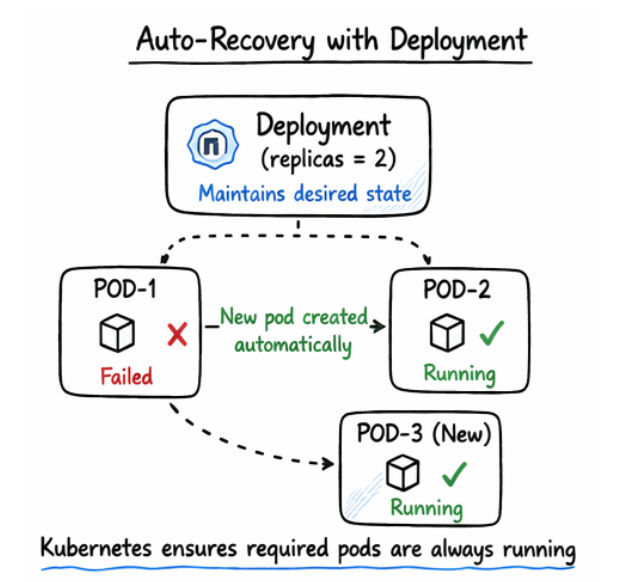
Kubernetes provides automatic recovery mechanisms to ensure that your applications remain available and stable, even when failures occur.
It continuously monitors the system and takes corrective actions without manual intervention.
Kubernetes automatically:
Example
Suppose you have a Deployment with 2 replicas:
spec:
  replicas: 2
What happens:
Kubernetes provides powerful self-healing capabilities that ensure applications remain stable and available even when failures occur.
