
Author
Docker Container Networking is a system that allows containers to communicate with each other, the host machine, and the outside world (internet).
Without networking, containers run in complete isolation and cannot interact with other applications or services.
? In simple words: Docker networking allows containers to “talk” to each other and the outside world.
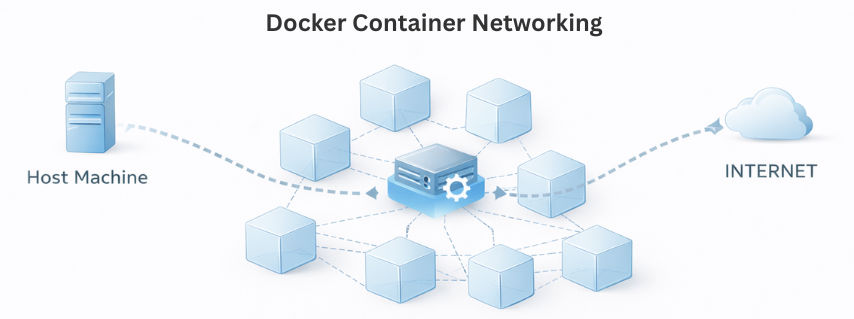
Docker provides different types of network drivers to manage how containers communicate with each other and external systems.
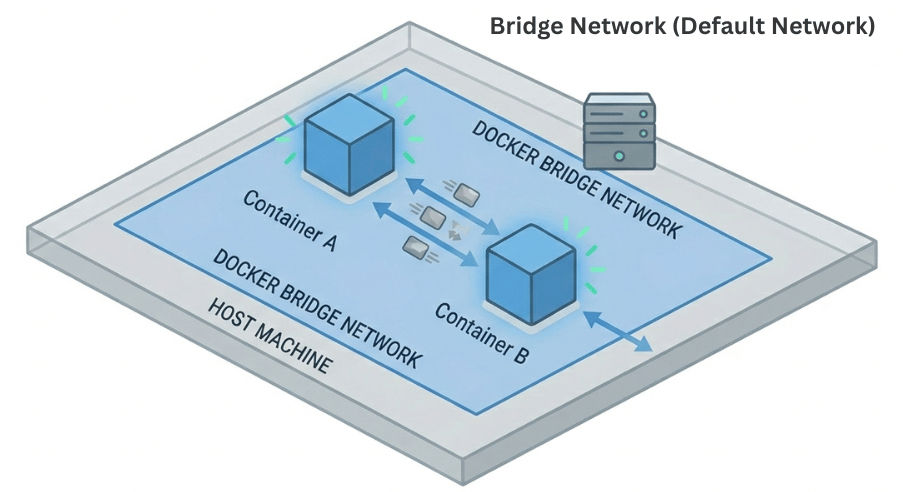
This is the default network created when Docker is installed.
? Best for: Single-host applications
Example:
docker run -d --name app1 nginx
docker run -d --name app2 nginx
? Containers can communicate within the same bridge network.
In this mode, the container directly uses the host machine’s network.
? Best for: High-performance applications
Example:
docker run --network host nginx
This network mode disables all networking for the container.
? Best for: Fully isolated containers
Example:
docker run --network none nginx
The Overlay Network is used for communication between containers running on different Docker hosts (multi-host setup).
? Best for: Multi-node cluster systems (Docker Swarm / Kubernetes environments)
Example:
1. Create an Overlay Network
docker network create -d overlay my_overlay_network
2. Deploy Service on Overlay Network (Swarm Mode)
docker service create \\
  --name web_service \\
  --network my_overlay_network \\
  -p 8080:80 \\
  nginx
3. Another Service on Same Network
docker service create \\
  --name api_service \\
  --network my_overlay_network \\
  nginx
Macvlan network assigns a real MAC address to each container, making it behave like a physical device on the network.
? Best for: Legacy applications that need direct network access
Example:
docker network create -d macvlan \\
  --subnet=192.168.1.0/24 \\
  --gateway=192.168.1.1 \\
  -o parent=eth0 my_macvlan
docker run --network=my_macvlan -it nginx
Docker networking follows a simple process to connect containers with each other and the outside world.
? In simple words: Docker automatically creates a network so containers can talk to each other and external users.
Example: Port Mapping
docker run -p 8080:80 nginx
? This means:
http://localhost:8080docker run -d --name backend nginx
docker run -d --name frontend nginx
Containers can communicate using their container name or IP address.
ping backend
? This means the frontend container is trying to reach the backend container using its name.
Docker Container Networking is a core part of Docker that enables seamless communication between containers, the host system, and external services. By using different network types like bridge, host, overlay, and macvlan, Docker provides flexibility, isolation, and scalability for modern applications.
It plays a crucial role in building efficient microservices architectures and distributed systems, making applications easier to manage, connect, and scale across environments.
