
Author
Scaling is a core feature of Kubernetes that allows applications to handle changing traffic efficiently and maintain performance under different loads. Whether your application has minimal traffic or millions of users, Kubernetes can adjust resources automatically or manually to meet demand.
? In simple words: Scaling means increasing or decreasing resources based on application needs.
Scaling in Kubernetes refers to the process of adjusting the number of running pods or the resources assigned to them based on traffic and workload requirements.
It plays an important role in building high-performance and reliable applications.
Benefits of Scaling:
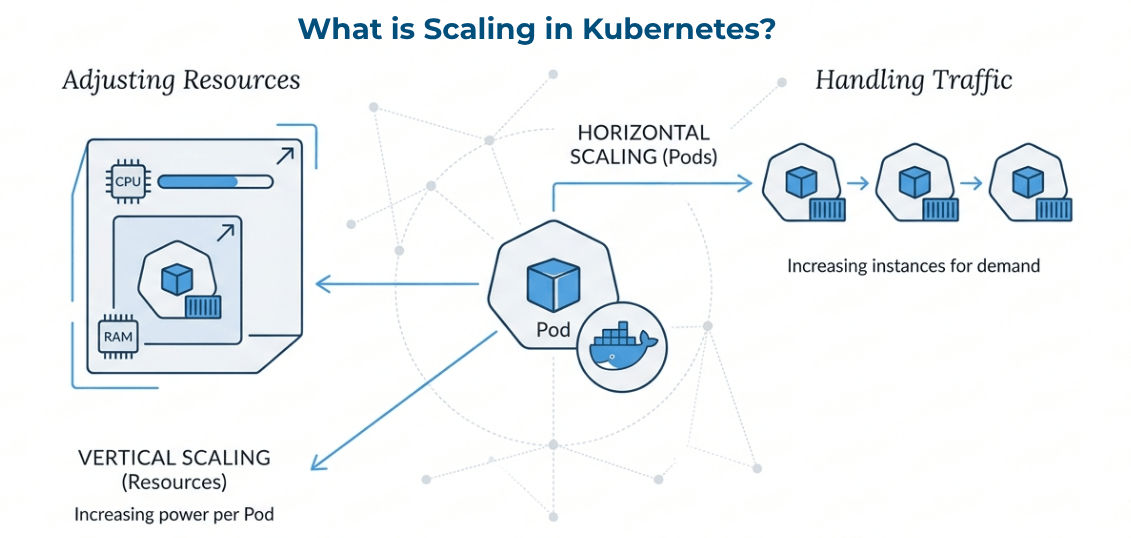
Kubernetes mainly supports two types of scaling:
Horizontal Scaling means increasing or decreasing the number of pod instances to handle application load.
Instead of making a single container more powerful, Kubernetes runs multiple copies (pods) of the same application to distribute traffic.
Example
kubectl scale deployment my-app --replicas=3
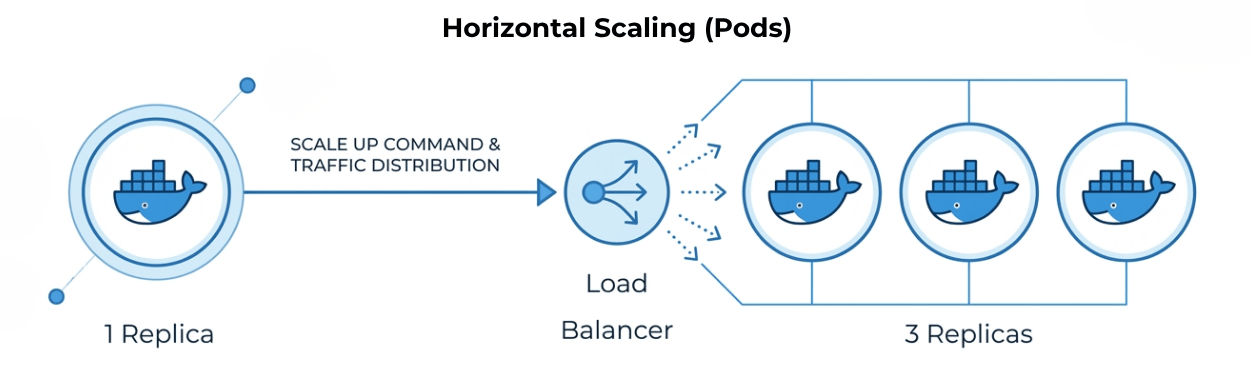
What Happens
Real-World Example
Suppose your website gets high traffic during a sale:
? In simple words: More pods = better performance and better handling of high traffic.
Vertical Scaling means increasing or decreasing the CPU and memory resources of a container.
Instead of adding more pods, Kubernetes gives more power to the existing pod to handle higher workloads.
Example
resources:
  requests:
    memory:"512Mi"
    cpu:"500m"
  limits:
    memory:"1Gi"
    cpu:"1"
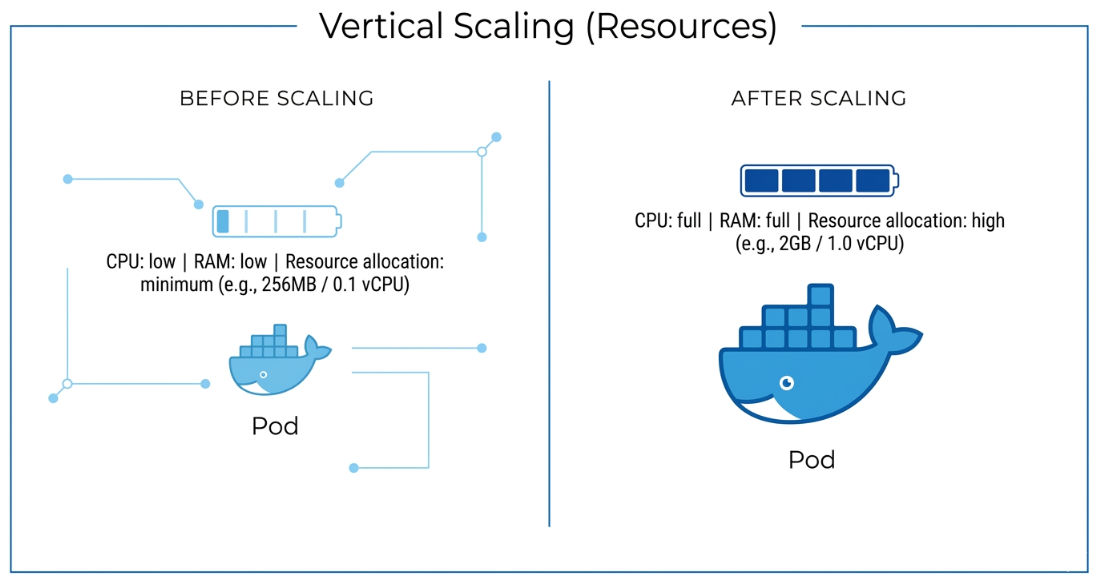
What This Configuration Does
requests → Minimum resources required by the containerlimits → Maximum resources the container can useThis ensures the container gets enough resources while preventing overuse.
What Happens
Real-World Example
Suppose your application processes heavy data:
? In simple words: Bigger pod = more power.
Manual scaling allows you to control the number of running pods using simple commands.
It gives you direct control over how many instances of your application should run.
Example
kubectl scale deployment my-app --replicas=5
What This Command Does
? Changes happen immediately, without restarting the entire application.
When to Use Manual Scaling
Cluster scaling means adding or removing worker nodes in a Kubernetes cluster to handle workload demands.
It is required when nodes don’t have enough CPU or memory to run all pods.
It helps when:
Two types:
Example
kubectl scale deployment my-app --replicas=15
kubectl get pods
Output (example):
Running pods...
Some pods → Pending
Reason: Not enough nodes to run all pods
After adding a new node (cluster scaling):
kubectl get nodes
kubectl get pods
Now all pods move to Running state
? In simple words: If pods can’t run due to low resources, add more nodes and Kubernetes will handle the rest.
To get the best performance and efficiency from Kubernetes scaling, follow these best practices:
Key Guidelines:
Kubernetes Scaling enables applications to adapt to changing traffic efficiently while maintaining performance and reliability.
With the right scaling strategy, you can build applications that are high-performance, cost-efficient, and fully production-ready.
