
Author
API Documentation is a written guide that explains how to use an API.
It helps developers understand:
In simple words: API documentation is a manual for using an API correctly.
API documentation tells developers:
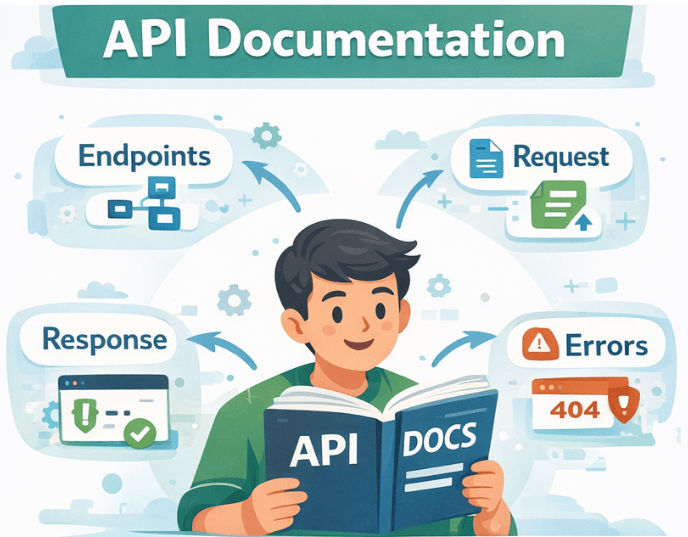
Without documentation, even a good API becomes difficult to use.
Without Documentation
With Good Documentation
Well-documented APIs are more trustworthy and easier to adopt, especially for public or partner APIs.
Good API documentation should be clear, complete, and easy to follow. Its main goal is to help developers understand and use the API correctly without confusion.
Here are the key sections every good API documentation must include:
This section gives a high-level understanding of the API.
Include:
Example:
Base URL:<https://api.example.com>
Authentication:BearerToken
Explain how to access the API securely.
Include:
Example:
Authorization: Bearer <token>
Explain each endpoint clearly.
Include:
Example:
GET /api/users
Description: Fetch all users
Explain all inputs the API expects.
Include:
Example:
GET /api/users/{id}
| Parameter | Type | Required | Description |
|---|---|---|---|
| id | Long | Yes | User ID |
Show real API request examples.
Example:
GET /api/users/1
Examples help developers understand how to use the API quickly.
Explain what the API returns.
Include:
Example:
{
"id":1,
"name":"John Doe"
}
Document all possible errors clearly.
Include:
Example:
{
"error":"User not found",
"status":404
}
List commonly used status codes.
Examples:
Explain how API versions are handled.
Examples:
/api/v1/usersThis helps clients handle changes safely.
Explain any usage limits.
Include:
Example:
100 requestsperminuteperuser
Provide:
This makes documentation practical and real-world friendly.
Mention:
This helps developers stay updated.
API documentation can be created in two main ways. Each approach has its own use cases, advantages, and limitations.
Manual documentation is written and maintained by developers.
Characteristics:
Drawbacks:
Auto-generated documentation is created automatically from the source code.
Characteristics:
Benefits:
Popular Tools:
| Feature | Manual Documentation | Auto-Generated Documentation |
|---|---|---|
| Creation | Written manually by developers | Generated automatically from code |
| Source | Markdown, PDF, Wiki, text files | Code annotations & API definitions |
| Maintenance | Hard to maintain | Easy to maintain |
| Accuracy | Can become outdated | Always up to date |
| Effort | High manual effort | Minimal manual effort |
| Scalability | Not ideal for large APIs | Best for large & growing APIs |
| Consistency | Depends on writer | Consistent with API behavior |
| Interactivity | Static content | Interactive (try APIs in browser) |
| Best Tools | Docs, Wiki, PDF | Swagger, OpenAPI, Springdoc |
| Recommended For | Small or internal projects | Production & public APIs |
| Tool | What It Is | Best Use Case |
|---|---|---|
| Swagger UI | Web-based UI for APIs | Interactive API documentation and testing |
| OpenAPI | API specification standard | Defining REST API structure and contracts |
| Postman | API development platform | API testing, collections, and shared docs |
| Springdoc OpenAPI | Spring Boot integration | Auto-generate API docs for Spring Boot |
In Spring Boot, API documentation can be generated automatically, which saves time and prevents manual mistakes.
Instead of writing documentation by hand, Spring Boot can scan your code and create interactive API docs.
The most popular and recommended solution is:
? Swagger using springdoc-openapi
OpenAPI is a standard specification used to describe REST APIs in a clear and structured way.
It defines:
? Swagger UI is a visual interface built on top of OpenAPI that allows developers to:
To enable Swagger UI in a Spring Boot 3+ application, add the following dependency.
Spring Boot 3+
<dependency>
<groupId>org.springdoc</groupId>
<artifactId>springdoc-openapi-starter-webmvc-ui</artifactId>
<version>2.5.0</version>
</dependency>
No extra configuration required Springdoc automatically scans your controllers and generates API documentation.
After starting your Spring Boot application, access the documentation at:
Swagger UI (Interactive Docs)
<http://localhost:8080/swagger-ui.html>
OpenAPI JSON (Specification)
<http://localhost:8080/v3/api-docs>
@RestController
@RequestMapping("/api/users")
public class UserController {

    @GetMapping("/{id}")
    public User getUser(@PathVariable Long id) {
        return new User(id, "John", "[email protected]");
    }
}
Swagger automatically documents:
Without writing any extra documentation, Swagger generates:
/api/users/{id}GETidUser objectSwagger (springdoc-openapi) provides annotations that help make your API documentation clearer and more detailed.
@Operation – Describe an Endpoint
@Operation(
    summary = "Get user by ID",
    description = "Fetch a user using their unique ID"
)
@GetMapping("/{id}")
public User getUser(@PathVariable Long id) {
    return userService.findById(id);
}
Adds a summary and description for the endpoint in Swagger UI.
@Parameter – Describe Parameters
@GetMapping("/{id}")
public User getUser(
    @Parameter(description = "User ID", example = "1")
    @PathVariable Long id
) {
    return userService.findById(id);
}
Documents path, query, and header parameters with descriptions and examples.
@ApiResponse – Document Responses
@Operation(summary = "Get user by ID")
@ApiResponses({
    @ApiResponse(responseCode = "200", description = "User found"),
    @ApiResponse(responseCode = "404", description = "User not found")
})
@GetMapping("/{id}")
public User getUser(@PathVariable Long id) {
    return userService.findById(id);
}
Adds HTTP response codes and descriptions to Swagger UI.
Documenting Request Body
@Operation(summary = "Create new user")
@PostMapping
public User createUser(
    @RequestBody(description = "User details", required = true) User user
) {
    return userService.save(user);
}
Swagger shows:
Grouping APIs (For Large Projects)
@Bean
public GroupedOpenApi userApi() {
    return GroupedOpenApi.builder()
            .group("Users")
            .pathsToMatch("/api/users/**")
            .build();
}
Useful for:
While Swagger UI is great for development, you usually don’t want it publicly accessible in production.
Restrict access
Only allow authorized users (e.g., developers, admins) to view Swagger UI.
Enable only in dev or test environments
Disable Swagger for production environments to prevent exposing internal API details.
Protect using Spring Security
Use Spring Security to secure the /swagger-ui.html and /v3/api-docs endpoints.
Example: Enable Swagger Only in Dev Profile
@Configuration
@Profile("dev")
publicclassSwaggerConfig {
// Swagger configuration beans here
}
Swagger will be active only when the application runs in the dev profile.
Example: Secure Swagger with Spring Security
@Override
protectedvoidconfigure(HttpSecurity http)throws Exception {
    http
        .authorizeRequests()
        .requestMatchers("/swagger-ui.html","/v3/api-docs/**").hasRole("ADMIN")
        .anyRequest().authenticated()
        .and()
        .formLogin();
}
Only users with ADMIN role can access Swagger in production.
| Feature | Code Comments | API Documentation |
|---|---|---|
| Audience | Developers working on the code | API consumers / frontend teams / external developers |
| Purpose | Explain how the code works | Explain how to use the API |
| Visibility | Internal (inside the code) | Public / Shared with API users |
| Content | Logic, implementation details | Endpoints, parameters, request/response, errors |
| Usage | Helps maintain and understand code | Helps integrate and consume APIs |
| Format | Inline comments, Javadoc | Markdown, Swagger, OpenAPI, Postman |
| Maintenance | Must be updated manually | Can be auto-generated (e.g., Swagger/OpenAPI) |
If you are building REST APIs in Spring Boot, Swagger should be your default choice for API documentation.
