
Author
Running Docker on the cloud allows you to deploy and manage containerized applications in a scalable, reliable, and production-ready environment. Instead of running containers only on your local machine, you can host them on cloud platforms and make your application accessible from anywhere.
Docker on Cloud refers to running Docker containers on cloud infrastructure instead of a local system. It allows you to deploy applications in containers on cloud servers, making them easier to scale, manage, and access over the internet.
In simple words: Docker on Cloud means running your Docker containers on the internet instead of your local machine, so your application becomes accessible and scalable.
Using Docker on cloud platforms provides multiple benefits:
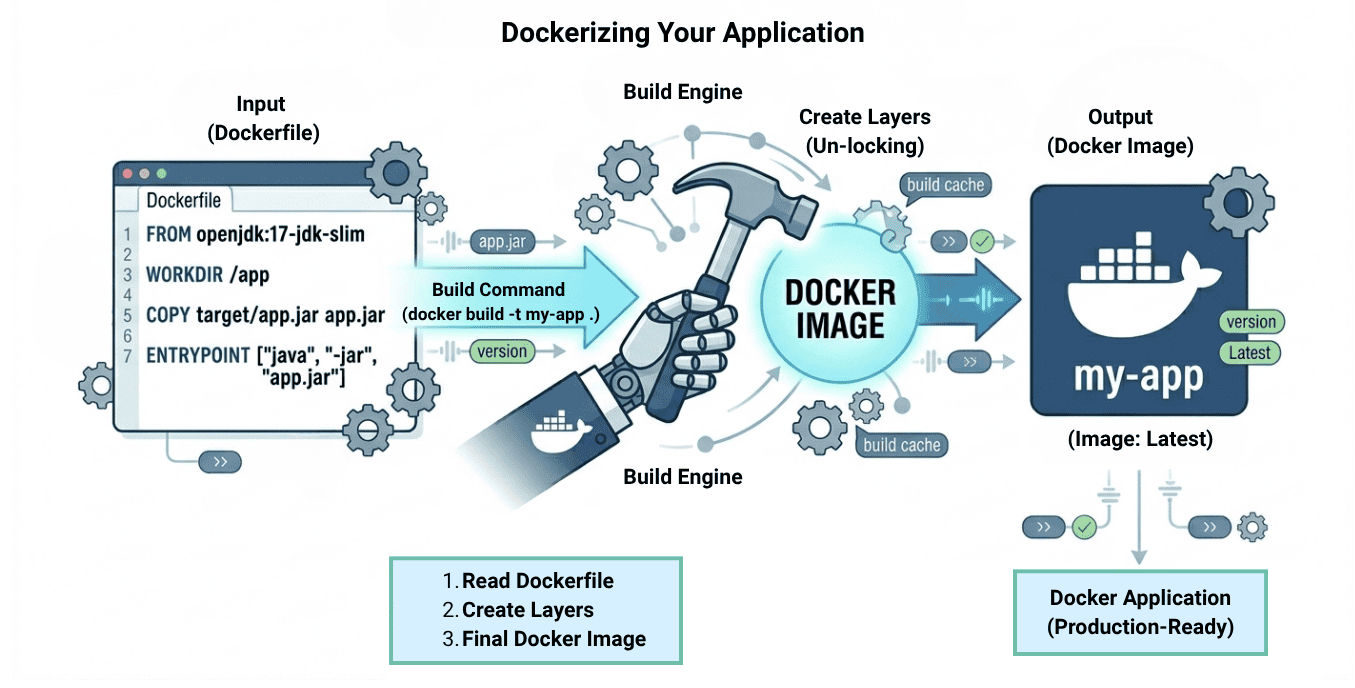
Before deploying your application to the cloud, you need to package it into a Docker container. This process is called Dockerizing, and it ensures your application runs consistently across different environments.
Example: Dockerfile
FROM openjdk:17-jdk-slim
WORKDIR /app
COPY target/app.jar app.jar
ENTRYPOINT ["java", "-jar", "app.jar"]
Build Docker Image
docker build -t my-app .
Run Container Locally
docker run -p 8080:8080 my-app
Container registries are used to store and manage Docker images so they can be accessed and deployed from anywhere.
Push Image to Registry
docker tag my-app username/my-app
docker push username/my-app
? This allows your image to be stored in a registry and pulled on cloud servers for deployment.
You can run Docker containers directly on cloud virtual machines, similar to running them on your local system.
Example Steps
# Install Docker
sudo apt update
sudo apt install docker.io -y

# Pull image
docker pull username/my-app

# Run container
docker run -d -p 8080:8080 username/my-app
? This approach gives you full control over the server, environment, and container execution.
Cloud platforms provide managed container services that allow you to run Docker containers without manually managing servers or infrastructure. These services handle provisioning, scaling, and deployment automatically.
Examples
Example: Running a Container (Concept – AWS ECS CLI style)
aws ecs run-task \\
  --cluster my-cluster \\
  --task-definition my-task
? This command runs a container on AWS ECS without managing servers manually.
? These services reduce operational effort and make it easier to deploy and scale containerized applications.
Docker networking enables communication between containers as well as external access to your application when running in the cloud.
Example: Create Network and Connect Containers
# Create custom network
docker network create my-network

# Run app container
docker run -d --name app --network my-network my-app

# Run database container
docker run -d --name db --network my-network mysql
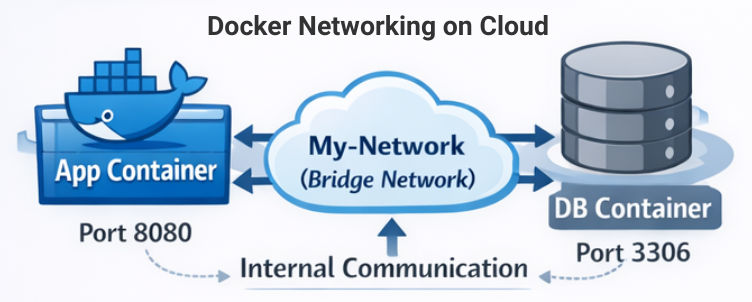
? Now both containers can communicate using their names (app, db) inside the network.
Containers are stateless by default, which means data inside a container is lost when it stops. That’s why using persistent storage is important in cloud environments.
Example
docker run -d \\
  -v my-volume:/data \\
  -p 8080:8080 my-app
? This stores data in a Docker volume, so it remains safe even if the container restarts.
Scaling ensures your application can handle increasing traffic and user load efficiently.
Example (Manual Scaling)
docker run -d -p 8081:8080 my-app
docker run -d -p 8082:8080 my-app
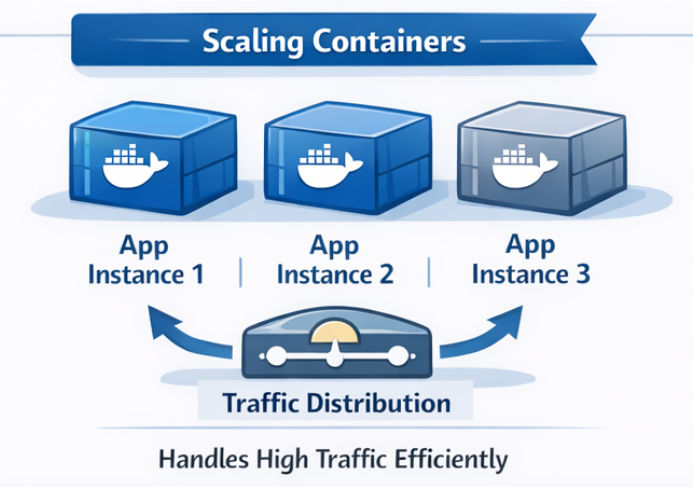
? This runs multiple instances of the same application on different ports.
Load balancing distributes incoming traffic across multiple container instances to improve performance and reliability.
? Can be done using cloud load balancers or tools like Nginx
Example (Nginx Concept)
upstream myapp {
    server localhost:8081;
    server localhost:8082;
}

server {
    listen 80;

    location / {
        proxy_pass <http://myapp>;
    }
}
? This configuration distributes traffic between multiple container instances.
To keep your containerized applications secure in cloud environments, follow these best practices:
? Following these practices helps protect your application from common security threats and ensures a safer deployment.
Running Docker on the cloud enables you to build scalable, portable, and production-ready applications. It simplifies deployment, ensures consistency across environments, and improves overall application management.
By combining Docker with cloud platforms, developers can efficiently deploy, manage, and scale modern applications with better performance, flexibility, and security.
