
Author
Docker fundamentals are essential for understanding containerization, DevOps practices, and modern microservices architecture. Docker enables developers to package applications along with all dependencies into portable containers, ensuring consistent behavior across development, testing, staging, and production environments.
Docker is a containerization platform that allows you to build, ship, and run applications inside lightweight, isolated containers.
Containers:
This makes Docker ideal for cloud-native applications and microservices deployments.
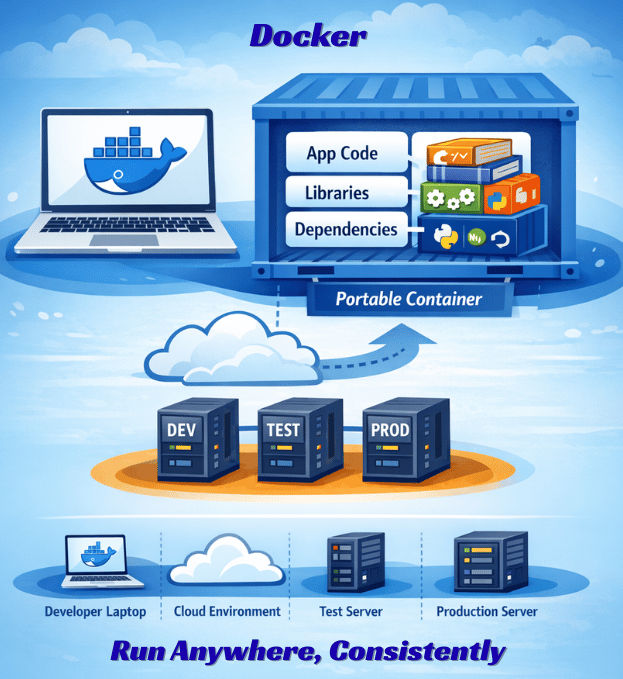
Docker simplifies:
Understanding these core components is essential to mastering Docker.
Docker Engine is the core runtime responsible for building and running containers.
It consists of:
The Docker CLI communicates with the Docker Daemon using the REST API.
A Docker image is a read-only template used to create containers.
It contains:
Images are:
Example:
docker pull openjdk:21
This command downloads the openjdk:21 image from a Docker registry.
A Docker container is a running instance of a Docker image.
Example:
docker run -p 8080:8080 my-app
This command:
my-app imageContainers are:
Once stopped, containers can be restarted or removed without affecting the base image.
A Dockerfile is a text file that defines instructions for building a Docker image.
Example:
FROM openjdk:21
WORKDIR /app
COPY target/app.jar app.jar
ENTRYPOINT ["java","-jar","app.jar"]
Explanation:
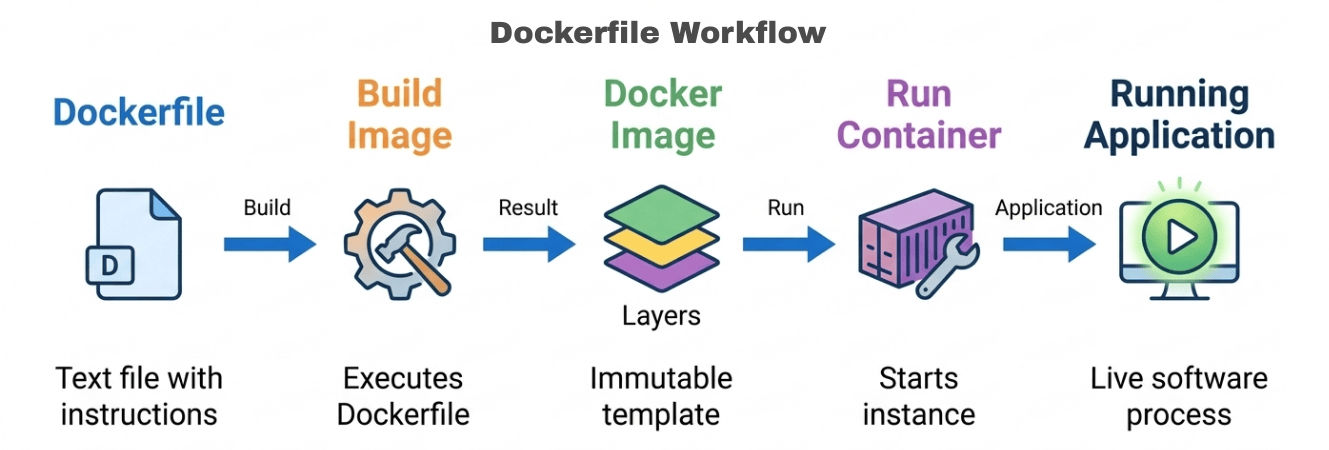
A Dockerfile ensures reproducible and consistent image builds.
| Aspect | Docker Image | Docker Container |
|---|---|---|
| Definition | A read-only template used to create containers | A running instance of a Docker image |
| State | Static (does not change) | Dynamic (can be started, stopped, modified) |
| Purpose | Defines application + dependencies | Executes the application |
| Mutability | Immutable | Can change during runtime |
| Storage | Stored in Docker registry or local cache | Runs in memory with a writable layer |
| Lifecycle | Built once, reused many times | Created, started, stopped, and removed |
| Example | openjdk:21, nginx:latest |
Running web server or Java app container |
You can map a custom host port to the container’s internal application port using the -p option.
docker run -p 9090:8080 springboot-app
Here:
Access application at:
<http://localhost:9090>
This is useful when:
Docker provides powerful commands to monitor, inspect, and debug running containers.
View Running Containers
Displays active containers, ports, container IDs, and status.
docker ps
View Container Logs
Shows application logs printed to STDOUT/STDERR.
Helpful for debugging crashes, startup failures, or runtime errors.
docker logs container_id
Access Container Shell
Opens an interactive shell inside the container.
Useful for checking files, configurations, environment variables, or installed packages.
docker exec -it container_id /bin/bash
Inspect Container Details
Returns detailed JSON information including:
docker inspect container_id
View Resource Usage
Displays real-time CPU, memory, and network usage for running containers.
docker stats
Docker Compose allows you to define and run multiple containers using a single YAML configuration file (docker-compose.yml).It is especially useful when your application depends on other services like databases, caches, or message brokers.
Example docker-compose.yml
version: '3'

services:
  app:
    image: springboot-app
    ports:
      - "8080:8080"
    depends_on:
      - db

  db:
    image: postgres
    environment:
      POSTGRES_DB: mydb
      POSTGRES_USER: user
      POSTGRES_PASSWORD: password
    ports:
      - "5432:5432"
Run All Services
docker-compose up
This command:
app, db)To run in detached mode:
docker-compose up -d
Useful For
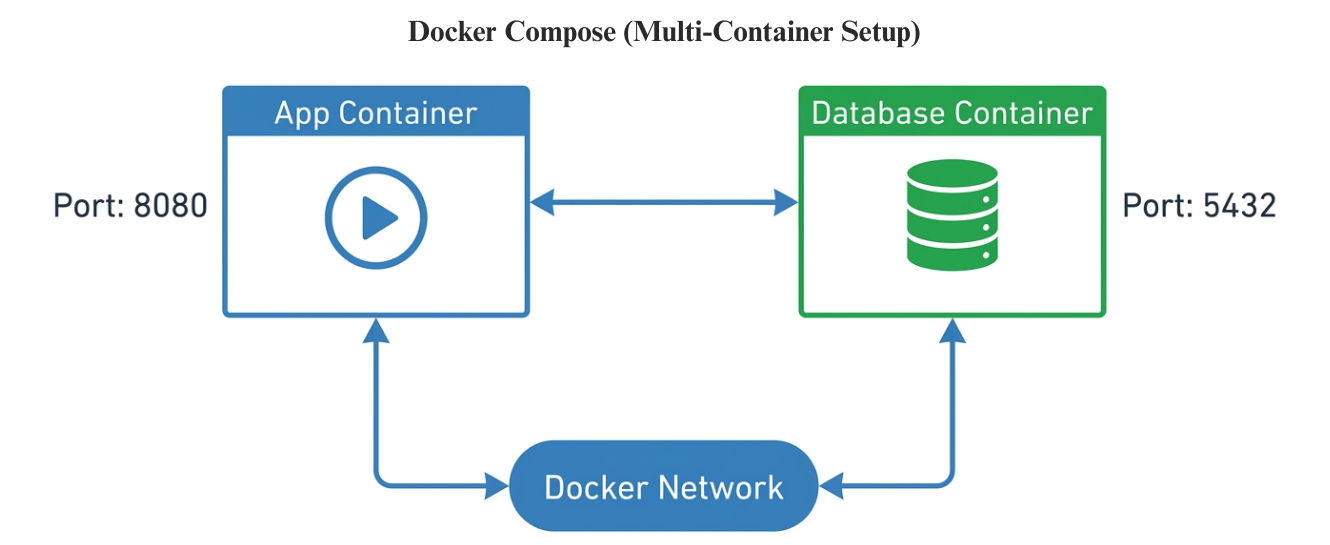
Docker plays a critical role in modern microservices architecture by providing isolation, portability, and scalability.
Docker enables:
Each microservice runs in its own container, reducing conflicts and improving isolation in distributed systems.
.dockerignore to exclude unwanted filesv1.0.0, not just latest)| Feature | Containers | Virtual Machines |
|---|---|---|
| OS Included | Share host OS kernel | Each VM has its own full OS |
| Startup Time | Seconds | Minutes |
| Memory Usage | Low (lightweight) | High (includes full OS overhead) |
| Performance | Near-native performance | Slight overhead due to hypervisor |
| Scalability | High, fast horizontal scaling | Moderate, slower provisioning |
| Isolation Level | Process-level isolation | Full hardware-level isolation |
| Resource Efficiency | Very efficient | Less efficient |
| Best Use Case | Microservices, CI/CD, cloud-native apps | Legacy systems, strong isolation needs |
A typical containerized deployment pipeline looks like this:
Developer → Build JAR → Create Dockerfile → Build Image → Push to Registry → Deploy Container → Scale via Orchestrator
In modern environments, Docker images are pushed to a container registry and deployed using orchestration platforms like Kubernetes.
Docker acts as the foundation for cloud-native deployments by:
Docker fundamentals form the backbone of modern DevOps and microservices architecture. By mastering images, containers, storage layers, networking, volumes, and debugging techniques, teams can build portable, scalable, and production-ready applications with consistency across environments.
