
Author
GitOps is a modern way to deploy and manage applications in Kubernetes using Git as the single source of truth. Instead of manually applying YAML files, you define everything in a Git repository, and tools automatically sync it with your cluster.
GitOps is a modern deployment approach where Git acts as the single source of truth for your Kubernetes configurations. Instead of making changes directly in the cluster, all updates are managed through Git commits.
In simple words: “If it’s in Git → it should run in Kubernetes.”
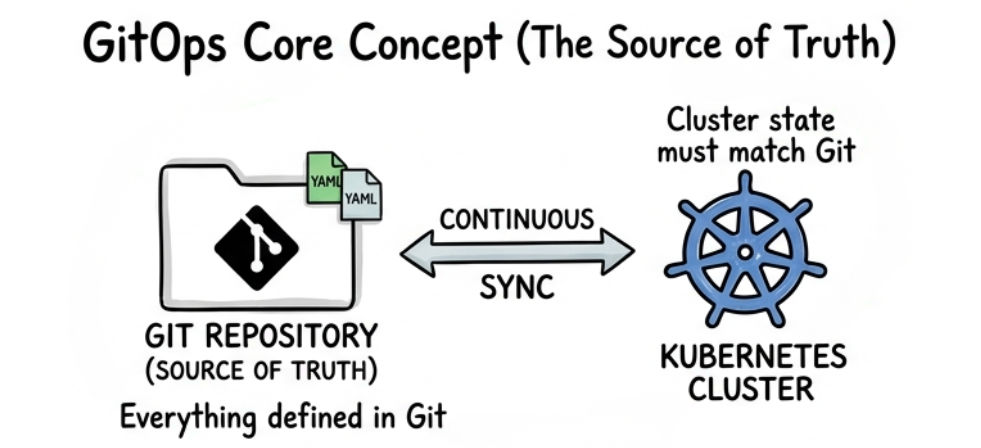
? This approach improves consistency, traceability, and automation in deployments.
GitOps makes deployments more reliable by using Git as the central source of truth.
Argo CD
Argo CD is a popular GitOps tool with a user-friendly UI dashboard that helps you visualize and manage deployments easily. It supports both manual and automatic synchronization between Git and your Kubernetes cluster.
Example:
kubectl apply -n argocd -f <https://raw.githubusercontent.com/argoproj/argo-cd/stable/manifests/install.yaml>
? This command installs Argo CD in your Kubernetes cluster.
Flux
Flux is a lightweight and Kubernetes-native GitOps tool that focuses on automation. It continuously monitors your Git repository and automatically applies changes to the cluster without manual intervention.
Example:
flux bootstrap github \\
  --owner=my-github-user \\
  --repository=my-repo \\
  --branch=main \\
  --path=./clusters/my-cluster
? This command connects your Kubernetes cluster with a Git repository and enables GitOps automation.
Argo CD follows a pull-based GitOps model, where it continuously monitors your Git repository and ensures the Kubernetes cluster matches the desired state.
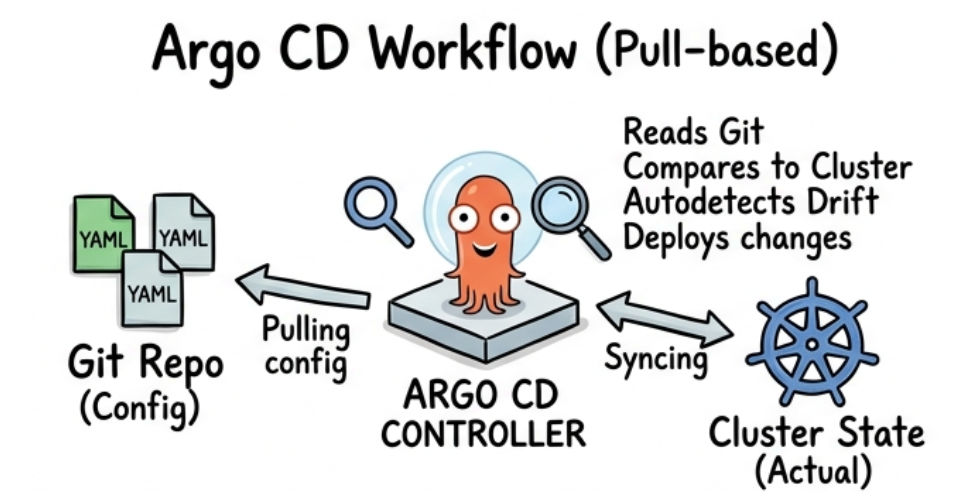
? Flow:
Git Repo → Argo CD → Kubernetes Cluster
Flux continuously monitors your Git repository and ensures the Kubernetes cluster always matches the desired state defined in Git.
? This process is called Continuous Reconciliation.
To install Argo CD in your Kubernetes cluster, first create a dedicated namespace and then apply the official installation manifest.
kubectl create namespace argocd
kubectl apply -n argocd -f <https://raw.githubusercontent.com/argoproj/argo-cd/stable/manifests/install.yaml>
? This will deploy Argo CD components into the argocd namespace.
To access the Argo CD UI, you need to port-forward the Argo CD server service to your local machine.
kubectl port-forward svc/argocd-server -n argocd 8080:443
? Open in your browser:
<https://localhost:8080>
kubectl get secret argocd-initial-admin-secret \\
  -n argocd \\
  -o jsonpath="{.data.password}" | base64 -d
? This command retrieves and decodes the default admin password.
To connect your Git repository with Argo CD, use the CLI to add your repo credentials.
argocd repo add <https://github.com/your-repo.git> \\
  --username your-username \\
  --password your-password
? This command registers your Git repository with Argo CD so it can track and deploy your Kubernetes configurations.
You can deploy applications in Kubernetes using an Argo CD Application manifest, which connects your Git repository to the cluster.
apiVersion: argoproj.io/v1alpha1
kind: Application
metadata:
  name: my-app
spec:
  destination:
    server: <https://kubernetes.default.svc>
    namespace: default
  source:
    repoURL: <https://github.com/your-repo.git>
    path: k8s
    targetRevision: HEAD
  syncPolicy:
    automated:
      prune: true
      selfHeal: true
This configuration tells Argo CD to deploy the application from your Git repository and automatically sync changes with the cluster.
Apply the Configuration
kubectl apply -f app.yaml
? This command creates the Argo CD application and starts the deployment process.
Argo CD provides two ways to sync applications from Git to your Kubernetes cluster, depending on your deployment needs.
| Feature | Auto Sync | Manual Sync |
|---|---|---|
| Deployment | Automatically deploys changes from Git | Deployment is triggered manually |
| Sync Behavior | Always keeps cluster in sync with latest code | Sync happens only when triggered |
| Control | Less manual control | Full control over deployments |
| Best Use Case | Production environments | Testing / staging environments |
Rollback in GitOps is simple and version-controlled. You can revert your application to a previous state using Git.
git revert <commit-id>
git push
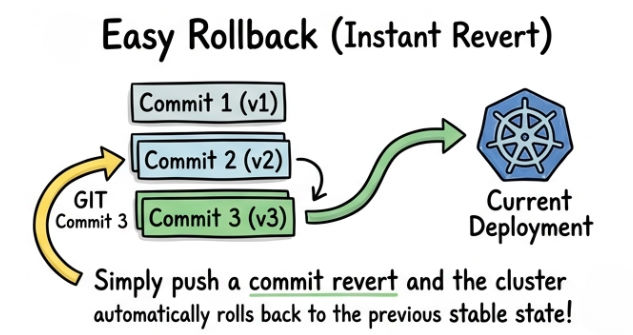
? Once the changes are pushed, Argo CD or Flux will automatically sync the cluster and restore the previous version.
In GitOps, managing multiple environments is done using a structured Git repository. Each environment (Dev, Staging, Prod) is separated to ensure better control and safe deployments.
Folder Structure Example
repo/
 ├── dev/
 ├── staging/
 └── prod/
Each environment typically has:
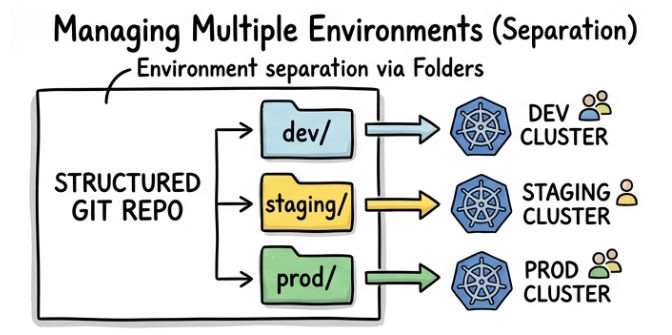
? This approach helps maintain isolation between environments and reduces the risk of affecting production systems.
Using separate Git branches is a simple way to manage different environments.
dev branch → Used for developmentmain branch → Used for production? This helps isolate changes and ensures stable production deployments.
Kustomize allows you to customize Kubernetes configurations for different environments without duplicating code.
resources:
- ../base

namePrefix: dev-
? This configuration reuses a base setup and applies environment-specific changes (like prefixing resource names with dev-).
GitOps with Argo CD and Flux simplifies Kubernetes deployments by using Git as the central source of truth and automating the entire workflow.
? If you're working with Kubernetes in production, GitOps is a must-know approach.
