Docker Volumes
Docker Volumes are used to store and manage data outside containers, ensuring that your data remains safe even if a container stops or is removed.
By default, containers are temporary (ephemeral). This means any data stored inside a container is lost once it is deleted.
Docker Volumes solve this problem by providing persistent storage that exists independently of containers.
👉 In simple words: Docker Volumes keep your data safe even when containers are destroyed.
Why Docker Volumes are Important
Docker Volumes are essential when working with real-world applications that need reliable data storage.
- Data Persistence – Data remains safe even after container removal
- Data Sharing – Multiple containers can use the same data
- Separation of Concerns – Keeps data separate from application code
- Better Performance – Faster than storing data inside containers
- Backup & Restore – Easy to manage and migrate data
- Database Support – Required for tools like MySQL, PostgreSQL, MongoDB
👉 In simple terms: Docker Volumes help you store, share, and protect your data efficiently.
Types of Docker Volumes
1. Named Volumes
Named volumes are managed completely by Docker.
- Easy to create and use
- Docker handles storage automatically
- No need to manage file paths manually
- Best for production environments
docker volume create my_volume
docker run -d \\
-v my_volume:/app/data \\
nginx
2. Bind Mounts
Bind mounts connect a host directory directly to a container.
- Full control over files and folders
- Useful for development and testing
- Changes reflect instantly between host and container
- Depends on host system structure
docker run -d \\
-v /host/data:/app/data \\
nginx
3. Anonymous Volumes
Anonymous volumes are created automatically by Docker without a specific name.
- No need to create them manually
- Hard to track, manage, and reuse
- Mostly used for temporary or short-lived data
docker run -d \\
-v /app/data \\
nginx
How Docker Volumes Work
Docker Volumes follow a simple process to store data outside the container:
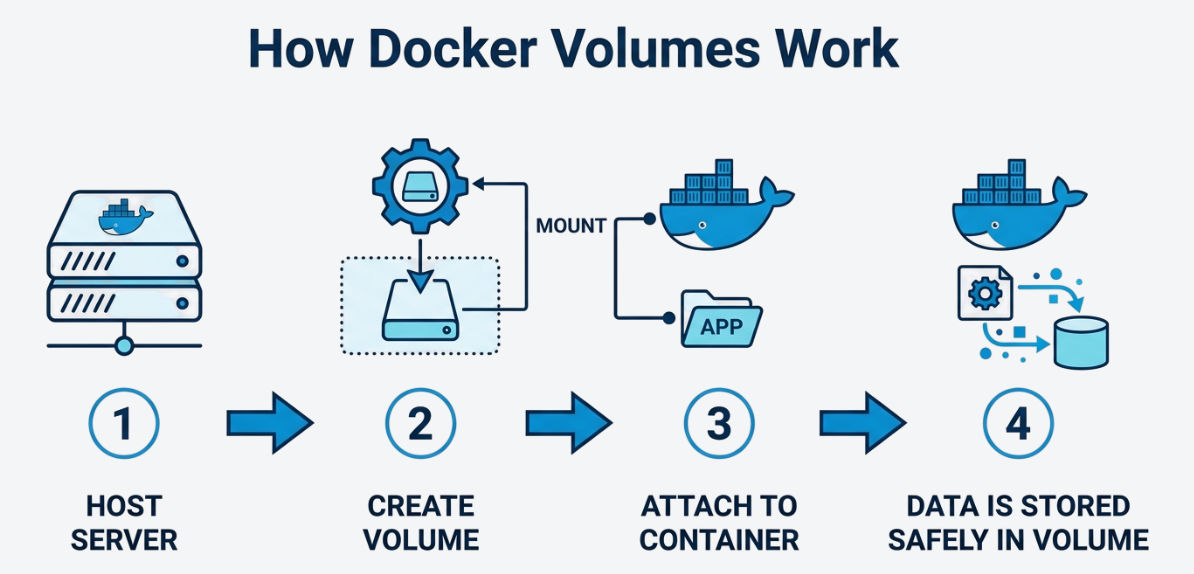
- Docker creates a volume on the host machine
- The container mounts (attaches) the volume
- Data is written to the volume instead of the container filesystem
- Even if the container is removed, the data remains safe
Example: Persistent Data
docker run -d \\
-v my_volume:/usr/share/nginx/html \\
nginx
👉 Any data written inside /usr/share/nginx/html will be stored in the volume and will persist even after container removal.
Common Docker Volume Commands
docker volume create my_volume # Create volume
docker volume ls # List volumes
docker volume inspect my_volume # View volume details
docker volume rm my_volume # Remove volume
docker volume prune # Remove unused volumes
Difference Between Volume vs Bind Mount
| Feature | Volume | Bind Mount |
|---|---|---|
| Managed by | Docker | User (Host OS) |
| Location | Docker storage | Any host directory |
| Portability | High | Low |
| Performance | Optimized | Depends on host |
| Use Case | Production | Development |
Real-World Use Cases
- Storing database data (MySQL, MongoDB, PostgreSQL)
- Sharing logs between multiple containers
- Handling file uploads (images, documents)
- Managing configuration files
- Backup and restore systems
Benefits of Docker Volumes
- Provides persistent data storage even after container removal
- Enables easy data sharing between multiple containers
- Offers better performance than container filesystem
- Ensures safe and reliable data management
- Separates (decouples) data from application logic
Best Practices for Docker Volumes
- Use named volumes for production
- Avoid storing important data inside containers
- Regularly backup volumes
- Use bind mounts only for development
- Clean unused volumes using
docker volume prune - Use proper permissions for security
Common Mistakes to Avoid
- Storing important data inside containers
- Not taking backups of volumes
- Using bind mounts in production unnecessarily
- Forgetting to clean unused volumes (wastes disk space)
Conclusion
Docker Volumes provide a reliable and efficient way to store data outside containers, ensuring that important data is not lost when containers are removed.
They improve performance, enable data sharing, and help build stable, scalable, and production-ready applications by separating data from the application lifecycle.
