
Author
A strong production setup ensures your application is secure, stable, and ready for real-world traffic. It focuses on making sure your system performs reliably, handles failures properly, and remains protected from security risks.
In real-world environments, applications face challenges like high traffic, unexpected crashes, and resource limitations. Without proper hardening, these issues can lead to downtime and poor user experience.
This checklist covers key areas such as security, performance, monitoring, and reliability. By following these best practices, you can improve system stability and ensure your application runs smoothly in production.
Using lightweight base images helps reduce the overall size of your application and minimizes security risks. Smaller images contain fewer unnecessary packages, which means fewer vulnerabilities and faster deployment times.
Incorrect Example
FROM ubuntu:latest
RUN apt-get update && apt-get install -y java
Correct Example
FROM openjdk:17-jdk-slim
COPY target/app.jar app.jar
CMD ["java","-jar","app.jar"]
? Even better (ultra-secure):
FROM gcr.io/distroless/java17
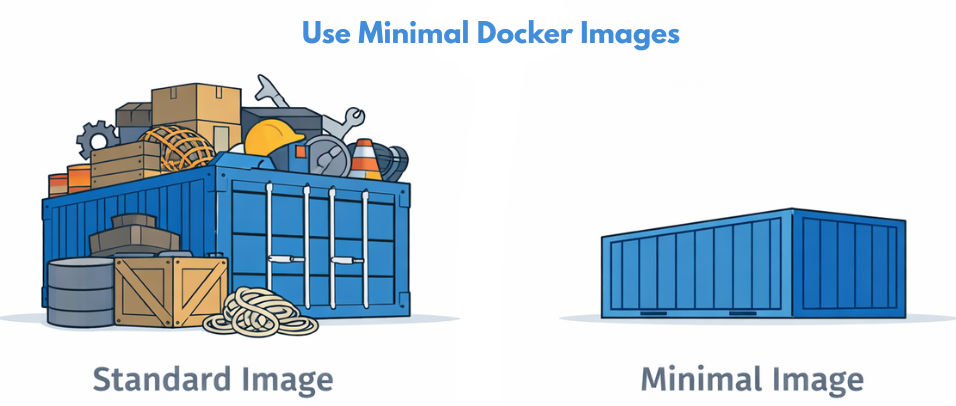
Running containers as a non-root user improves security by limiting system-level access. Even if an attacker gains access, they won’t have full control over the container or host system.
Docker Example
FROM openjdk:17-jdk-slim

RUN useradd -m appuser
USER appuser

COPY target/app.jar app.jar
CMD ["java","-jar","app.jar"]
Kubernetes Example
securityContext:
  runAsNonRoot: true
  runAsUser: 1000
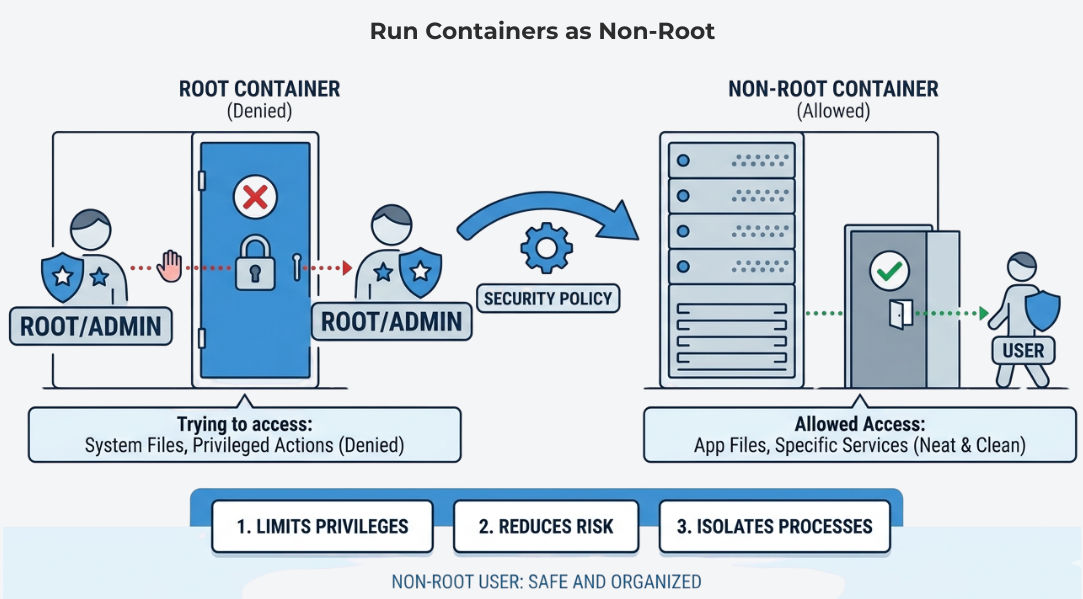
Defining resource limits ensures that your application does not consume excessive CPU or memory. This helps maintain system stability and prevents one service from affecting others in a shared environment.
Kubernetes Example
resources:
  requests:
    cpu: "250m"
    memory: "256Mi"
  limits:
    cpu: "500m"
    memory: "512Mi"
? This ensures your application runs smoothly even under load.
Health checks allow systems like Kubernetes to monitor whether your application is running properly. If a service becomes unresponsive, it can automatically restart or stop receiving traffic.
Spring Boot Setup
<dependency>
  <groupId>org.springframework.boot</groupId>
  <artifactId>spring-boot-starter-actuator</artifactId>
</dependency>
Kubernetes Example
livenessProbe:
  httpGet:
    path: /actuator/health
    port: 8080
  initialDelaySeconds: 30

readinessProbe:
  httpGet:
    path: /actuator/health
    port: 8080
  initialDelaySeconds: 10
Logging and monitoring provide visibility into your application’s behavior. They help you quickly identify errors, track performance, and debug issues in production environments.
Spring Boot Logging
logging.level.root=INFO
logging.file.name=app.log
Code Example
log.info("Application started");
log.error("Something went wrong");
? Use tools like ELK Stack or Grafana for centralized monitoring.
Sensitive data like passwords, API keys, and tokens should never be stored in code. Using secure secret management tools ensures that this information is protected and accessed safely.
Incorrect Example
password: mypassword123
Kubernetes Secret
apiVersion: v1
kind: Secret
metadata:
  name: db-secret
type: Opaque
data:
  password: bXlwYXNzd29yZA==
Use in Pod
env:
  - name: DB_PASSWORD
    valueFrom:
      secretKeyRef:
        name: db-secret
        key: password
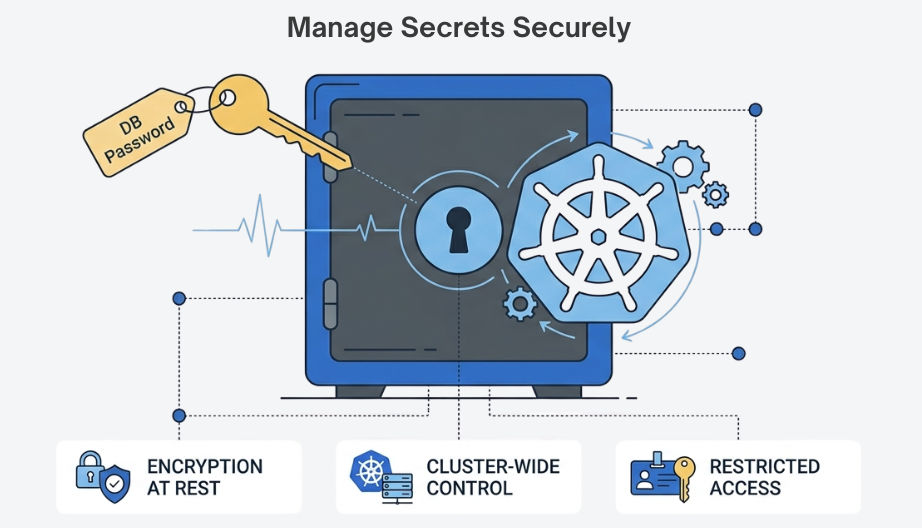
Network policies control how different services communicate with each other. This adds an extra layer of security by restricting unauthorized access within your system.
Example
apiVersion: networking.k8s.io/v1
kind: NetworkPolicy
metadata:
  name: allow-frontend
spec:
  podSelector:
    matchLabels:
      app: backend
  ingress:
    - from:
        - podSelector:
            matchLabels:
              app: frontend
? Only the frontend service can access the backend.
Regularly scanning your container images helps identify known security issues. Fixing vulnerabilities before deployment reduces the risk of attacks in production.
Example (Trivy)
trivy image myapp:latest
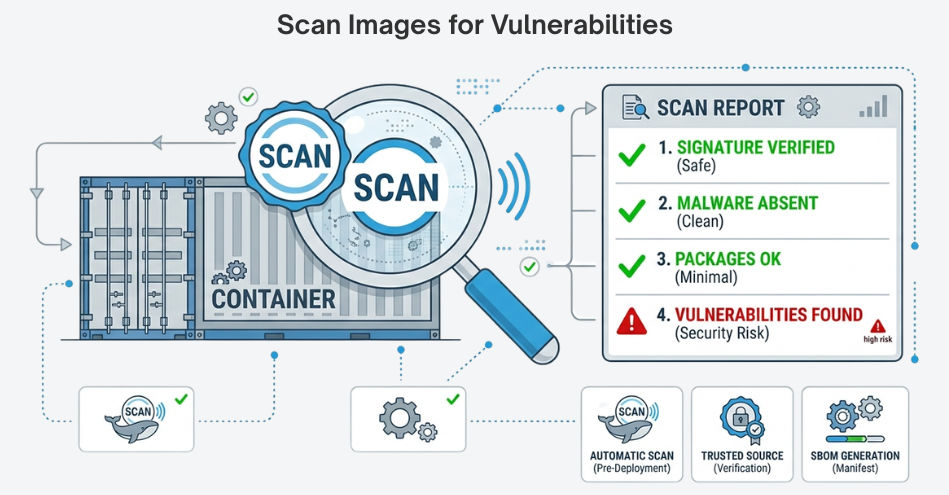
? Always fix vulnerabilities before pushing to production.
A proper backup strategy ensures that your data is safe even in case of failures. Having a tested recovery plan allows you to restore services quickly without major downtime.
Database Backup
mysqldump -u root -p mydb > backup.sql
Restore Backup
mysql -u root -p mydb < backup.sql
? Regularly test your backup and recovery process.
Production hardening is not just theory — it’s about real-world implementation and reliability. By applying these best practices, you can build applications that are secure, scalable, and production-ready.
Investing in production hardening reduces risks, prevents downtime, and ensures a smooth user experience.
? Start applying this checklist step by step to build robust and production-ready systems.
