
Author
Classpath scanning is one of the most expensive operations during Spring Boot startup.
It directly impacts:
Understanding how it works internally helps you optimize startup, reduce memory footprint, and build production-grade systems.
Classpath scanning is the process by which Spring:
@Component@Service@Repository@Controller@ConfigurationImportant: Spring scans compiled bytecode metadata (.class files) using ASM — not source code.
Example
@Service
publicclassOrderService {
publicvoidplaceOrder() { }
}
Classpath scanning occurs during ApplicationContext startup, before beans are instantiated:
ApplicationContext.refresh()
   └──invokeBeanFactoryPostProcessors()
         └── ConfigurationClassPostProcessor
               └── ComponentScan processing
So scanning happens before beans are instantiated, during BeanDefinition loading.
Step-by-Step Internal Flow
@ComponentScan
      ↓
ClassPathBeanDefinitionScanner
      ↓
PathMatchingResourcePatternResolver
      ↓
Read .classfiles (bytecode)
      ↓
ASM MetadataReader
      ↓
Create BeanDefinitions
      ↓
Registerin BeanDefinitionRegistry
Here, Internal Explanation of Each Step :
@ComponentScan Trigger
@SpringBootApplicationClassPathBeanDefinitionScanner
@Component, @Service, @RepositoryPathMatchingResourcePatternResolver
.class resources in:
/*.class).class File Discovery (No Class Loading)
.class files without loading themMetadataReader
BeanDefinitionRegistry
DefaultListableBeanFactory| Class / Interface | Role in Classpath Scanning |
|---|---|
ClassPathBeanDefinitionScanner |
Core engine that scans packages and identifies candidate components |
PathMatchingResourcePatternResolver (ResourcePatternResolver) |
Resolves package paths into .class resources across filesystem and JARs |
MetadataReader (ASM-based) |
Reads class-level metadata (annotations, interfaces, superclass) without loading the class |
MetadataReaderFactory |
Creates and caches MetadataReader instances |
BeanDefinitionRegistry |
Central registry that stores all BeanDefinition metadata |
ASM bytecode reading avoids class loading, improving performance.
Spring scans:
All packages defined in:
@ComponentScan
@SpringBootApplication
(default base package = package of the main application class)
All .class files under those packages (recursively)
Spring scans classpath .class files within configured base packages to detect component candidates and configuration metadata, creating BeanDefinitions — without loading the classes into the JVM.
Example
@SpringBootApplication
publicclassOrderApplication {
publicstaticvoidmain(String[] args) {
        SpringApplication.run(OrderApplication.class, args);
    }
}
Project structure:
com.example.order
 ├─ OrderApplication
 ├─ controller
 │   └─ OrderController.class
 ├─ service
 │   └─ OrderService.class
 └─ repository
     └─ OrderRepository.class
Spring scans all .class files in controller, service, repository and registers them as BeanDefinitions.
Classpath scanning impacts memory in three main ways:
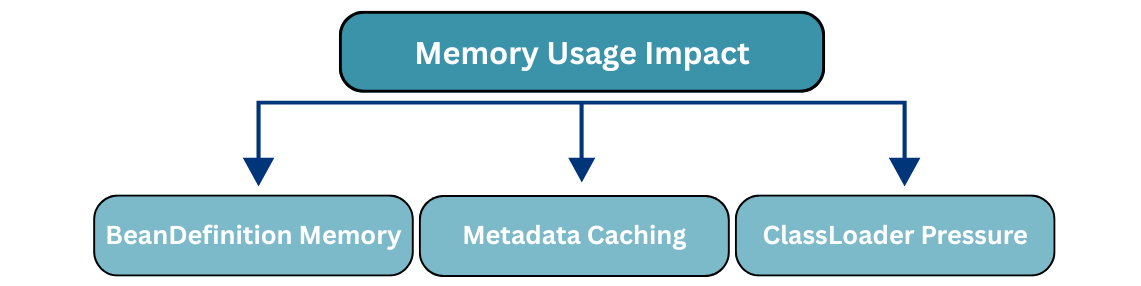
1. BeanDefinition Memory
Example:
@Component + 200 @Service + 100 @Repository + 50 auto-configured = ~850 BeanDefinitions2. Metadata Caching
Spring caches:
Example
@ConditionalOnClass(name = "org.postgresql.Driver")
Spring:
➡ Cached metadata stays in memory for the entire ApplicationContext lifecycle.
3. ClassLoader Pressure
Although Spring avoids class loading during scanning:
@ConditionalOnClass) trigger class loadingExamples
@ConditionalOnClass(DataSource.class)
spring-boot-starter-data-jpa
These may trigger loading of:
Result
Classpath scanning happens only at startup, and its cost comes from I/O and CPU:
.class files from filesystem and JARsCritical for:
| Aspect | Component Scanning | Auto-Configuration |
|---|---|---|
| Discovery | Recursively scans base packages | Reads precomputed metadata files |
| Source | Application code (@Component, @Service, etc.) |
Spring Boot starters & libraries |
| Mechanism | Bytecode scanning using ASM | Metadata loading via spring.factories (Boot ≤2.x) or AutoConfiguration.imports (Boot 3+) |
| Classpath I/O Cost | High (reads many .class files) |
Very low (reads few metadata files) |
| Conditional Logic | Limited (@Conditional) |
Heavy use of @ConditionalOnClass, @ConditionalOnProperty, etc. |
| Startup Cost | High in large apps | Low and predictable |
| Performance | Slower in large codebases | Faster and predictable |
Auto-configuration is metadata-driven, not scan-driven
@ComponentScan("com"))Optimizing classpath scanning improves startup time, memory usage, and overall application performance. Here are the best practices:
1. Narrow Component Scans
Limit scanning to only the necessary packages:
@SpringBootApplication(scanBasePackages = "com.myapp.order")
Avoid scanning root or unrelated packages to reduce overhead.
2. Prefer Auto-Configuration
Use Spring Boot starters whenever possible instead of manually registering @Component beans.
This reduces scan cost and leverages metadata-driven configuration.
3. Exclude Unused Auto-Configurations
@SpringBootApplication(exclude = DataSourceAutoConfiguration.class)
Excluding auto-configurations you don’t need reduces conditional checks and class loading.
4. Enable Lazy Initialization
spring.main.lazy-initialization=true
BeanDefinitions are still created, but bean instances are only instantiated when needed, saving memory and improving startup time.
5. Remove Unused Dependencies
Each dependency adds JARs and increases scanning scope.
Keep your classpath clean for faster scanning.
6. Use Spring Context Indexer
spring-context-indexer
Generates compile-time metadata, reducing runtime scanning and improving performance in large applications.
Monitoring classpath scanning helps you identify performance bottlenecks and optimize startup.
1. Enable Startup Logs
Add the following to your application.properties or application.yml:
debug=true
This will show:
2. JVM Startup Metrics
Use JVM options to analyze class loading during startup:
startuplevel – Detailed startup timingXlog:class+load – Logs class loading events3. Spring Boot Actuator /startup Endpoint
JVM Starts
   ↓
ApplicationContext Created
   ↓
Component Scan
   ↓
ASMreads bytecode
   ↓
BeanDefinitions created
   ↓
Metadata cached
   ↓
Beans instantiated later
Classpath scanning is powerful but costly. Understanding its internals helps you:
? Mastering classpath scanning is essential for production-ready Spring Boot applications.
