
Author
Helm is one of the most widely used tools in Kubernetes that simplifies application deployment, configuration, and lifecycle management.
? In simple terms, Helm is the package manager for Kubernetes.
Just like npm for Node.js or apt for Linux, Helm allows you to install, upgrade, and manage Kubernetes applications efficiently using reusable packages called charts.
As Kubernetes applications grow in complexity, managing multiple YAML files becomes difficult. Helm solves this problem by providing a structured and automated way to deploy applications, making the process faster, cleaner, and more reliable.
? With Helm, developers can focus more on building applications rather than managing complex configurations.
Helm is an open-source package manager for Kubernetes that helps you define, install, and manage applications using reusable packages called Helm Charts.
Instead of manually creating and maintaining multiple YAML configuration files, Helm provides a templated and structured approach to application deployment.
? This simplifies Kubernetes operations and makes deployments faster, more consistent, and easier to manage.
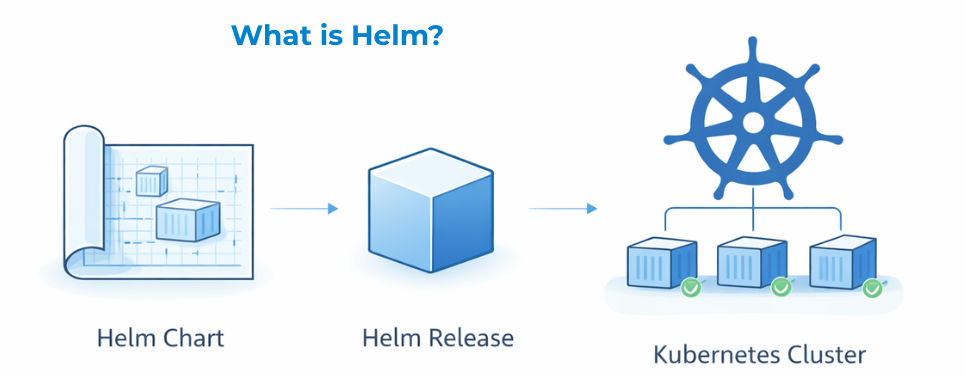
As Kubernetes applications grow, managing them using raw YAML files becomes complex and error-prone.
Problems Without Helm
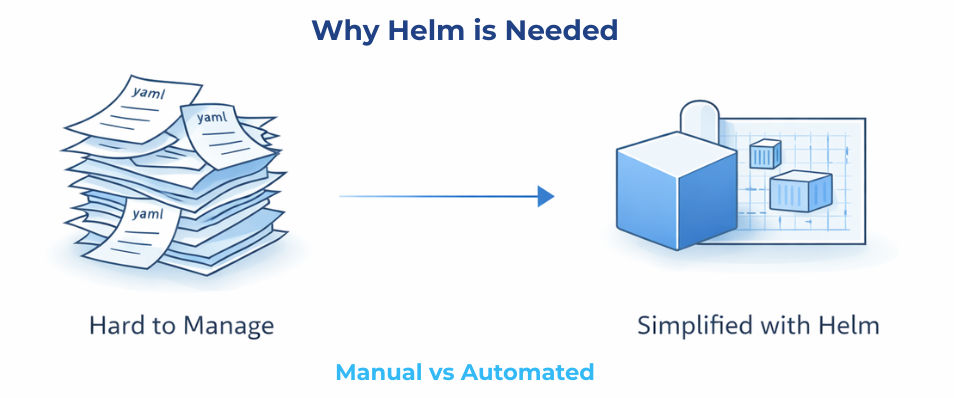
Helm addresses these challenges by providing a standardized deployment approach:
Helm addresses these challenges by providing a standardized and efficient deployment approach:
? This makes application deployment in Kubernetes more consistent, scalable, and easy to manage.
Installing Helm is simple and can be done in just a few steps.
Step 1: Install Helm
curl <https://raw.githubusercontent.com/helm/helm/main/scripts/get-helm-3> | bash
Step 2: Verify Installation
helm version
? If Helm is installed correctly, this command will display the installed version.
A standard Helm chart follows a well-defined directory structure that helps organize and manage Kubernetes resources efficiently.
Basic Structure
my-chart/
  Chart.yaml
  values.yaml
  templates/
  charts/
Key Components
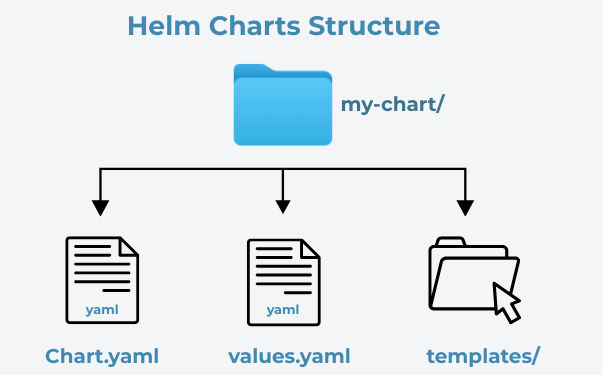
? This structured approach makes Helm charts modular, reusable, and easy to maintain in real-world applications.
The values.yaml file allows you to customize application configuration without modifying Helm templates.
It separates configuration from logic, making deployments more flexible and reusable.
Example
replicaCount: 2

image:
  repository: nginx
  tag: latest
Install with Custom Values
helm install my-app ./my-chart -f values.yaml
How It Works
values.yaml are passed into templatesHelm makes it easy to deploy applications in Kubernetes using pre-built charts from repositories.
With a single command, you can install and run complex applications without manually creating multiple YAML files.
Example
helm install my-app bitnami/nginx
What Happens
Helm provides built-in support for upgrading and rolling back applications, making deployments safer and easier to manage.
helm upgrade my-app ./my-chart
This command updates your application with new changes (e.g., image version, configuration updates).
helm rollback my-app 1
This command rolls back the application to a previous release revision (e.g., version 1) if something goes wrong.
Benefits
? Helm ensures you can update applications confidently and quickly revert changes when needed.
In Helm, every deployed application is called a release. Each release represents a specific version of your application running in the Kubernetes cluster.
Useful Commands
helm list
? Displays all installed releases in the cluster
helm uninstall my-app
? Removes (uninstalls) a release from the cluster
What Helm Tracks
Helm maintains detailed information about each release, including:
Why It Matters
This tracking enables:
? Helm’s release management system makes application lifecycle management more reliable and efficient.
To get the most out of Helm in production environments, follow these best practices:
Helm provides several benefits that make Kubernetes application management easier:
Helm simplifies Kubernetes by providing a standardized and efficient way to deploy, configure, and manage applications.
It reduces complexity, improves operational efficiency, and enables scalable, consistent, and production-ready deployments.
With Helm, you can easily deploy, upgrade, and manage applications in Kubernetes with confidence, speed, and reliability.
