
Author
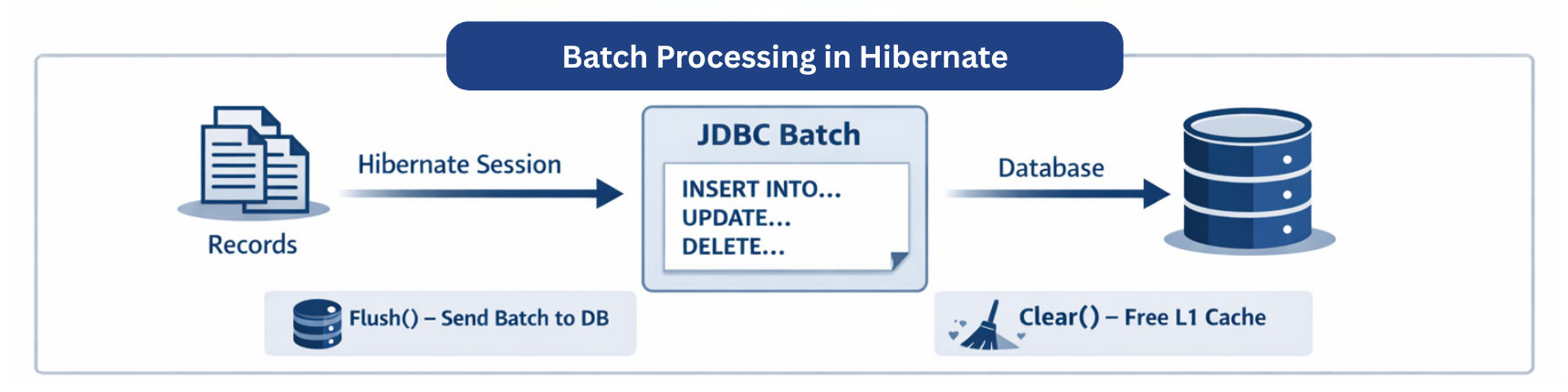
Batch processing is the technique of handling a large amount of data in chunks (batches) instead of processing records one by one. In Spring Boot and Hibernate, it is widely used to optimize bulk insert, update, and delete operations by reducing database calls and controlling memory usage.
In simple words: Batch processing groups multiple database operations and executes them efficiently together.
Hibernate supports JDBC batching, which groups multiple SQL statements and sends them together instead of executing one statement per record.
application.properties
spring.jpa.properties.hibernate.jdbc.batch_size=50
spring.jpa.properties.hibernate.order_inserts=true
spring.jpa.properties.hibernate.order_updates=true
spring.jpa.properties.hibernate.generate_statistics=true
Batch operations handle large datasets efficiently by grouping multiple operations into batches and periodically flushing the persistence context to the database.
Key Concepts: flush() and clear()
flush() → Executes pending SQL statementsclear() → Clears the first-level (L1) cache to prevent memory growthBatch Insert Example
@Transactional
publicvoidsaveUsers(List<User> users) {
for (inti=0; i < users.size(); i++) {
        entityManager.persist(users.get(i));
if (i %50 ==0) {
            entityManager.flush();
            entityManager.clear();
        }
    }
}
persist() queues SQL statementsflush() sends the batch to the DBclear() prevents memory issuesBatch Update Example
@Transactional
publicvoidupdatePrices(List<Product> products) {
for (inti=0; i < products.size(); i++) {
        products.get(i).setPrice(products.get(i).getPrice() +10);
if (i %50 ==0) {
            entityManager.flush();
            entityManager.clear();
        }
    }
}
flush() commits updates in batchesclear() keeps memory under controlBatch Delete Example
@Transactional
publicvoiddeleteOldOrders(List<Order> orders) {
for (inti=0; i < orders.size(); i++) {
        entityManager.remove(orders.get(i));
if (i %50 ==0) {
            entityManager.flush();
            entityManager.clear();
        }
    }
}
remove() marks entities for deletionflush() and clear()Queryquery= entityManager.createQuery(
"UPDATE User u SET u.active = false"
);
query.executeUpdate();
@Transactional
publicvoidsaveUsers(List<User> users) {
    userRepository.saveAll(users);
}
⚠️ saveAll() only uses batching if hibernate.jdbc.batch_size is configured.
| Size | Effect |
|---|---|
| Small (<30) | Too many DB calls |
| Medium (30–100) | Balanced performance & memory |
| Large (>1000) | High memory usage, risk of OOM |
Recommended: 30–100 per batch

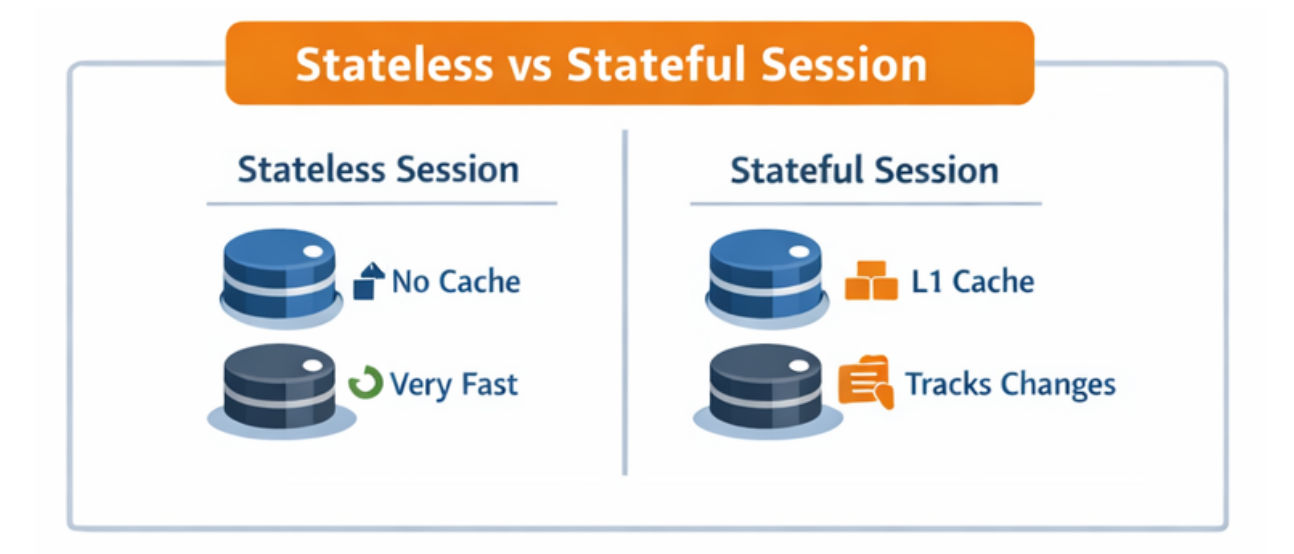
Hibernate provides two types of sessions:
1. Stateful Session (Default Session)
Example:
Sessionsession= sessionFactory.openSession();
Transactiontx= session.beginTransaction();

Useruser= session.get(User.class,1L);// tracked in L1 cache
user.setName("John Doe");

tx.commit();// flushes changes
session.close();
2. Stateless Session
Example:
StatelessSessionsession= sessionFactory.openStatelessSession();
Transactiontx= session.beginTransaction();

for (User user : users) {
    session.insert(user);// direct insert
}

tx.commit();
session.close();
| Aspect | Normal Processing | Batch Processing |
|---|---|---|
| DB Calls | Executes one SQL statement per record | Groups multiple operations into batches, reducing database round trips |
| Performance | Slower for large datasets due to many DB hits | Faster because fewer DB calls and optimized execution |
| Memory Usage | High, as the persistence context grows with each record | Controlled by using flush() and clear() periodically |
| Best For | Small datasets or real-time operations | Large datasets, bulk inserts/updates/deletes, data migration |
flush() and clear()