
Durgesh Tiwari
Author
Utility classes in Java provide helper methods and reusable functionality for performing common programming tasks such as string processing, mathematical calculations, collection handling, date operations, array manipulation, and object utilities.
Instead of writing the same logic repeatedly, developers can use built-in utility classes provided by Java.
These classes improve:
Code reusability
Development speed
Readability
Maintainability
Performance
A utility class is a class that contains helper methods used for performing common programming tasks. These classes are designed to provide reusable functionality so developers do not need to write the same logic repeatedly.
Most utility classes:
Contain static methods
Do not require object creation
Are reusable across multiple applications
Simplify common operations and calculations
In simple words: Utility classes provide ready-made functionality for common programming tasks.
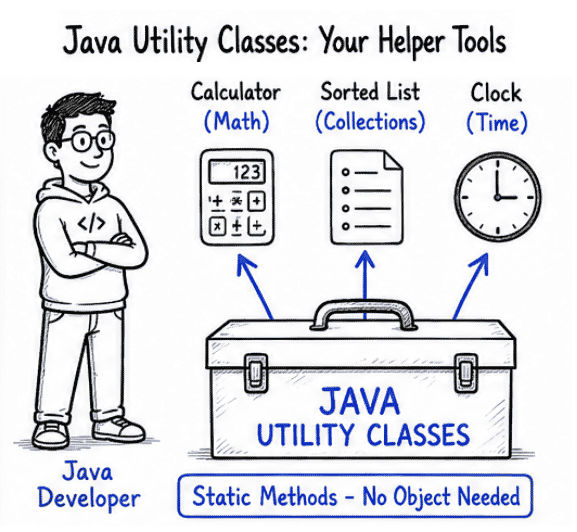
Example of Utility Class Usage
Java’s Math class is a common utility class.
public class Test {
    public static void main(String[] args) {

        System.out.println(Math.sqrt(25));

        System.out.println(Math.max(10, 20));
    }
}
Output
5.0
20Java provides many built-in utility classes mainly inside the following packages:
java.util
java.lang
java.time
Package | Purpose |
|---|---|
| Collections, Scanner, Random, Arrays, Optional |
| Math, String, Object, wrapper classes |
| Modern date and time API |
Utility classes are important in Java because they make development faster, simpler, and more efficient by providing ready-made and optimized methods for common tasks.
Instead of writing repeated logic again and again, developers can directly use built-in utility methods.
Benefits
Reduces manual and repetitive coding
Improves developer productivity
Makes code cleaner, shorter, and easier to understand
Provides tested and optimized built-in methods
Speeds up overall application development
Improves code maintainability and reuse
👉 Utility classes are heavily used in backend systems, enterprise applications, APIs, and real-world Java projects.
The Math class provides built-in utility methods for performing mathematical calculations in Java.
It belongs to:
java.lang.MathMethod | Purpose |
|---|---|
| Returns the square root of a number |
| Returns the result of a number raised to a power |
| Returns the largest of two values |
| Returns the smallest of two values |
| Generates a random number between 0.0 and 1.0 |
| Returns the absolute (positive) value of a number |
| Rounds a number up to the nearest integer |
| Rounds a number down to the nearest integer |
Example: Math Class
public class Test {
    public static void main(String[] args) {

        System.out.println(Math.sqrt(25));

        System.out.println(Math.pow(2, 3));

        System.out.println(Math.max(10, 20));
    }
}
Output
5.0
8.0
20
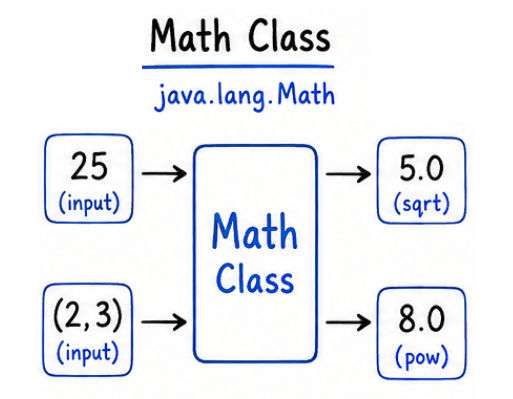
👉 The Math class is commonly used in scientific calculations, games, finance applications, and data processing systems.
The Arrays class provides built-in utility methods for performing common operations on arrays in Java.
It belongs to:
java.util.ArraysMethod | Purpose |
|---|---|
| Sorts array elements in ascending order |
| Searches for an element in a sorted array |
| Fills the array with a specific value |
| Compares two arrays for equality |
| Converts array into readable string format |
Example: Arrays.sort()
import java.util.Arrays;

public class Test {
    public static void main(String[] args) {

        int[] arr = {5, 2, 8, 1};

        Arrays.sort(arr);

        System.out.println(Arrays.toString(arr));
    }
}
Output
[1, 2, 5, 8]
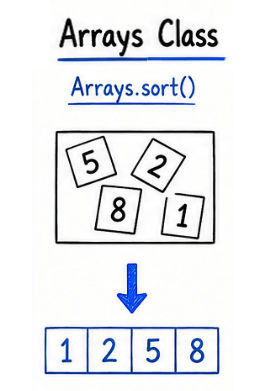
👉 The Arrays class simplifies sorting, searching, and processing array data.
The Collections class provides built-in utility methods for working with collection frameworks such as List, Set, and Map in Java.
It belongs to:
java.util.CollectionsMethod | Purpose |
|---|---|
| Sorts elements in a list |
| Reverses the order of elements in a list |
| Randomly changes order of elements |
| Returns the largest element |
| Returns the smallest element |
Example: Collections.sort()
import java.util.*;

public class Test {
    public static void main(String[] args) {

        List<Integer> list = Arrays.asList(5, 1, 9, 3);

        Collections.sort(list);

        System.out.println(list);
    }
}
Output
[1, 3, 5, 9]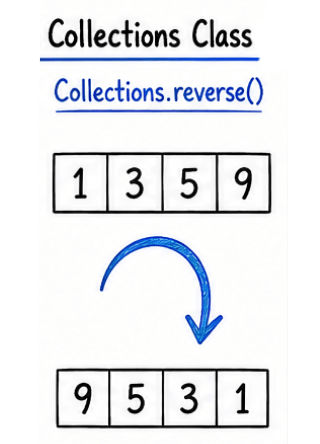
👉 Collections utility methods are widely used in enterprise applications and backend systems.
The Random class is used to generate random values in Java programs.
It belongs to:
java.util.Random
Example: Random Numbers
import java.util.Random;

public class Test {
    public static void main(String[] args) {

        Random random = new Random();

        int number = random.nextInt(100);

        System.out.println(number);
    }
}
👉 Commonly used in games, OTP systems, simulations, and testing applications.
The Scanner class is used to take input from the user in Java programs. It allows reading input from the keyboard, files, and other input sources.
It belongs to:
java.util.Scanner
Example: Scanner Input
import java.util.Scanner;

public class Test {
    public static void main(String[] args) {

        Scanner sc = new Scanner(System.in);

        System.out.print("Enter Name: ");

        String name = sc.nextLine();

        System.out.println(name);

        sc.close();
    }
}
👉 Scanner is widely used in console-based Java applications.
The Objects class provides utility methods for performing common operations on objects in Java. It helps in safe comparison, null checking, and generating hash values.
It belongs to:
java.util.ObjectsMethod | Purpose |
|---|---|
| Safely compares two objects |
| Checks if object is null |
| Checks if object is not null |
| Generates hash value for objects |
Example: Objects.equals()
import java.util.Objects;

public class Test {
    public static void main(String[] args) {

        String a = "Java";
        String b = "Java";

        System.out.println(
                Objects.equals(a, b)
        );
    }
}
Output
true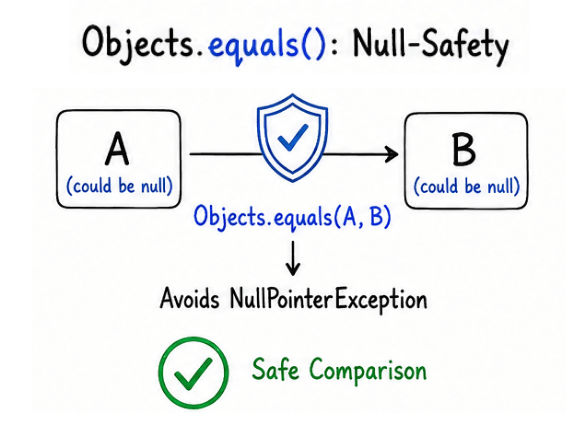
👉 Useful for null-safe object handling in real-world applications.
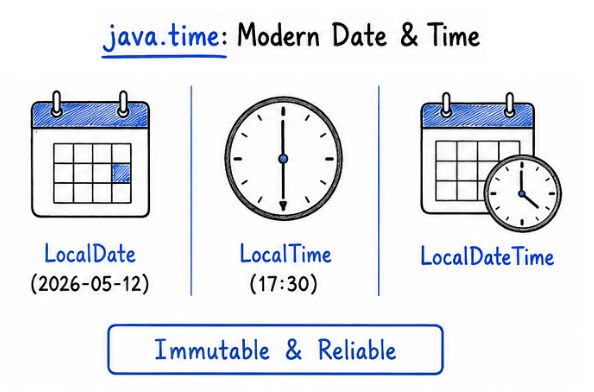
Java provides modern utility classes for handling date and time operations in the java.time package. These classes are more powerful and reliable compared to the old Date and Calendar classes.
java.timeLocalDate → Date only (year, month, day)
LocalTime → Time only (hours, minutes, seconds)
LocalDateTime → Date + Time together
Example: LocalDate
import java.time.LocalDate;

public class Test {
    public static void main(String[] args) {

        LocalDate date = LocalDate.now();

        System.out.println(date);
    }
}
👉 Used in banking systems, scheduling apps, APIs, and enterprise software.
Utility classes are used in almost every type of Java application because they provide ready-made and efficient solutions for common tasks.
They are widely used in:
Banking applications (transactions, validations, calculations)
E-commerce systems (cart operations, pricing, discounts)
Backend APIs (data processing, request handling)
Data processing systems (sorting, filtering, transformation)
Gaming applications (random generation, math calculations)
Enterprise Java applications (large-scale business logic handling)
👉 Utility classes help developers build fast, scalable, and maintainable real-world Java systems.
Reusable functionality across multiple programs
Cleaner and more organized code structure
Faster application development process
Reduced manual and repetitive coding effort
Optimized and tested built-in methods for better performance
Too many utility methods can confuse beginners
Some methods may affect performance if used incorrectly
Incorrect or overuse of utility classes can reduce code readability
Dependency on built-in methods may limit custom logic understanding
Utility classes in Java provide powerful and reusable helper methods for common programming operations.
They help developers:
Simplify application development
Reduce code complexity and repetition
Improve productivity and efficiency
Provide optimized and tested built-in functionality
Write clean, maintainable, and professional code
👉 Utility classes are an essential part of modern Java application development and are widely used in real-world systems.
