
Author
Conditional statements are a key part of Core Java programming.
They help you make decisions in your code — executing different actions based on certain conditions.
Conditional statements allow your program to check conditions (like true or false) and decide which block of code to execute.
For example,
“If the user is above 18, print ‘Eligible to vote’, else print ‘Not eligible’.”
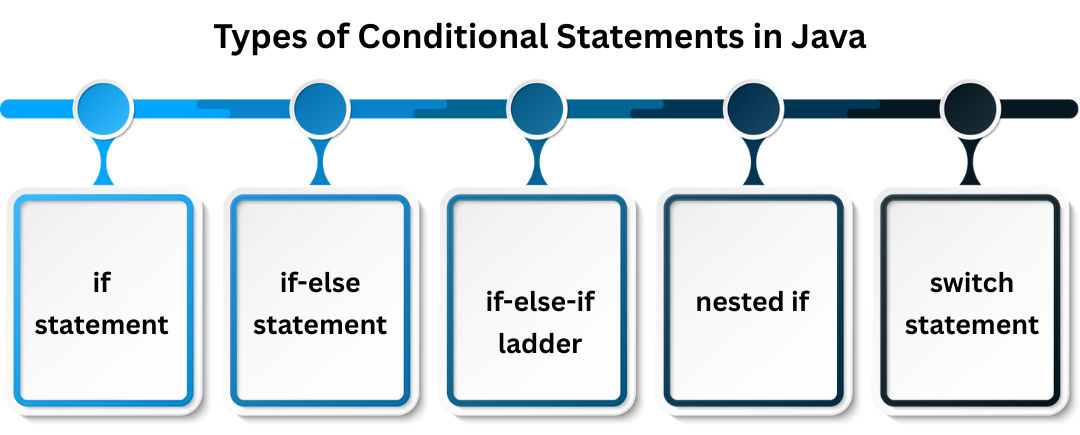
| Type | Description |
|---|---|
if statement |
Executes a block only if condition is true |
if-else statement |
Executes one block if true, another if false |
if-else-if ladder |
Checks multiple conditions sequentially |
nested if |
if inside another if |
switch statement |
Selects one case from multiple options |
The simplest conditional form — checks a condition and executes code if it’s true.
if (condition) {
    // code to execute if condition is true
}
int age = 20;
if (age >= 18) {
    System.out.println("You are eligible to vote.");
}
Output:
You are eligible to vote.
Executes one block if the condition is true, another block if false.
if (condition) {
    // code if true
} else {
    // code if false
}
int number = 10;
if (number % 2 == 0) {
    System.out.println("Even Number");
} else {
    System.out.println("Odd Number");
}
Output:
Even Number
Used when you have multiple conditions to check.
if (condition1) {
    // code
} else if (condition2) {
    // code
} else {
    // default code
}
int marks = 85;

if (marks >= 90) {
    System.out.println("Grade A");
} else if (marks >= 75) {
    System.out.println("Grade B");
} else if (marks >= 50) {
    System.out.println("Grade C");
} else {
    System.out.println("Fail");
}
Output:
Grade B
You can use one if statement inside another.
It’s useful when multiple conditions depend on each other.
int age = 25;
boolean hasID = true;

if (age >= 18) {
    if (hasID) {
        System.out.println("Access Granted");
    } else {
        System.out.println("ID Required");
    }
} else {
    System.out.println("Underage");
}
Output:
Access Granted
switch is used to select one option from many.
It’s more readable than multiple if-else blocks.
switch (expression) {
    case value1:
        // code
        break;
    case value2:
        // code
        break;
    default:
        // code
}
int day = 3;

switch (day) {
    case 1:
        System.out.println("Monday");
        break;
    case 2:
        System.out.println("Tuesday");
        break;
    case 3:
        System.out.println("Wednesday");
        break;
    default:
        System.out.println("Invalid day");
}
Output:
Wednesday
Modern Java allows switch as an expression, returning a value directly.
int day = 2;
String dayName = switch (day) {
    case 1 -> "Monday";
    case 2 -> "Tuesday";
    case 3 -> "Wednesday";
    default -> "Invalid";
};
System.out.println(dayName);
Output:
Tuesday
import java.util.Scanner;

public class ConditionalExample {
    public static void main(String[] args) {
        Scanner sc = new Scanner(System.in);

        System.out.print("Enter your score: ");
        int score = sc.nextInt();

        if (score >= 90) {
            System.out.println("Excellent!");
        } else if (score >= 75) {
            System.out.println("Good job!");
        } else if (score >= 50) {
            System.out.println("You passed!");
        } else {
            System.out.println("Try again!");
        }

        sc.close();
    }
}
Output Example:
Enter your score: 82
Good job!
