
Author
Binary File I/O in Java is used to read and write raw bytes, making it suitable for non-text files such as images, videos, audio files, executables, PDFs, and ZIP archives. Unlike text data, binary data must be handled using byte streams; using character streams (FileReader, BufferedReader) corrupts binary content.
Binary files store data exactly as bytes (0–255). These files are not human-readable and cannot be processed using character-based classes.
Examples of Binary Files
.jpg, .png, .gif.mp4, .mkv.mp3, .wav.pdf, .docx.zip, .rar.exe.serBecause these files contain raw bytes, Java requires byte-based streams for safe reading and writing.
Java provides two important classes from java.io package:
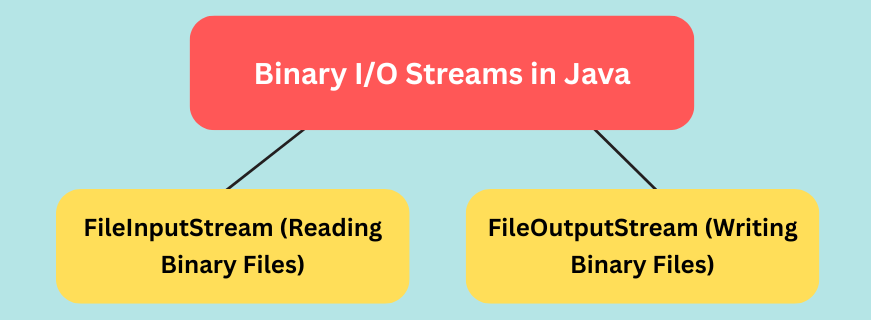
FileInputStream — Reads bytes from a fileFileOutputStream — Writes bytes to a fileBoth operate strictly on byte data, making them ideal for binary files.
How FileInputStream Works
Example: Read a binary file byte by byte
import java.io.FileInputStream;
import java.io.IOException;

public class ReadBinaryFile {
    public static void main(String[] args) {
        try (FileInputStream fis = new FileInputStream("image.jpg")) {

            int data;
            while ((data = fis.read()) != -1) {
                System.out.print(data + " ");
            }

        } catch (IOException e) {
            e.printStackTrace();
        }
    }
}
How FileOutputStream Works
Example: Write bytes to a binary file
import java.io.FileOutputStream;
import java.io.IOException;

public class WriteBinaryFile {
    public static void main(String[] args) {
        try (FileOutputStream fos = new FileOutputStream("output.bin")) {

            byte[] data = {10, 20, 30, 40, 50};
            fos.write(data);

        } catch (IOException e) {
            e.printStackTrace();
        }
    }
}
Copying files like images, videos, and PDFs is the most common binary I/O operation.
Example: Fast binary file copying using buffer
import java.io.*;

public class CopyBinaryFile {
    public static void main(String[] args) {
        try (FileInputStream fis = new FileInputStream("source.jpg");
             FileOutputStream fos = new FileOutputStream("copy.jpg")) {

            byte[] buffer = new byte[4096];
            int bytesRead;

            while ((bytesRead = fis.read(buffer)) != -1) {
                fos.write(buffer, 0, bytesRead);
            }

            System.out.println("File copied successfully!");

        } catch (IOException e) {
            e.printStackTrace();
        }
    }
}
| Method | Description |
|---|---|
read() |
Reads a single byte, returns int (0–255) |
read(byte[]) |
Reads multiple bytes into an array |
write(int) |
Writes a single byte |
write(byte[]) |
Writes a byte array |
close() |
Closes the stream |
| Text File Handling (Character Streams) | Binary File Handling (Byte Streams) |
|---|---|
| Works with Unicode characters | Works with raw bytes |
| Converts data (may corrupt binary files) | No conversion → safe for binary data |
| Uses FileReader, BufferedReader | Uses FileInputStream, FileOutputStream |
Suitable for .txt, .csv |
Suitable for .jpg, .mp4, .pdf |
FileReader to read binary files → Causes corruption because of character conversionbyte[]) for performance