
Durgesh Tiwari
Author
Assertions in Java are a debugging tool used to test assumptions in a program. They help developers verify whether a condition is true during program execution.
In simple words: Assertions are used to ensure that “this must be true” while developing the program.
They are mainly used in the development and testing phase, not in production.
An assertion is a statement in Java that checks a condition at runtime. If the condition is false, Java throws an error called AssertionError.
Syntax:
assert condition;or
assert condition : "Error message";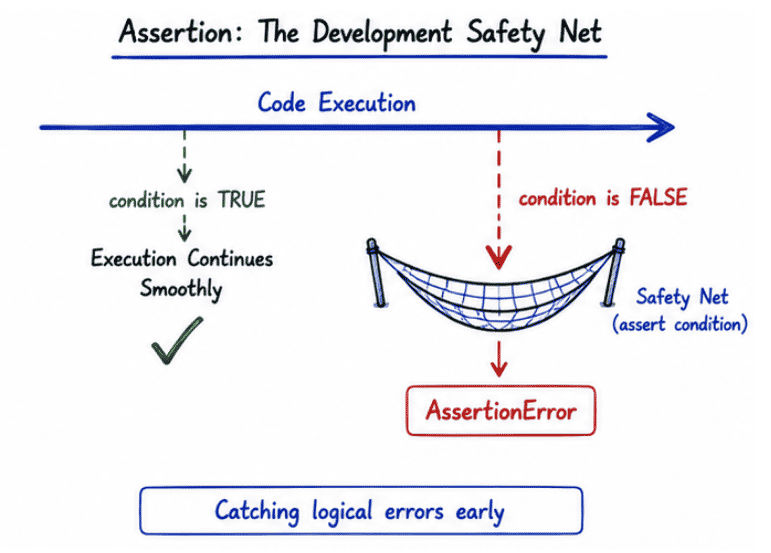
If the condition is true → program continues normally
If the condition is false → program throws AssertionError and stops execution
Assertions help developers catch logical mistakes early in development.
Key Benefits
Detect logical errors quickly
Improve code quality
Help in debugging
Validate internal assumptions
Make testing easier
👉 Assertions act like self-checks inside the code.
public class Test {
    public static void main(String[] args) {

        int age = 20;

        assert age >= 18;

        System.out.println("Age is valid");
    }
}
👉 If age < 18, program will throw an error.
public class Test {
    public static void main(String[] args) {

        int marks = 35;

        assert marks >= 40 : "Student has failed";

        System.out.println("Student Passed");
    }
}
👉 If condition fails, message is shown in error.
Output (When Condition Fails)
Exception in thread "main" java.lang.AssertionError: Student has failedImportant Note
👉 Assertions must be enabled explicitly while running the program:
java -ea Test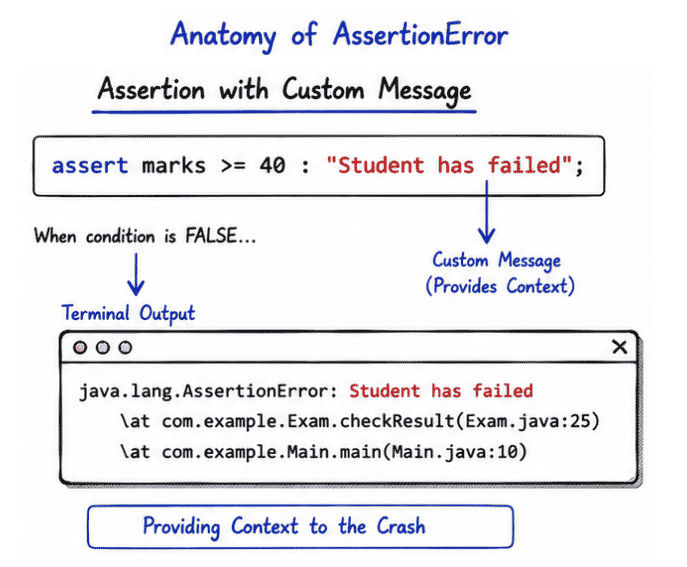
By default, assertions are disabled in Java. This means assert statements will not execute unless explicitly enabled.
How to Enable Assertions
You can enable assertions while running the program using the following command:
java -ea Testor
java -enableassertions TestWhat Happens When Assertions Are Enabled?
assert statements are executed
Conditions are checked at runtime
If condition is false → AssertionError is thrown
What Happens When Assertions Are Disabled?
assert statements are ignored
No checking is performed
Program runs normally without validation
public class Test {
    public static void main(String[] args) {

        int age = 15;

        assert age >= 18 : "Age must be 18 or above";

        System.out.println("Program continues...");
    }
}
Run Command
java -ea Test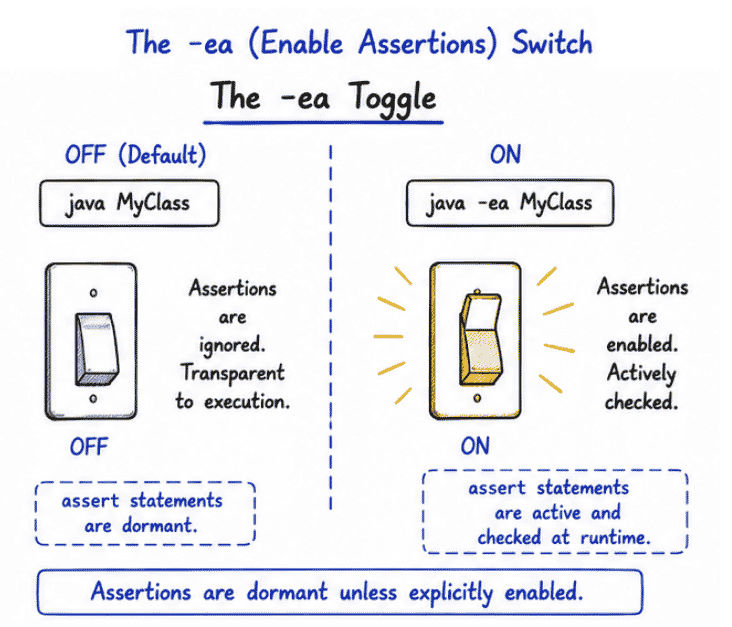
👉 Without -ea, the assertion line is ignored completely.
AssertionError is an error thrown by the JVM when an assert statement evaluates to false.
It indicates a logical mistake in the program during development.
If an assertion fails in Java, it throws:
java.lang.AssertionError👉 This means the program has encountered a condition that should never happen during normal execution.
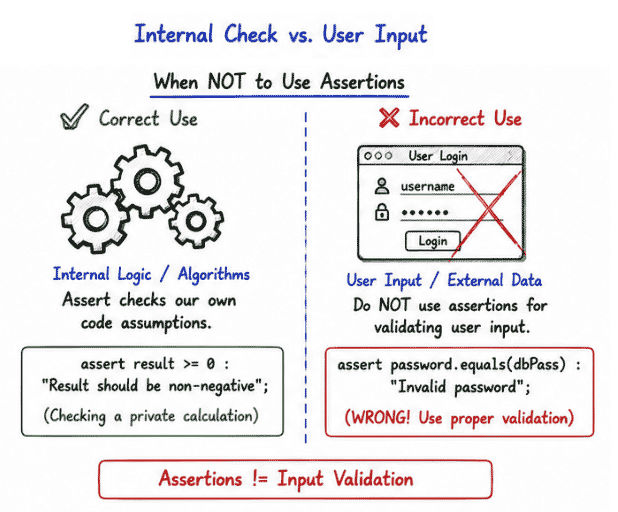
Assertions are mainly used for internal checks, such as:
Validating method assumptions
Testing algorithms
Debugging complex logic
Verifying development-time conditions
Ensuring program correctness
Example: Method Validation
public class Test {

    static int divide(int a, int b) {
        assert b != 0 : "Divider cannot be zero";
        return a / b;
    }

    public static void main(String[] args) {
        System.out.println(divide(10, 2));
    }
}Assertions are mainly used during development and testing to verify internal assumptions in code.
Algorithm testing and validation
Internal logic verification
Debugging complex enterprise applications
Ensuring developer assumptions are correct
Checking unexpected states during development
👉 Assertions help catch hidden programming mistakes early.
Assertions are not meant for production-level validation or user-facing checks.
You should NOT use assertions for:
User input validation
Production error handling
Business logic validation
Security checks in real applications
Assertions are a simple and useful debugging feature in Java that help developers verify assumptions during development.
Simple and easy debugging tool
Helps detect bugs early in development
Improves code reliability and correctness
Reduces logical errors in programs
Easy to implement using assert keyword
👉 Assertions are useful for quick internal checks while coding.
Despite their usefulness, assertions have some important limitations.
Assertions are disabled by default in Java
Not suitable for production environments
Should not be used for user input validation
Not a replacement for proper error handling
Can be ignored if not enabled (ea required)
Assertions in Java are a useful debugging feature that help developers verify assumptions during development and testing.
They act as internal checks to ensure that the program behaves as expected.
Helps detect logical errors early
Improves code quality and correctness
Useful for debugging and testing scenarios
Ensures internal program assumptions are valid
Assertions improve reliability during development, but they should not be used as a replacement for proper error handling or input validation in production systems.
