
Author
Arrays are fundamental in Java for storing multiple values in a single variable. To make the most of arrays, you need to access, modify, and traverse them efficiently.
public class AccessArray {
    public static void main(String[] args) {
        int[] numbers = {10, 20, 30, 40, 50};

        System.out.println("First element: " + numbers[0]); // 10
        System.out.println("Third element: " + numbers[2]); // 30
    }
}
⚠️ Accessing an index outside the array bounds throws ArrayIndexOutOfBoundsException.
You can update an array element by assigning a new value to a specific index.
public class ModifyArray {
    public static void main(String[] args) {
        int[] scores = {90, 80, 70, 60};

        scores[2] = 75; // Change the third element from 70 to 75

        for(int i = 0; i < scores.length; i++) {
            System.out.println("Score " + i + ": " + scores[i]);
        }
    }
}
Output:
Score 0: 90
Score 1: 80
Score 2: 75
Score 3: 60
Traversing means visiting each element of an array to process it. There are multiple ways to traverse arrays:
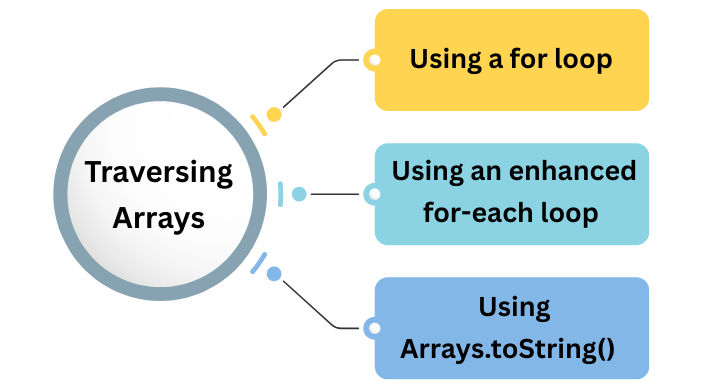
for loopint[] numbers = {10, 20, 30, 40, 50};
for(int i = 0; i < numbers.length; i++) {
System.out.println("Element at index " + i + ": " + numbers[i]);
}
for-each loopfor(int num : numbers) {
System.out.println(num);
}
The enhanced for loop is simpler and more readable, especially for read-only operations.
Arrays.toString() (for quick printing)import java.util.Arrays;
System.out.println(Arrays.toString(numbers)); // [10, 20, 30, 40, 50]
System.out.println("Array length: " + numbers.length); // 5
int sum = 0;
for(int num : numbers) {
    sum += num;
}
System.out.println("Sum: " + sum); // 150
int max = numbers[0];
int min = numbers[0];

for(int num : numbers) {
    if(num > max) max = num;
    if(num < min) min = num;
}

System.out.println("Max: " + max + ", Min: " + min); // Max: 50, Min: 10
int target = 30;
boolean found = false;

for(int num : numbers) {
    if(num == target) {
        found = true;
        break;
    }
}

System.out.println(found ? "Found" : "Not Found"); // Found
int[] empty = {};
System.out.println("Length: " + empty.length); // 0
// Accessing any index will throw ArrayIndexOutOfBoundsException
int[] single = {100};
System.out.println(single[0]); // 100
int[] duplicates = {1, 2, 2, 3};
System.out.println(Arrays.toString(duplicates)); // [1, 2, 2, 3]
String[] names = {"Alice", null, "Bob"};
for(String name : names) {
    System.out.println(name);
}
int[] arr = {1, 2, 3};
System.out.println(arr[5]); // ArrayIndexOutOfBoundsException0.Arrays.toString().array.length.ArrayIndexOutOfBoundsException.