
Durgesh Tiwari
Author
Java provides the Scanner class for taking user input and Regular Expressions (Regex) for validating and processing that input. Combining both helps create secure, reliable, and user-friendly applications.
This approach is widely used in:
Registration and login forms
Console-based Java applications
Input validation systems
Banking and payment applications
Data entry and processing systems
Scanner handles user input, while Regex ensures the entered data follows the required format.
The Scanner class is used in Java to read input from users or other input sources such as files and streams. It is one of the most commonly used classes for handling user interaction in console-based Java applications.
Using Scanner, a program can easily accept different types of input like:
Text (String)
Numbers (int, double)
Single words
Full lines of text
It belongs to:
java.util.ScannerIn simple words:
Scannerhelps Java programs take input from users through the keyboard or other sources.
Basic Scanner Example
import java.util.Scanner;

public class Test {
    public static void main(String[] args) {

        Scanner sc = new Scanner(System.in);

        System.out.print("Enter your name: ");

        String name = sc.nextLine();

        System.out.println("Hello " + name);

        sc.close();
    }
}
Output
Enter your name: Rahul
Hello RahulThe Scanner class is useful for taking user input, but by default it accepts almost any value entered by the user. In real-world applications, accepting unchecked input can lead to invalid data, security issues, and application errors.
Users may enter:
Invalid email addresses
Weak passwords
Incorrect phone numbers
Unexpected or harmful input data
Without validation, such input can create problems in databases, forms, and business logic.
Regex validation checks whether the entered input follows the required format before processing it.
Benefits of combining Scanner with Regex:
Improves application security
Prevents invalid or incorrect data
Reduces runtime and validation errors
Ensures proper input formatting
Makes applications more reliable and user-friendly
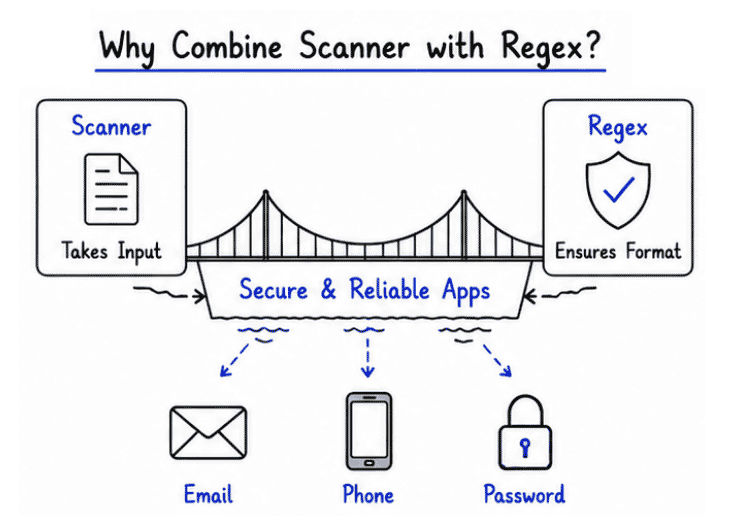
👉 This combination is commonly used in login systems, registration forms, banking applications, and console-based Java projects.
When a user enters data, the Scanner class reads the input and Regex checks whether the input follows the required format. If the validation is successful, the application processes the data; otherwise, it can reject the input or ask the user to enter valid data again.
Flow
User Input → Scanner → Regex Validation → Process Data
This example takes an email address from the user using Scanner and validates it using a Regex pattern. If the entered email follows the correct format, the program prints "Valid Email"; otherwise, it prints "Invalid Email".
import java.util.Scanner;

public class Test {
    public static void main(String[] args) {

        Scanner sc = new Scanner(System.in);

        System.out.print("Enter Email: ");

        String email = sc.nextLine();

        String regex =
                "^[A-Za-z0-9+_.-]+@[A-Za-z0-9.-]+$";

        if (email.matches(regex)) {
            System.out.println("Valid Email");
        } else {
            System.out.println("Invalid Email");
        }

        sc.close();
    }
}This example takes a phone number from the user using Scanner and validates whether it contains exactly 10 digits using Regex. If the number follows the correct format, the program prints "Valid Number"; otherwise, it prints "Invalid Number".
import java.util.Scanner;

public class Test {
    public static void main(String[] args) {

        Scanner sc = new Scanner(System.in);

        System.out.print("Enter Phone Number: ");

        String phone = sc.nextLine();

        if (phone.matches("^[0-9]{10}$")) {
            System.out.println("Valid Number");
        } else {
            System.out.println("Invalid Number");
        }

        sc.close();
    }
}This example takes a password from the user and validates it using Regex based on security rules. The password must contain at least one uppercase letter, one lowercase letter, one digit, and a minimum length of 8 characters.
Rules
Minimum 8 characters
At least one uppercase letter
At least one lowercase letter
At least one digit
import java.util.Scanner;

public class Test {
    public static void main(String[] args) {

        Scanner sc = new Scanner(System.in);

        System.out.print("Enter Password: ");

        String password = sc.nextLine();

        String regex =
                "^(?=.*[A-Z])(?=.*[a-z])(?=.*\\\\d).{8,}$";

        if (password.matches(regex)) {
            System.out.println("Strong Password");
        } else {
            System.out.println("Weak Password");
        }

        sc.close();
    }
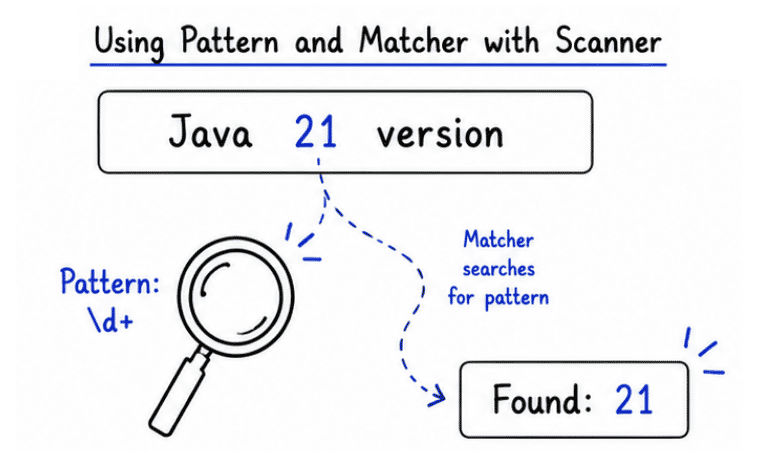
}This example uses Scanner to take input from the user and then uses Pattern and Matcher classes to search for numbers inside the entered text.
The program:
Reads user input
Compiles a regex pattern
Finds matching values in the text
Prints all matched results
import java.util.Scanner;
import java.util.regex.*;

public class Test {
    public static void main(String[] args) {

        Scanner sc = new Scanner(System.in);

        System.out.print("Enter text: ");

        String input = sc.nextLine();

        Pattern pattern = Pattern.compile("\\\\d+");

        Matcher matcher = pattern.matcher(input);

        while (matcher.find()) {
            System.out.println("Found: " + matcher.group());
        }

        sc.close();
    }
}
Output
Enter text: Java 21 version
Found: 21The Scanner class can use Regular Expressions (Regex) as delimiters to split input into smaller parts called tokens.
By default, Scanner separates input using whitespace, but with useDelimiter() we can define custom separators such as commas, colons, hyphens, pipes, or even complex regex patterns.
This feature is extremely useful when working with structured or formatted data.
Common use cases include:
Parsing CSV files
Reading formatted records
Processing log files
Splitting API or text data
Handling custom input formats
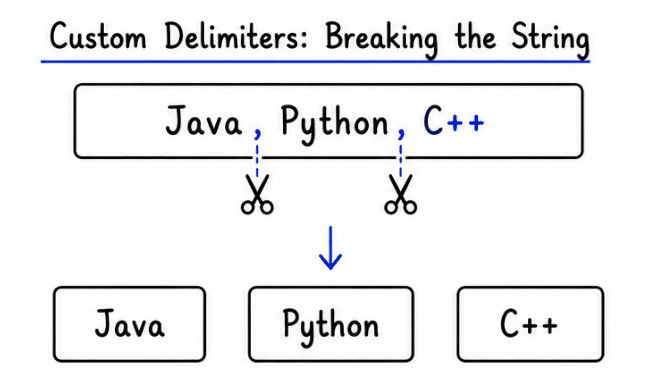
Example: Using useDelimiter()
import java.util.Scanner;

public class Test {
    public static void main(String[] args) {

        String data = "Java,Python,C++";

        Scanner sc = new Scanner(data);

        // Using comma as delimiter
        sc.useDelimiter(",");

        while (sc.hasNext()) {
            System.out.println(sc.next());
        }

        sc.close();
    }
}
Output
Java
Python
C++
Structured input parsing means reading and processing data that follows a predefined or fixed format.
Using Scanner with Regex delimiters makes it easier to separate and extract individual values from structured input data efficiently.
This approach is commonly used in:
Student management systems
Employee record systems
Banking applications
Report and data processing systems
CSV and formatted file parsing
Example: Parsing Student Data
import java.util.Scanner;

public class Test {
    public static void main(String[] args) {

        String input = "101-Rahul-85";

        Scanner sc = new Scanner(input);

        // Using hyphen as delimiter
        sc.useDelimiter("-");

        int id = sc.nextInt();
        String name = sc.next();
        int marks = sc.nextInt();

        System.out.println("ID: " + id);
        System.out.println("Name: " + name);
        System.out.println("Marks: " + marks);

        sc.close();
    }
}
Output
ID: 101
Name: Rahul
Marks: 85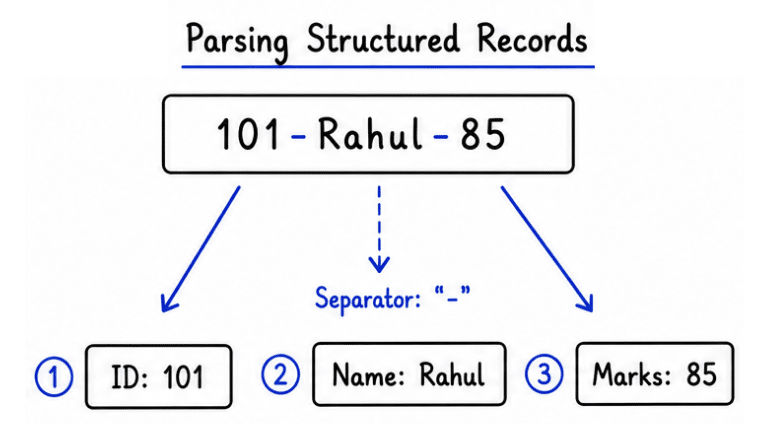
CSV (Comma-Separated Values) is a popular format used to store and exchange tabular data in many real-world applications.
Many systems use CSV files for:
Data import and export
Report generation
Database backups
Spreadsheet processing
Student and employee records
Using Scanner with delimiters makes CSV parsing simple, fast, and efficient in Java.
Example: CSV Data Processing
import java.util.Scanner;

public class Test {
    public static void main(String[] args) {

        String csv = "Amit,25,Delhi";

        Scanner sc = new Scanner(csv);

        // Comma delimiter
        sc.useDelimiter(",");

        while (sc.hasNext()) {
            System.out.println(sc.next());
        }

        sc.close();
    }
}
Output
Amit
25
Delhi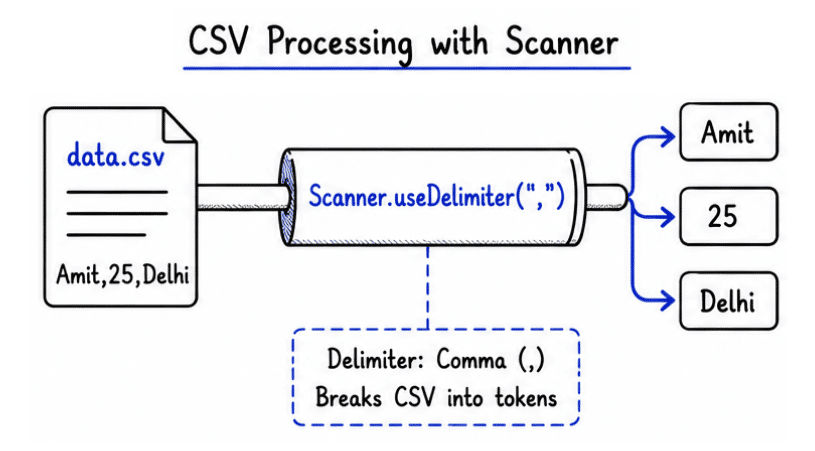
Delimiter-based parsing provides a simple and efficient way to process structured input data in Java applications.
Key benefits include:
Makes structured and formatted data easier to process
Simplifies CSV and record-based data handling
Reduces the need for manual string splitting logic
Improves code readability and maintainability
Helps process large amounts of formatted data efficiently
Widely useful in real-world data processing applications
Scanner and Regex together are widely used in Java applications for taking and validating user input efficiently.
Common real-world use cases include:
Login and authentication systems
Registration and signup forms
Banking and financial applications
Input validation systems
Command-line and console tools
Student and employee management systems
Online examination and data entry systems
Using Scanner with Regex provides a simple and efficient way to handle and validate user input in Java applications.
Key advantages include:
Easy and interactive user input handling
Strong validation support using regex patterns
Reduces invalid or incorrect data entry
Improves application security and reliability
Simplifies input processing logic
This combination helps build secure, accurate, and user-friendly Java applications.
Although Scanner and Regex are very useful, they also have some limitations in real-world applications.
Some common limitations include:
Complex regex patterns can become difficult to read and maintain
Scanner may be slower when handling very large input data
Poorly designed validation rules may still allow invalid data
Debugging complex regex expressions can be challenging
Proper regex design and validation logic are important for building efficient and reliable applications.
Using Scanner with Regex is a powerful and practical approach for processing and validating user input in Java applications.
Scanner handles user input collection
Regex validates the input format
Together they improve security, accuracy, and data quality
Helps prevent invalid or incorrectly formatted input
👉 This combination is essential for building secure, reliable, and real-world Java applications
