
Author
A stack trace is a detailed report that shows where an exception occurred and the sequence of method calls that led to it.
It helps developers debug and trace errors easily.
A stack trace is a detailed report that shows the sequence of method calls when an exception occurs.
It helps developers identify:
Stack traces are extremely useful for debugging runtime errors.
Example of Stack Trace
public class StackTraceExample {
    public static void main(String[] args) {
        try {
            int a = 10 / 0;  // ArithmeticException
        } catch (Exception e) {
            e.printStackTrace();
        }
    }
}
Output:
java.lang.ArithmeticException: / by zero
    at StackTraceExample.main(StackTraceExample.java:5)
This shows:
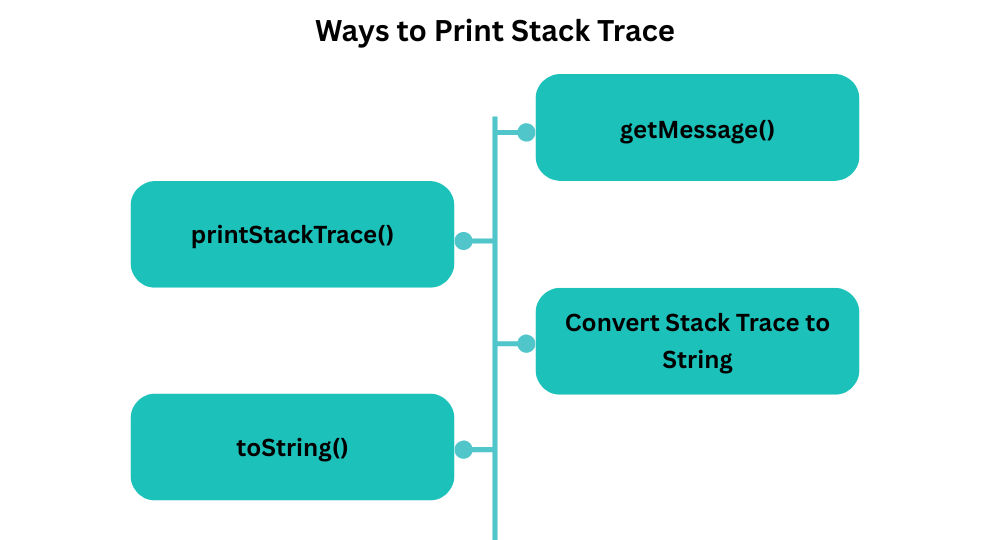
Most common method.
catch (Exception e) {
    e.printStackTrace();
}
Prints only error message.
System.out.println(e.getMessage());
Prints exception type + message.
System.out.println(e.toString());
Useful for logging.
StringWriter sw = new StringWriter();
PrintWriter pw = new PrintWriter(sw);
e.printStackTrace(pw);
String stackTrace = sw.toString();
Printing errors using System.out or printStackTrace() is not recommended in real-world applications.
Logging helps track exceptions in:
Java supports many logging frameworks.
import java.util.logging.*;

public class LoggingExample {
    private static final Logger logger = Logger.getLogger(LoggingExample.class.getName());

    public static void main(String[] args) {
        try {
            String s = null;
            s.length();
        } catch (Exception e) {
            logger.log(Level.SEVERE, "Exception occurred", e);
        }
    }
}
import org.apache.log4j.Logger;

public class Log4jExample {
    static Logger logger = Logger.getLogger(Log4jExample.class);

    public static void main(String[] args) {
        try {
            int a = 10 / 0;
        } catch (Exception e) {
            logger.error("Error occurred: ", e);
        }
    }
}
import org.slf4j.Logger;
import org.slf4j.LoggerFactory;

public class SLF4JExample {
    private static final Logger logger = LoggerFactory.getLogger(SLF4JExample.class);

    public static void main(String[] args) {
        try {
            int[] arr = new int[3];
            int x = arr[5];
        } catch (Exception e) {
            logger.error("Exception happened: {}", e.getMessage(), e);
        }
    }
}
| Feature | printStackTrace() |
Logging Framework |
|---|---|---|
| Console Output | Only console | Console + File + Cloud |
| Log File Support | Not supported | Writes logs to files |
| Log Levels (ERROR, WARN, INFO, DEBUG) | No levels | Supports all log levels |
| Production Ready | Not suitable | Used in enterprise apps |
| Structured Logs (JSON, XML) | Not possible | Supported |
| Configurable Output Format | No | Fully configurable |
| Performance Optimization | No control | Async + buffered logging |
| Supports External Tools | No | Works with ELK, Splunk, etc. |
System.out.println() in productiontry {
processData();
} catch (IOException e) {
logger.error("Failed to process file", e);
}
Logs include:
