
Author
border-radius)Rounded corners make elements like divs, buttons, and images look smooth and modern. The CSS border-radius property lets you control how rounded each corner is, improving both the design and user experience.
border-radius?The border-radius property sets the radius of an element’s corners. It can be applied to any element that has a background-color, a border, or a background-image.
border-radius is actually a shorthand property for:
border-top-left-radiusborder-top-right-radiusborder-bottom-right-radiusborder-bottom-left-radiusBasic syntax:
/* Apply same radius to all corners */
element {
  border-radius: 15px;
}

/* Different values for each corner: top-left, top-right, bottom-right, bottom-left */
element {
  border-radius: 15px 25px 35px 45px;
}
<div class="rounded-box">Rounded Corners!</div>
.rounded-box {
  width: 200px;
  height: 150px;
  background-color: #4CAF50;
  border-radius: 25px; /* Rounded corners */
  padding: 20px;
  color: white;
  display: flex;
  justify-content: center;
  align-items: center;
}
Output :

<div class="border-box">Rounded Corners!</div>
.border-box {
  width: 200px;
  height: 150px;
  border: 2px solid #4CAF50;
  border-radius: 25px; /* Rounded corners */
  padding: 20px;
  display: flex;
  justify-content: center;
  align-items: center;
}
Output :

3. Rounded Corners on a Background Image
<div class="image-box">Rounded Corners!</div>
.image-box {
  width: 200px;
  height: 150px;
  background-image: url('https://i0.wp.com/picjumbo.com/wp-content/uploads/beautiful-nature-mountain-scenery-with-flowers-free-photo.jpg?w=2210&quality=70');
  background-size: cover;
  border-radius: 25px; /* Rounded corners */
  display: flex;
  justify-content: center;
  align-items: center;
  color: white;
  font-weight: bold;
}
Output :

Specifying Each Corner
You can define different radii for each corner using 1–4 values:
| Values | How They Apply |
|---|---|
| 1 | All corners the same |
| 2 | 1st → top-left & bottom-right, 2nd → top-right & bottom-left |
| 3 | 1st → top-left, 2nd → top-right & bottom-left, 3rd → bottom-right |
| 4 | Top-left, top-right, bottom-right, bottom-left (in order) |
Example:
#div1 { border-radius: 15px 50px 30px 5px; }
#div2 { border-radius: 15px 50px 30px; }
#div3 { border-radius: 15px 50px; }
#div4 { border-radius: 15px; }
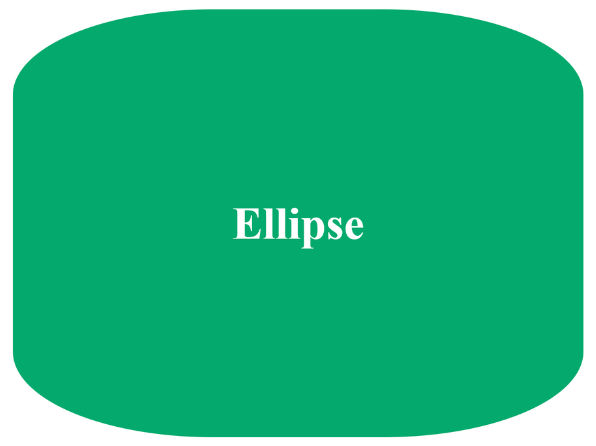
border-radius can also create ellipses, ovals, and perfect circles:
Use two values separated by a slash /:
<div id="ellipse">Ellipse</div> #ellipse {
width: 200px;
height: 150px;
background-color: #04AA6D;
border-radius: 70px / 30px; /* horizontal / vertical radius */
display: flex;
justify-content: center;
align-items: center;
color: white;
font-weight: bold;
margin: 20px;
}Output :
Circular Shapes
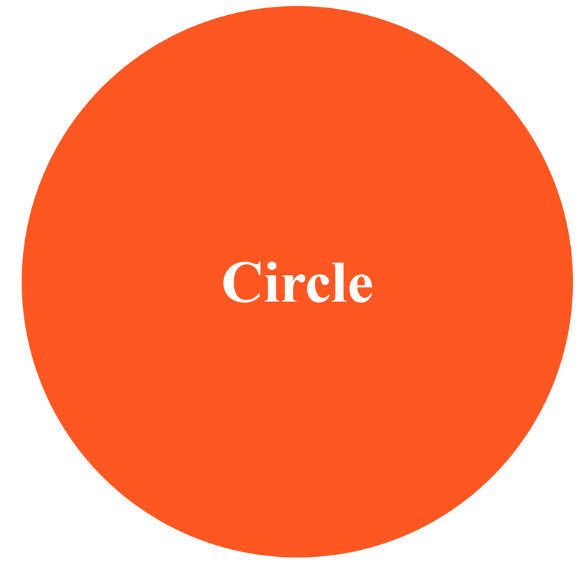
To make a perfect circle, use border-radius: 50% on a square element (width = height):
<div id="circle">Circle</div>#circle {
width: 150px;
height: 150px;
background-color: #FF5722;
border-radius: 50%; /* perfect circle */
display: flex;
justify-content: center;
align-items: center;
color: white;
font-weight: bold;
margin: 20px;
}Output :
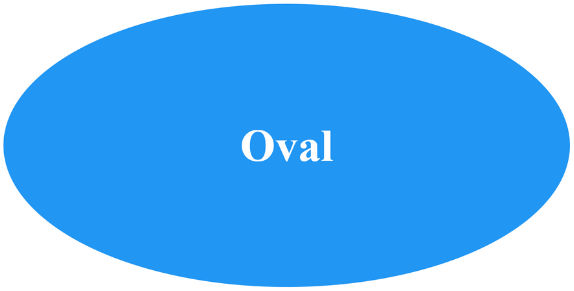
For an oval shape, use border-radius: 50% on a rectangular element (width ≠ height):
<div id="oval">Oval</div> #oval {
width: 200px;
height: 100px;
background-color: #2196F3;
border-radius: 50%; /* oval shape */
display: flex;
justify-content: center;
align-items: center;
color: white;
font-weight: bold;
margin: 20px;
}Output :
Why Use Rounded Corners?
<!DOCTYPE html>
<html lang="en">
<head>
<meta charset="UTF-8">
<meta name="viewport" content="width=device-width, initial-scale=1.0">
<meta name="description" content="Learn CSS rounded corners using the border-radius property. Create boxes, images, and buttons with smooth corners.">
<title>CSS Rounded Corners Example</title>
<style>
  .rounded-box { width:200px; height:150px; background:#4CAF50; border-radius:25px; color:white; display:flex; justify-content:center; align-items:center; margin:20px;}
  .border-box { width:200px; height:150px; border:2px solid #4CAF50; border-radius:25px; display:flex; justify-content:center; align-items:center; margin:20px;}
  .image-box { width:200px; height:150px; background-image:url('example.jpg'); background-size:cover; border-radius:25px; display:flex; justify-content:center; align-items:center; color:white; font-weight:bold; margin:20px;}
  #ellipse { border-radius:70px / 30px; width:200px; height:150px; background:#04AA6D; margin:20px;}
  #circle { border-radius:50%; width:150px; height:150px; background:#FF5722; margin:20px;}
  #oval { border-radius:50%; width:200px; height:100px; background:#2196F3; margin:20px;}
</style>
</head>
<body>
  <div class="rounded-box">Rounded Box</div>
  <div class="border-box">Border Box</div>
  <div class="image-box">Image Box</div>
  <div id="ellipse"></div>
  <div id="circle"></div>
  <div id="oval"></div>
</body>
</html>
