Author
The float property in CSS positions an element to the left or right of its container, so that other content like text can wrap around it.
Syntax
.element {
  float: left;   /* or right, none, inherit */
}
The float property in CSS accepts four main values. Each value changes how the element behaves inside its container:
float: left;Example:
.image {
  float: left;
}
<!DOCTYPE html>
<html lang="en">
<head>
  <meta charset="UTF-8">
  <title>Float Left Example</title>
  <style>
    .box {
      width: 80px;
      height: 40px;
      background: #3498db;
      color: #fff;
      text-align: center;
      line-height: 40px;
      float: left;
      margin: 5px;
    }
  </style>
</head>
<body>
  <h2>Float: left</h2>
  <div class="box">Left</div>
  <p>This text wraps around the blue box because it is floated to the left.</p>
</body>
</html>
Output :

float: right;Example:
.image {
  float: right;
}
<!DOCTYPE html>
<html lang="en">
<head>
  <meta charset="UTF-8">
  <title>Float Right Example</title>
  <style>
    .box {
      width: 80px;
      height: 40px;
      background: #e67e22;
      color: #fff;
      text-align: center;
      line-height: 40px;
      float: right;
      margin: 5px;
    }
  </style>
</head>
<body>
  <h2>Float: right</h2>
  <div class="box">Right</div>
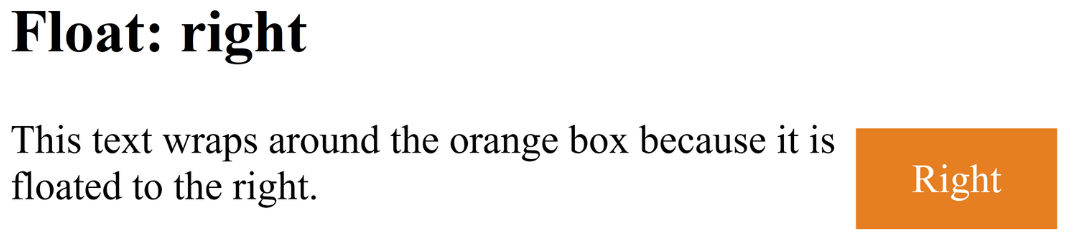
  <p>This text wraps around the orange box because it is floated to the right.</p>
</body>
</html>
Output :
float: none; (Default)<div> or <p>.Example:
.text {
  float: none;
}
<!DOCTYPE html>
<html lang="en">
<head>
  <meta charset="UTF-8">
  <title>Float None Example</title>
  <style>
    .box {
      width: 80px;
      height: 40px;
      background: #2ecc71;
      color: #fff;
      text-align: center;
      line-height: 40px;
      float: none; /* default */
      margin: 5px;
    }
  </style>
</head>
<body>
  <h2>Float: none</h2>
  <div class="box">None</div>
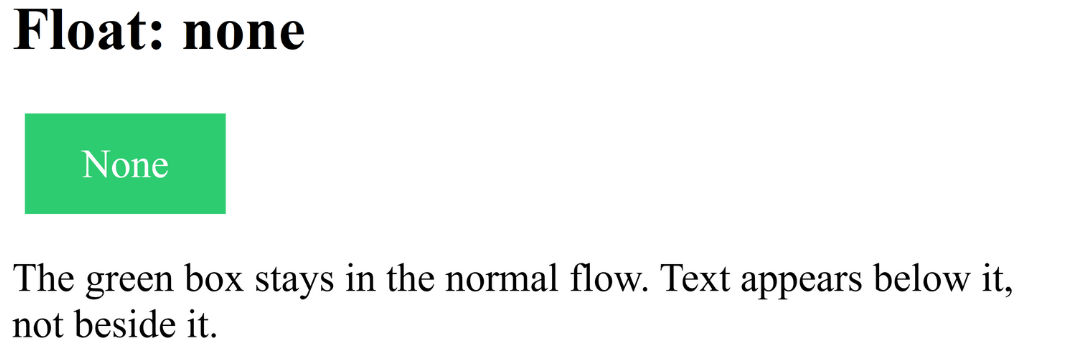
  <p>The green box stays in the normal flow. Text appears below it, not beside it.</p>
</body>
</html>
Output :
float: inherit;Example:
.child {
  float: inherit;
}
<!DOCTYPE html>
<html lang="en">
<head>
  <meta charset="UTF-8">
  <title>Float Inherit Example</title>
  <style>
    .parent {
      float: left;
      background: #9b59b6;
      padding: 10px;
      margin: 10px;
    }
    .child {
      width: 80px;
      height: 40px;
      background: #f39c12;
      color: #fff;
      text-align: center;
      line-height: 40px;
      float: inherit; /* inherits from parent */
    }
  </style>
</head>
<body>
  <h2>Float: inherit</h2>
  <div class="parent">
    Parent (floated left)
    <div class="child">Inherit</div>
  </div>
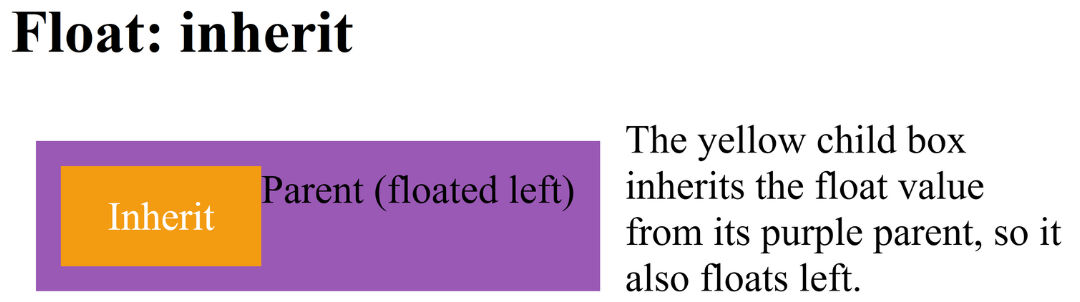
  <p>The yellow child box inherits the float value from its purple parent, so it also floats left.</p>
</body>
</html>
Output :