
Author
CSS Grid functions help create flexible, responsive layouts with minimal code.
repeat() – Repeats a column or row size multiple times, reducing repetitive code.minmax() – Sets a minimum and maximum size for a grid track, making columns or rows responsive.auto-fit vs auto-fill – Automatically adjusts the number of columns to fit the container; auto-fit stretches items, auto-fill keeps empty tracks.fr) – Allocates space proportionally, letting columns or rows share available space flexibly.These functions together allow precise control over grid layouts while keeping them responsive.
repeat() FunctionThe repeat() function helps you avoid repetitive code when defining multiple columns or rows of the same size in a grid. Instead of writing each column manually, you can repeat a size multiple times.
count → Number of columns/rows to repeatsize → Width/height of each column/row<div class="grid-repeat">
<div>1</div>
<div>2</div>
<div>3</div>
<div>4</div>
</div>
.grid-repeat {
  display: grid;
  grid-template-columns: repeat(4, 100px);
  gap: 10px;
}

.grid-repeat div {
  background: #4CAF50;
  color: white;
  text-align: center;
  padding: 20px;
}
Output :
Function_20250918_130321.png)
minmax() Function
The minmax() function allows a grid track (column or row) to have a minimum and maximum size, which is very useful for responsive design.
min → Minimum sizemax → Maximum size<div class="grid-minmax">
<div>A</div>
<div>B</div>
<div>C</div>
</div>
.grid-minmax {
  display: grid;
  grid-template-columns: repeat(3, minmax(100px, 1fr));
  gap: 15px;
}

.grid-minmax div {
  background: #FF5722;
  color: white;
  text-align: center;
  padding: 30px 0;
}
Output :
Function_20250918_130346.png)
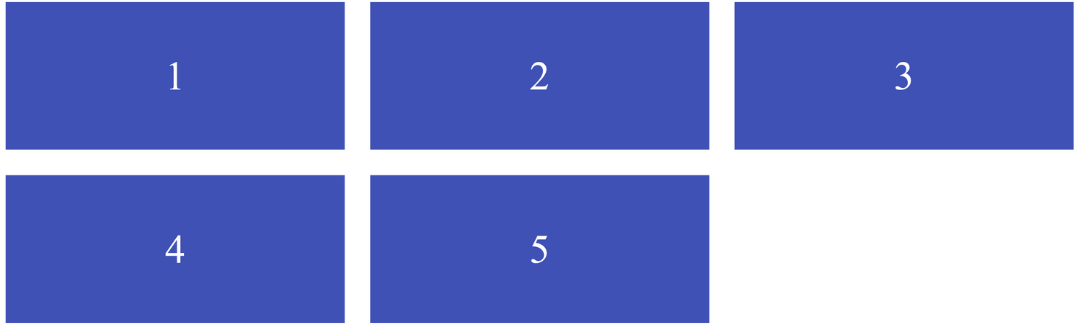
auto-fit vs auto-fillThese keywords are used in combination with repeat() to create dynamic, responsive grids. They automatically fit as many columns as possible within the container.
auto-fitauto-fill<div class="grid-auto">
<div>1</div>
<div>2</div>
<div>3</div>
<div>4</div>
<div>5</div>
</div>
.grid-auto {
  display: grid;
  grid-template-columns: repeat(auto-fit, minmax(120px, 1fr));
  gap: 10px;
}

.grid-auto div {
  background: #3F51B5;
  color: white;
  text-align: center;
  padding: 20px;
}
Output :
fr)The fr unit represents a fraction of the available space in the grid container. It makes grids more flexible than using fixed units like px or %.
<div class="grid-fr">
  <div>Item 1</div>
  <div>Item 2</div>
  <div>Item 3</div>
</div>
.grid-fr {
  display: grid;
  grid-template-columns: 1fr 2fr 1fr;
  gap: 10px;
}

.grid-fr div {
  background: #009688;
  color: white;
  text-align: center;
  padding: 20px;
}
Output :

