
Author
In JavaScript, object properties are the key-value pairs that define an object.
This section explains how to access, add, modify, and delete properties in JavaScript objects, with examples and best practices.
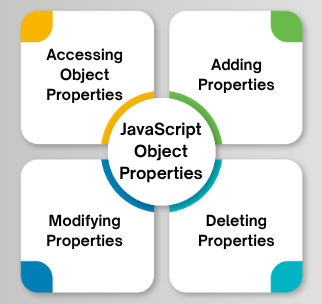
You can access object properties using dot notation or bracket notation.
a) Dot Notation
Preferred when the property name is known and is a valid JavaScript identifier (no spaces, special characters, or starting with a number).
Syntax: object.propertyName
Example:
const person = { name: "John", age: 30 };
console.log(person.name); // "John"
console.log(person.age);  // 30
b) Bracket Notation
Use for dynamic property names, properties with special characters, or names that aren’t valid identifiers.
Syntax: object["propertyName"]
Example:
console.log(person["name"]); // "John"

const key = "age";
console.log(person[key]);    // 30

// Property names with special characters
const obj = { "first-name": "Alice" };
console.log(obj["first-name"]); // "Alice"
Accessing a non-existent property returns undefined:
console.log(person.job); // undefined
JavaScript objects are dynamic, allowing properties to be added after creation.
object.newProperty = valueobject["newProperty"] = valueExample:
const person = { name: "John" };
person.age = 30;             // Using dot notation
person["country"] = "India"; // Using bracket notation

console.log(person);
// { name: "John", age: 30, country: "India" }
Computed Property Names (ES6+)
Allows dynamic property names using expressions in bracket notation:
const key = "id";
const obj = { [key]: 123 };
console.log(obj.id); // 123
Existing properties can be updated by assigning a new value:
object.propertyName = newValueobject["propertyName"] = newValueExample:
const person = { name: "John", age: 30 };
person.age = 31;           // Modify using dot notation
person["name"] = "Alice";  // Modify using bracket notation

console.log(person);
// { name: "Alice", age: 31 }
Properties can be removed from an object using the delete operator:
delete object.propertyNamedelete object["propertyName"]Example:
const person = { name: "John", age: 30, country: "India" };
delete person.age;           // Using dot notation
delete person["country"];    // Using bracket notation

console.log(person);
// { name: "John" }
