
Author
JavaScript Date objects don’t just let you get parts of a date — you can also set or modify them.
These are called Date Set Methods, and they help you update a date’s year, month, day, hour, minute, second, or even milliseconds.
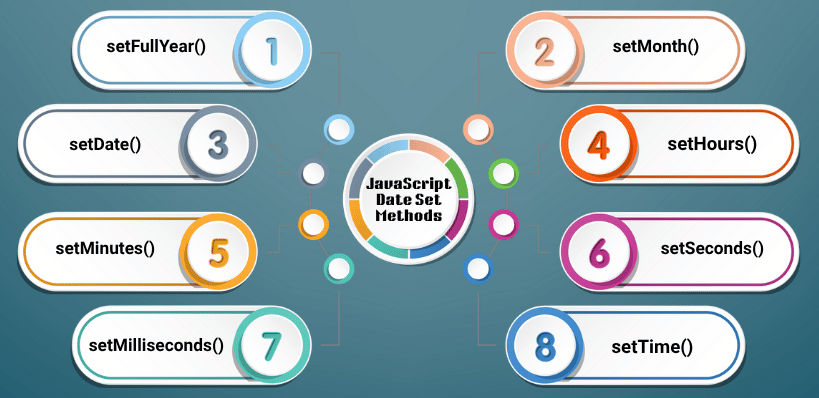
Using these methods, you can easily create dynamic dates, schedule events, or adjust times based on user input or time zones.
setFullYear() – Set the YearThe setFullYear() method in JavaScript is used to set or update the year of a Date object. Optionally, you can also set the month (0 for January, 11 for December) and the day of the month.
Syntax:
date.setFullYear(yearValue, monthValue, dayValue)
Example:
const d = new Date();
d.setFullYear(2025);
console.log(d);
// Wed Oct 08 2025 ...
setMonth() – Set the MonthChanges the month of the date object (0-indexed). Months are zero-based (0–11). You can optionally set the day of the month.
Syntax:
date.setMonth(monthValue, dayValue)
Example:
const d = new Date("2025-10-08");
d.setMonth(0); // January (0 = Jan)
console.log(d);
// Wed Jan 08 2025 ...
setDate() – Set the Day of the MonthSets the day of the month for the date object (1–31).
Syntax:
date.setDate(dayValue)
Example:
const d = new Date("2025-10-08");
d.setDate(15);
console.log(d);
// Wed Oct 15 2025 ...
setHours() – Set the HourSets the hours (0–23) for the date object. You can also set minutes, seconds, and milliseconds optionally.
Syntax:
date.setHours(hoursValue, minutesValue, secondsValue, msValue)
Example:
const d = new Date("2025-10-08T10:00:00");
d.setHours(18);
console.log(d);
// Wed Oct 08 2025 18:00:00
setMinutes() – Set the MinutesSets the minutes (0–59) of the date object. You can also set seconds and milliseconds.
Syntax:
date.setMinutes(minutesValue, secondsValue, msValue)
Example:
const d = new Date("2025-10-08T18:00:00");
d.setMinutes(45);
console.log(d);
// Wed Oct 08 2025 18:45:00
setSeconds() – Set the SecondsSets the seconds (0–59) of the date object. You can also set milliseconds optionally.
Syntax:
date.setSeconds(secondsValue, msValue)
Example:
const d = new Date("2025-10-08T18:30:00");
d.setSeconds(50);
console.log(d);
// Wed Oct 08 2025 18:30:50
setMilliseconds() – Set the MillisecondsSets the milliseconds (0–999) of a date object.
Syntax:
date.setMilliseconds(msValue)
Example:
const d = new Date("2025-10-08T18:30:45.000");
d.setMilliseconds(500);
console.log(d);
// 2025-10-08T18:30:45.500
setTime() – Set TimestampSets the date and time using a Unix timestamp (milliseconds since Jan 1, 1970).
Syntax:
date.setTime(milliseconds)
Example:
const d = new Date();
d.setTime(1759917000000);
console.log(d);
// Wed Oct 08 2025 18:30:00
| Method | Value Range | UTC Version | Description / Use Case |
|---|---|---|---|
setFullYear() |
Year | setUTCFullYear() |
Change year (and optionally month/day) |
setMonth() |
0–11 | setUTCMonth() |
Change month (0 = Jan, 11 = Dec) |
setDate() |
1–31 | setUTCDate() |
Set day of the month |
setHours() |
0–23 | setUTCHours() |
Change hour; can also set minutes, seconds |
setMinutes() |
0–59 | setUTCMinutes() |
Update minutes; auto-adjusts hours |
setSeconds() |
0–59 | setUTCSeconds() |
Change seconds; optional ms param |
setMilliseconds() |
0–999 | setUTCMilliseconds() |
Set milliseconds precisely |
setTime() |
Milliseconds since 1970 | — | Set complete timestamp (UTC) |
