
Author
JavaScript Date objects can be created using different formats, and each format has specific behavior. Choosing the right format ensures correct parsing, consistency, and cross-browser reliability.
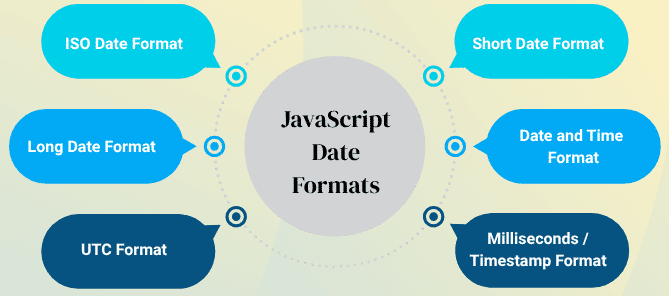
The ISO format is internationally recognized and is the most reliable across all browsers. It can represent just the date or date with time.
Format: YYYY-MM-DD or YYYY-MM-DDTHH:mm:ss.sssZ
Examples:
const dateOnly = new Date("2025-10-08");
console.log(dateOnly);
// Wed Oct 08 2025 00:00:00

const dateTime = new Date("2025-10-08T18:30:00");
console.log(dateTime);
// Wed Oct 08 2025 18:30:00

const dateUTC = new Date("2025-10-08T18:30:00Z");
console.log(dateUTC);
// Wed Oct 08 2025 18:30:00 GMT+0000 (UTC)
This format is less reliable, especially in international contexts, because different browsers may interpret DD/MM/YYYY differently.
Format: MM/DD/YYYY or MM-DD-YYYY (mostly US-style)
Example:
const d = new Date("10/08/2025");
console.log(d);
// Wed Oct 08 2025 00:00:00
Human-readable format, easy to understand. Can also include time.
Format: Month DD, YYYY
Example:
const d = new Date("October 8, 2025");
console.log(d);
// Wed Oct 08 2025 00:00:00

const d2 = new Date("October 8, 2025 18:30:00");
console.log(d2);
// Wed Oct 08 2025 18:30:00
A precise format that includes both date and time. Useful for ISO-compliant operations.
Format: "YYYY-MM-DDTHH:mm:ss"
Example:
const d = new Date("2025-10-08T18:30:00");
console.log(d);
// Wed Oct 08 2025 18:30:00
Represents Coordinated Universal Time (UTC). Useful for server-side or API communications.
Format: "YYYY-MM-DDTHH:mm:ssZ"
Example:
const d = new Date("2025-10-08T18:30:00Z");
console.log(d);
// Wed Oct 08 2025 18:30:00 GMT+0000 (UTC)
JavaScript can create dates from raw milliseconds. Useful for calculations, comparisons, and storing dates.
Format: Milliseconds since January 01, 1970 00:00:00 UTC (Unix Epoch)
Example:
const d = new Date(1759927762375);
console.log(d);
// Wed Oct 08 2025 18:19:22
Once a Date object is created, JavaScript provides several methods to display the date. Each method formats the date differently and can be used according to the requirement.
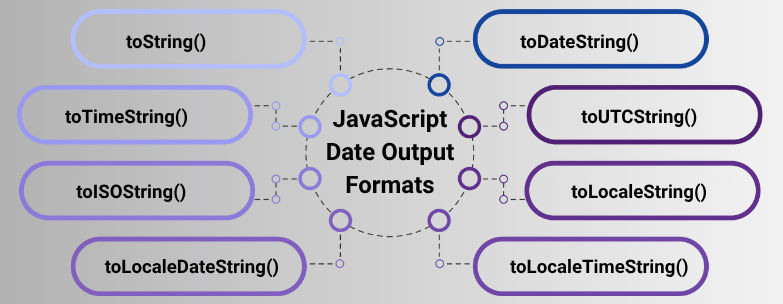
toString()Displays the full date and time string in the local time zone.
Example:
const d = new Date("2025-10-08T18:30:00");
console.log(d.toString());
// Wed Oct 08 2025 18:30:00 GMT+0530 (India Standard Time)
toDateString()Displays only the date in a human-readable format.
Example:
const d = new Date("2025-10-08T18:30:00");
console.log(d.toDateString());
// Wed Oct 08 2025
toTimeString()Displays only the time portion of the date.
Example:
const d = new Date("2025-10-08T18:30:00");
console.log(d.toTimeString());
// 18:30:00 GMT+0530 (India Standard Time)
toUTCString()Displays the date and time in UTC.
Example:
const d = new Date("2025-10-08T18:30:00");
console.log(d.toUTCString());
// Wed, 08 Oct 2025 13:00:00 GMT
toISOString()Displays the date in ISO 8601 format, always in UTC.
Example:
const d = new Date("2025-10-08T18:30:00");
console.log(d.toISOString());
// 2025-10-08T13:00:00.000Z
toLocaleString()Displays the date and time according to the user’s locale or a specified locale.
Example:
const d = new Date("2025-10-08T18:30:00");
console.log(d.toLocaleString("en-US")); // US format
// 10/8/2025, 6:30:00 PM

console.log(d.toLocaleString("en-GB")); // UK format
// 08/10/2025, 18:30:00
toLocaleDateString()Displays date only in locale-specific format.
Example:
const d = new Date("2025-10-08T18:30:00");
console.log(d.toLocaleDateString("en-US"));
// 10/8/2025

console.log(d.toLocaleDateString("en-GB"));
// 08/10/2025
toLocaleTimeString()Displays time only in locale-specific format.
Example:
const d = new Date("2025-10-08T18:30:00");
console.log(d.toLocaleTimeString("en-US"));
// 6:30:00 PM

console.log(d.toLocaleTimeString("en-GB"));
// 18:30:00
| Type | Example / Method | Description / Usage |
|---|---|---|
| ISO Input | "2025-10-08" |
Standard, cross-browser reliable |
| ISO Input with Time | "2025-10-08T18:30:00" |
Includes time, local |
| ISO Input UTC | "2025-10-08T18:30:00Z" |
UTC time, ideal for servers/APIs |
| Short Date (US) | "10/08/2025" |
Browser-dependent, US-style |
| Long Date | "October 8, 2025" |
Human-readable, display-friendly |
| Milliseconds / Timestamp | 1759927762375 |
Useful for calculations & storage |
toString() |
Wed Oct 08 2025 18:30:00 GMT+0530 | Default full date & time, local timezone |
toDateString() |
Wed Oct 08 2025 | Human-readable date only |
toTimeString() |
18:30:00 GMT+0530 | Time only |
toUTCString() |
Wed, 08 Oct 2025 13:00:00 GMT | UTC date & time |
toISOString() |
2025-10-08T13:00:00.000Z | ISO 8601, UTC |
toLocaleString() |
10/8/2025, 6:30:00 PM | Localized date & time |
toLocaleDateString() |
10/8/2025 | Localized date only |
toLocaleTimeString() |
6:30:00 PM | Localized time only |
