Author
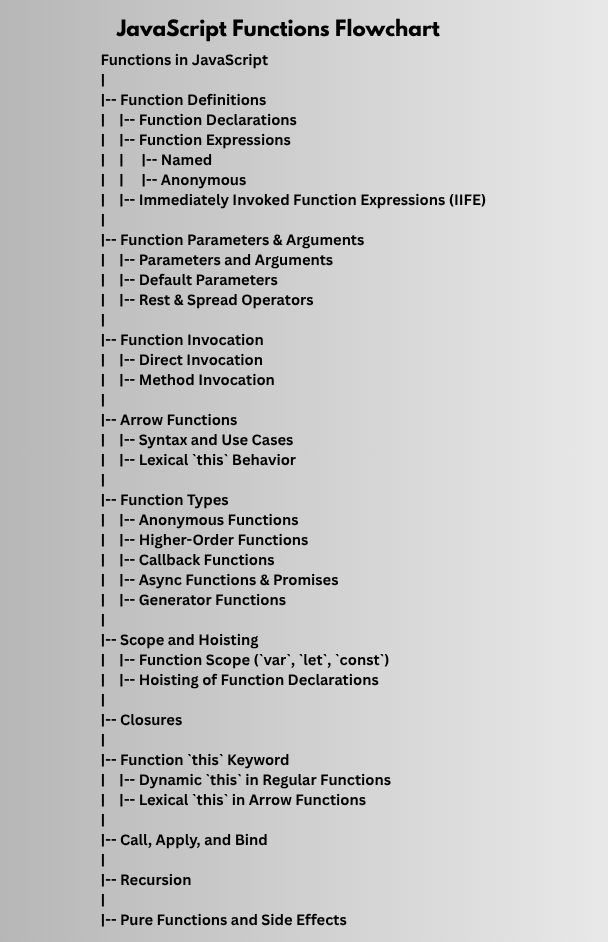
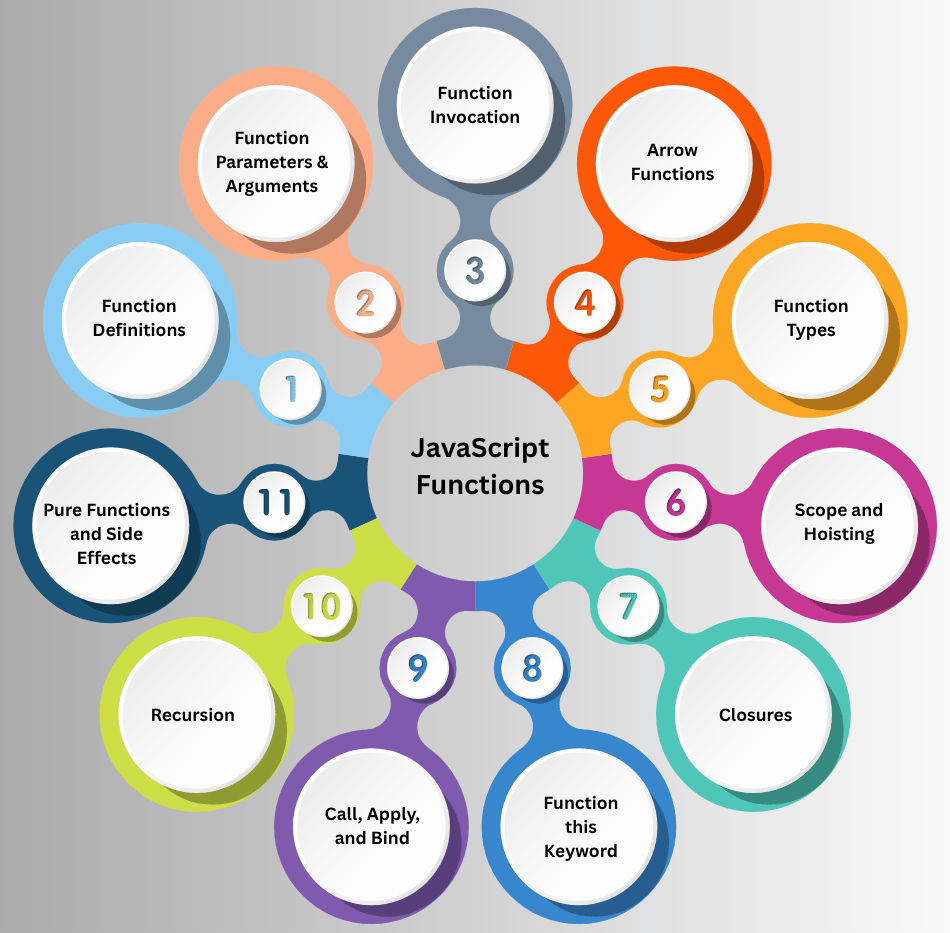
Functions are one of the core building blocks in JavaScript. They allow you to group code into reusable blocks, perform calculations, handle events, and manage complex logic efficiently.
A function is a block of code designed to perform a specific task. Functions can:
Functions help make code modular, reusable, and easier to maintain.
Function Declarations
A standard way to define a function using the function keyword.
function greet(name) {
  return `Hello, ${name}!`;
}

console.log(greet("Alice")); // "Hello, Alice!"
Function Expressions
A function can be assigned to a variable. These can be named or anonymous.
// Anonymous function
const greet = function(name) {
  return `Hello, ${name}!`;
};

// Named function expression
const greetNamed = function greetFunction(name) {
  return `Hello, ${name}!`;
};
Immediately Invoked Function Expressions (IIFE)
Functions that execute immediately after creation.
(function() {
  console.log("This runs immediately!");
})();
Parameters and Arguments
function add(a, b) {
  return a + b;
}
console.log(add(5, 10)); // 15
Default Parameters
Set default values for parameters if no argument is passed.
function greet(name = "Guest") {
  return `Hello, ${name}!`;
}
console.log(greet()); // "Hello, Guest!"
Rest & Spread Operators
...) collects multiple arguments into an array....) expands arrays into individual elements.function sum(...numbers) {
return numbers.reduce((total, num) => total + num, 0);
}
console.log(sum(1, 2, 3, 4)); // 10
const nums = [1, 2, 3];
console.log(Math.max(...nums)); // 3
Direct Invocation
Calling a function directly by its name:
function greet() {
  console.log("Hello!");
}
greet(); // "Hello!"
Method Invocation
Calling a function as a property of an object:
const user = {
  name: "Alice",
  greet: function() {
    console.log(`Hello, ${this.name}!`);
  }
};
user.greet(); // "Hello, Alice!"
Syntax and Use Cases
Arrow functions provide a shorter syntax for defining functions.
const greet = (name) => `Hello, ${name}!`;
console.log(greet("Alice")); // "Hello, Alice!"
Lexical this Behavior
Arrow functions do not have their own this, they inherit it from the surrounding scope.
const obj = {
  name: "Alice",
  greet: function() {
    const inner = () => console.log(this.name);
    inner(); // "Alice"
  }
};
obj.greet();
Function Scope
Variables declared inside a function are only accessible within that function.
function test() {
  let x = 10;
  console.log(x);
}
test();
console.log(x); // Error: x is not defined
Hoisting
Function declarations are hoisted and can be called before definition.
A closure occurs when a function remembers variables from its outer scope even after that scope has executed.
function outer() {
  let count = 0;
  return function inner() {
    count++;
    return count;
  };
}

const counter = outer();
console.log(counter()); // 1
console.log(counter()); // 2
this Keyword in FunctionsDynamic this in Regular Functions
Depends on how the function is called.
Lexical this in Arrow Functions
Arrow functions inherit this from the parent scope.
this and arguments individually.this and arguments as an array.this.function greet(greeting) {
console.log(`${greeting}, ${this.name}`);
}
const user = { name: "Alice" };
greet.call(user, "Hello"); // "Hello, Alice"
A function can call itself, directly or indirectly.
function factorial(n) {
  if (n === 0) return 1;
  return n * factorial(n - 1);
}
console.log(factorial(5)); // 120
function add(a, b) {
  return a + b; // Pure
}