Author
Lists in HTML are used to display information in a structured and easy-to-read format. They help in organizing data like items, steps, or points in a web page.
There are mainly 3 types of lists in HTML:
<ol>) → Numbered list<ul>) → Bulleted list<dl>, <dt>, <dd>) → Term and description listAlso, we can use Nested Lists (a list inside another list).
<ol>)An ordered list is used when the order of items is important, like steps or instructions.
<li> tag.Example:
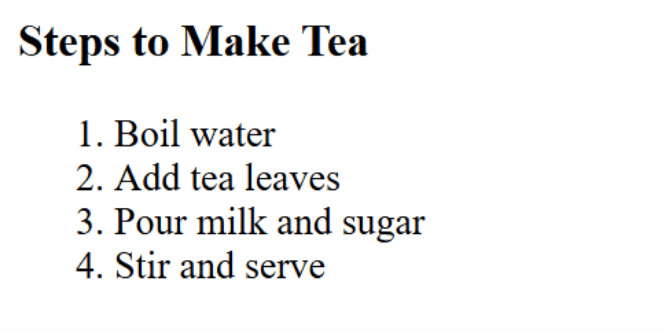
<h3>Steps to Make Tea</h3>
<ol>
  <li>Boil water</li>
  <li>Add tea leaves</li>
  <li>Pour milk and sugar</li>
  <li>Stir and serve</li>
</ol>
Output :
? Attributes:
type → Change numbering style (1, A, a, I, i).start → Start list with a specific number.Example with attributes:
<ol type="A" start="3">
  <li>HTML</li>
  <li>CSS</li>
  <li>JavaScript</li>
</ol>
Output :

<ul>)An unordered list is used when the order of items does not matter.
<li> tag.Example:
<h3>Web Development Languages</h3>
<ul>
  <li>HTML</li>
  <li>CSS</li>
  <li>JavaScript</li>
  <li>Python</li>
</ul>
Output :

? Attribute:
type → Changes bullet style (disc, circle, square).Example:
<ul type="square">
  <li>Apple</li>
  <li>Mango</li>
  <li>Banana</li>
</ul>
Output :