
Author
HTML attributes provide additional information about HTML elements. They define properties, behavior, and appearance of elements.
Global attributes can be applied to almost all HTML elements, like class, id, style, title, and data-*.
Attributes help in styling, scripting, accessibility, and data handling.
They make HTML more meaningful, interactive, and maintainable.
These attributes are mainly used to identify elements for CSS styling or JavaScript manipulation, and to apply inline styles directly.
Assigns one or more class names to an element.
Classes are reusable, meaning multiple elements can share the same class for consistent styling or JS behavior.
Example:
<p class="highlight">This text will be styled using CSS.</p>

<style>
  .highlight {
    color: blue;
    font-weight: bold;
  }
</style>
Output :

Assigns a unique identifier to an element.
Useful for targeting a specific element with CSS, JavaScript, or internal links.
Example:
<h2 id="section1">Section 1</h2>
<a href="#section1">Go to Section 1</a>

<style>
  #section1 {
    color: green;
  }
</style>
Output :

Allows adding inline CSS directly to an element.
Good for quick styling, but external CSS is recommended for larger projects.
Example:
<p style="color: red; font-size: 18px;">This text is styled inline.</p>Output :

Shows additional information as a tooltip when hovering over an element.
Example:
<p title="This is a tooltip!">Hover over this text to see the tooltip.</p>Output :

Provides alternative text for images. Important for accessibility and SEO.
Example:
<img src="logo.png" alt="Company Logo">Output :

Specifies the language of an element’s content. Helps screen readers and search engines.
Example:
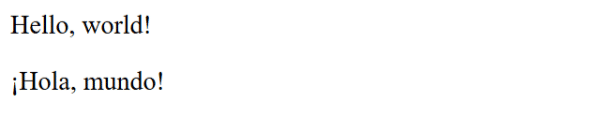
<p lang="en">Hello, world!</p>
<p lang="es">¡Hola, mundo!</p>
Output :
These attributes can be used with any HTML tag.
| Attribute | Description | Example |
|---|---|---|
id |
Unique identifier | <div id="header">...</div> |
class |
Assigns CSS class | <p class="note">Note here</p> |
title |
Tooltip text | <abbr title="World Health Organization">WHO</abbr> |
style |
Inline CSS | <p style="color:red;">Red text</p> |
hidden |
Hides element | <p hidden>This is hidden</p> |
draggable |
Allows drag & drop (true/false) |
<img src="drag.png" draggable="true"> |
contenteditable |
Make element editable | <p contenteditable="true">Edit me!</p> |
spellcheck |
Enable/disable spell checking | <p spellcheck="true">Check spelling</p> |
tabindex |
Control tab navigation order | <input tabindex="1"> |
translate |
Allow translation | <p translate="no">BrandName</p> |
data-* |
Custom data attributes | <div data-user="123">User</div> |
