Author
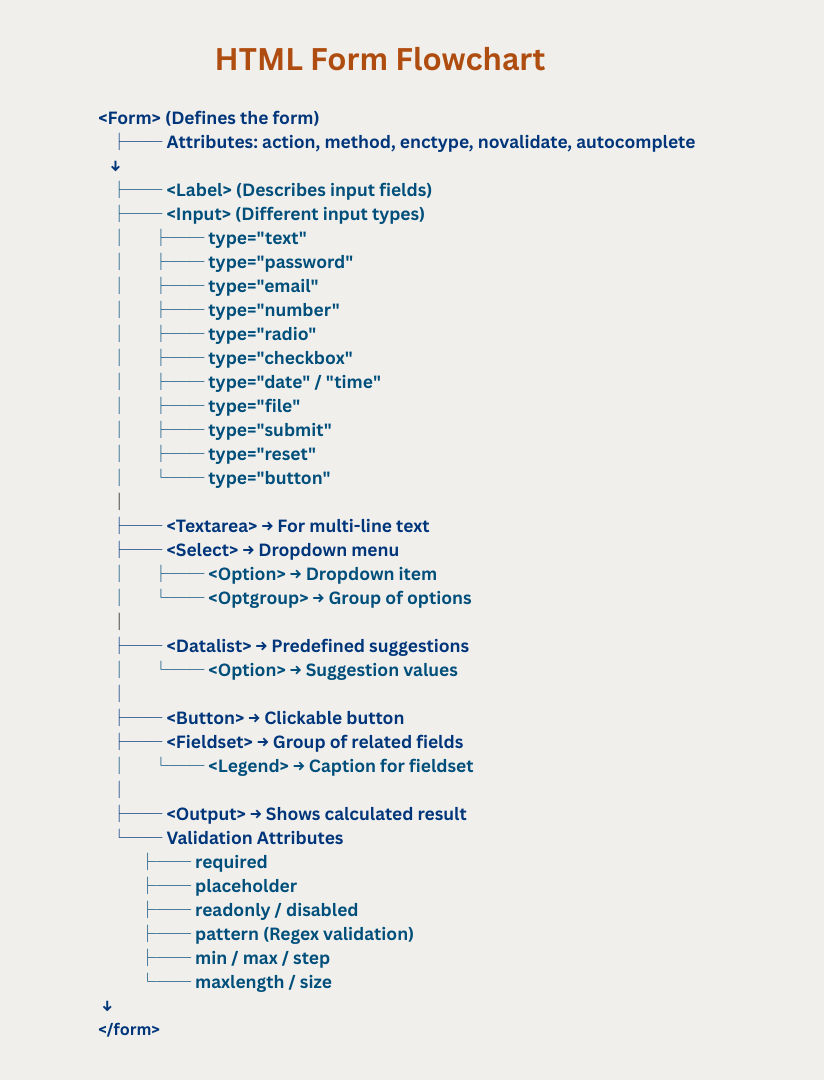
Validation ensures users enter correct and complete data before submitting the form. HTML5 introduced built-in validation attributes so developers don’t always need JavaScript.
Makes a field mandatory.
Example :
<input type="text" name="username" required>Specifies a regular expression to match input.
Example :
<input type="text" name="zipcode" pattern="[0-9]{6}" placeholder="6-digit ZIP" required>Defines the minimum and maximum number of characters.
Example :
<input type="password" minlength="6" maxlength="12" required>Sets minimum and maximum values for numbers, dates, etc.
Example :
<input type="number" min="18" max="60" required>Defines step intervals for numeric inputs.
Example :
<input type="number" min="0" max="100" step="5">Certain <input> types have automatic validation:
type="email" → must be a valid email ([email protected])
type="url" → must be a valid URL (https://example.com)
type="number" → must be numeric
type="date" → must be a valid date
Example:
<input type="email" placeholder="Enter your email" required>Prevents HTML5 validation for the entire form.
Example :
<form action="submit.php" method="post" novalidate><form action="submit.php" method="post">
<!-- Required field -->
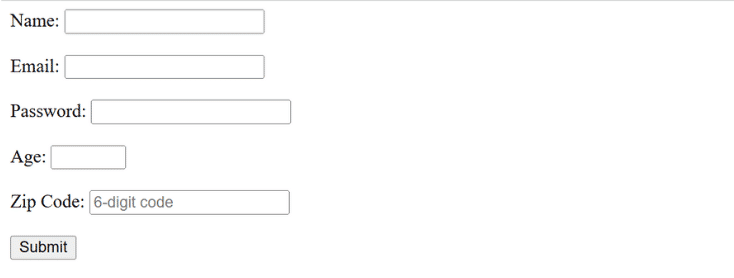
Name: <input type="text" name="name" required><br><br>
<!-- Email validation -->
Email: <input type="email" name="email" required><br><br>
<!-- Password with length -->
Password: <input type="password" minlength="6" maxlength="12" required><br><br>
<!-- Number with min, max, step -->
Age: <input type="number" min="18" max="60" step="1" required><br><br>
<!-- Pattern -->
Zip Code: <input type="text" pattern="[0-9]{6}" placeholder="6-digit code" required><br><br>
<input type="submit" value="Submit">
</form>Output :