
Durgesh Tiwari
Author
Whenever you open a website, send a message, stream a video, or make an online payment, your data travels through a structured communication system inside the network.
To manage this complexity, computer networking uses Network Models.
A Network Model is a layered framework that explains how data moves from one device to another. Each layer has a specific responsibility, which makes networking easier to design, understand, and troubleshoot.
The two most important models are:
OSI Model (Open Systems Interconnection)
TCP/IP Model (Transmission Control Protocol / Internet Protocol)
The OSI Model is mainly used for learning and interviews, while the TCP/IP Model is used in real-world internet communication.
Network models are important because they help you break down complex communication into simple steps.
They explain:
How data travels across the internet
Where protocols like TCP, IP, HTTP, and DNS work
How applications, servers, and networks communicate
How network problems are identified and fixed step by step
Understanding network models is essential for:
Backend Development
System Design
Cloud Computing
Networking Interviews
The OSI (Open Systems Interconnection) Model is a conceptual framework developed by ISO in 1984.
It divides network communication into 7 layers, where each layer has a clearly defined responsibility.
Even though it is not directly used in real internet communication, it is extremely important for understanding how networking works at a fundamental level.
When data is sent:
Sender Side: Data moves top → bottom (Encapsulation)
Receiver Side: Data moves bottom → top (Decapsulation)
Each layer adds or removes its own information during this process.
The OSI Model is divided into 7 layers, and each layer has a specific role in network communication.
When data travels from one device to another, it passes through all these layers in a structured way.
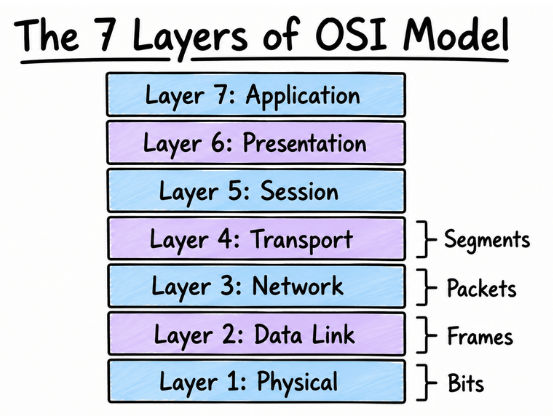
The Physical Layer is responsible for transmitting raw data in the form of bits (0s and 1s) over a physical medium like cables or wireless signals.
At this level, there is no concept of data structure or addresses. Everything is just electrical signals, light signals, or radio waves.
This layer defines things like cables, connectors, signal types, and transmission speed. Devices like hubs, repeaters, modems, and cables work here.
For example, when you plug an Ethernet cable into your laptop, this layer converts your digital data into electrical signals and sends it through the wire to another device.
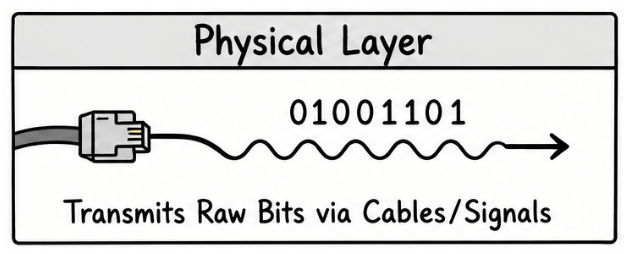
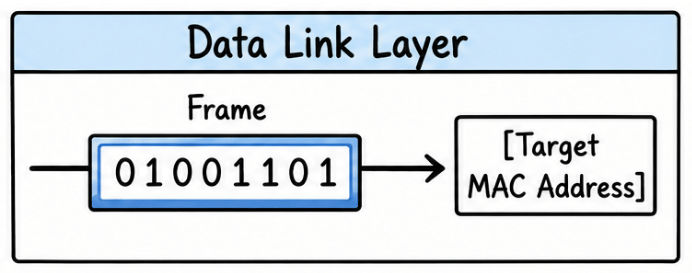
The Data Link Layer is responsible for communication between devices in the same local network.
It takes raw bits from the Physical Layer and organizes them into structured units called frames. It also makes sure data is delivered to the correct device using MAC addresses.
Every device on a local network has a unique MAC address, and this layer uses it to identify the correct destination.
For example, if you send a file from your laptop to a printer connected to the same Wi-Fi, the Data Link Layer ensures the data reaches only that printer and not every device on the network.
The Network Layer handles communication between different networks, including the internet.
This is where IP addresses come into play. The layer decides the best path for data to travel from source to destination using routing.
Routers mainly operate at this layer and help forward data across multiple networks.
For example, when you open Google, your request travels through multiple routers across the internet. The Network Layer ensures it reaches the correct Google server using IP addressing.

The Transport Layer is responsible for end-to-end communication between applications running on different devices.
It breaks large data into smaller parts (called segments) and ensures they are delivered correctly and in order.
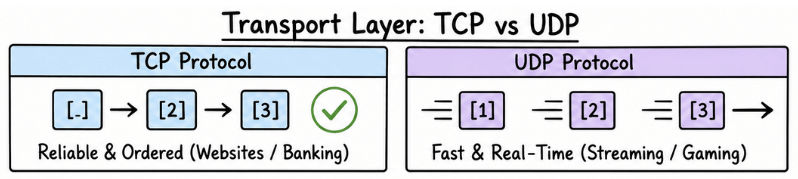
This layer mainly uses two protocols: TCP and UDP.
TCP is reliable and ensures data arrives correctly, which is used in applications like banking, websites, and email. UDP is faster but less reliable and is used in video streaming, gaming, and real-time applications.
For example, YouTube may use UDP for smooth playback, while an online banking system uses TCP to ensure every transaction is safe and complete.
The Session Layer is responsible for managing communication sessions between two devices.
It creates, maintains, and ends connections between applications. It also helps in recovering sessions if the connection temporarily breaks.
For example, during a Zoom video call, this layer keeps your session active. If your internet drops for a few seconds, it helps reconnect without restarting the entire call.
The Presentation Layer handles how data is presented to applications.
It works like a translator between the network and the application layer. It ensures data is in a readable format and also handles security and compression.
This layer is responsible for encryption and decryption, so your data stays secure while traveling over the network.
For example, when you open an HTTPS website, your data is encrypted before sending and decrypted when it reaches the destination.
The Application Layer is the closest layer to the user. This is the layer where applications like browsers, email clients, and messaging apps interact with the network.
It provides services like web browsing, email, file transfer, and domain name resolution.
For example, when you type google.com in your browser, this layer sends a request. It also works with DNS to convert the domain name into an IP address so the request can reach the correct server.
The TCP/IP Model is the practical networking model used by the internet. Whenever you browse a website, use a mobile app, or send data online, communication happens through this model in the background.
It is simpler than the OSI Model and consists of 4 layers, each handling a specific part of data communication.
The TCP/IP Model is divided into four layers:
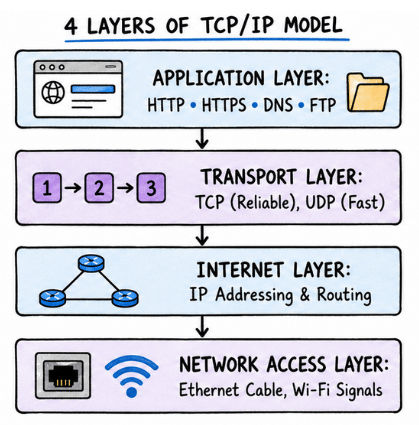
1. Application Layer
This is the layer where users interact with network services. It includes protocols like HTTP, HTTPS, DNS, and FTP, which are used by browsers and applications to communicate over the internet.
2. Transport Layer
This layer is responsible for delivering data between devices. It uses TCP for reliable communication and UDP for faster but less reliable communication.
3. Internet Layer
This layer handles IP addressing and routing. It decides how data should travel across different networks to reach the correct destination.
4. Network Access Layer
This layer deals with physical transmission of data using technologies like Ethernet and Wi-Fi. It converts data into signals and sends it over the network.
When you open Google in your browser:
The Application Layer creates the request
The Transport Layer sends it using TCP
The Internet Layer finds the correct route using IP addresses
The Network Access Layer transmits the data through Wi-Fi or Ethernet
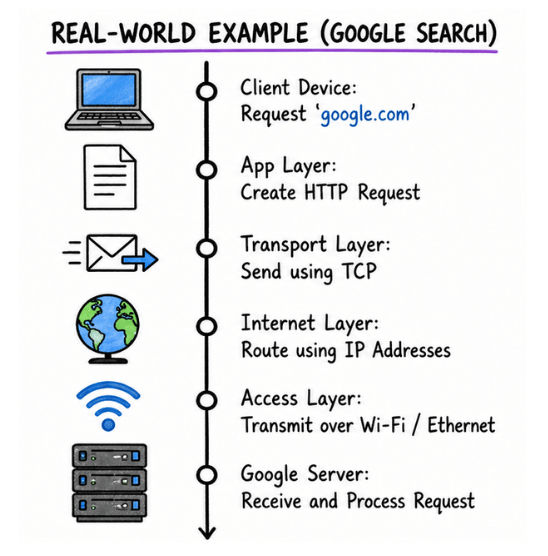
This entire process happens in a few milliseconds, which is why web pages load instantly.
