
Author
In React, every component has a lifecycle — it goes through different phases from creation to removal.
Understanding the component lifecycle is crucial for managing state, side effects, data fetching, and cleanup effectively.
React lifecycle differs slightly between Class Components and Functional Components with Hooks.
A React component’s lifecycle has three main phases:
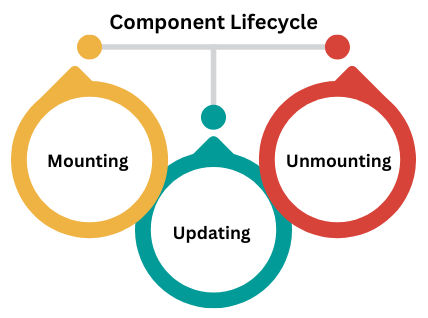
Additionally, Error Handling occurs if a component throws an error during rendering.
The mounting phase happens when a component is first created and inserted into the DOM.
| Method | Purpose |
|---|---|
constructor() |
Initialize state and bind methods |
static getDerivedStateFromProps() |
Update state based on props before rendering |
render() |
Required method that returns JSX |
componentDidMount() |
Runs after component renders. Ideal for API calls, subscriptions, or DOM operations |
Example – Class Component Mounting:
class MountExample extends React.Component {
  constructor(props) {
    super(props);
    this.state = { message: "Hello" };
    console.log("Constructor: Component initialized");
  }

  componentDidMount() {
    console.log("ComponentDidMount: Mounted in the DOM");
  }

  render() {
    console.log("Render: JSX is being rendered");
    return <h1>{this.state.message}</h1>;
  }
}
Functional Component Equivalent (Hooks):
import React, { useEffect } from "react";

function MountExample() {
  useEffect(() => {
    console.log("Component Mounted");
  }, []); // Runs once on mount

  return <h1>Hello from Functional Component</h1>;
}
The updating phase occurs whenever a component re-renders due to state or props changes.
| Method | Purpose |
|---|---|
static getDerivedStateFromProps() |
Update state before re-render |
shouldComponentUpdate() |
Decide whether to re-render (optimization) |
render() |
Render JSX again |
getSnapshotBeforeUpdate() |
Capture DOM info before changes |
componentDidUpdate() |
Runs after re-render. Ideal for API calls, logging, or DOM operations |
Example – Class Component Updating:
class UpdateExample extends React.Component {
  constructor() {
    super();
    this.state = { count: 0 };
  }

  componentDidUpdate(prevProps, prevState) {
    console.log("Previous Count:", prevState.count);
    console.log("Updated Count:", this.state.count);
  }

  increment = () => this.setState({ count: this.state.count + 1 });

  render() {
    return (
      <div>
        <h2>Count: {this.state.count}</h2>
        <button onClick={this.increment}>Increment</button>
      </div>
    );
  }
}
Functional Component with Hooks:
import React, { useState, useEffect } from "react";

function UpdateExample() {
  const [count, setCount] = useState(0);

  useEffect(() => {
    console.log("Component Updated: Count =", count);
  }, [count]); // Runs whenever 'count' changes

  return (
    <div>
      <h2>Count: {count}</h2>
      <button onClick={() => setCount(count + 1)}>Increment</button>
    </div>
  );
}
The unmounting phase occurs when a component is removed from the DOM.
Use this phase to cleanup timers, subscriptions, or event listeners.
| Method | Purpose |
|---|---|
componentWillUnmount() |
Cleanup before component removal |
Example – Class Component Unmounting:
class UnmountExample extends React.Component {
  componentWillUnmount() {
    console.log("Component is being removed");
  }

  render() {
    return <h1>Goodbye!</h1>;
  }
}
Functional Component with Hooks:
import React, { useEffect } from "react";

function UnmountExample() {
  useEffect(() => {
    console.log("Component Mounted");

    return () => {
      console.log("Component Unmounted");
    };
  }, []);

  return <h1>Goodbye from Functional Component</h1>;
}
| Phase | Class Component | Functional Component (Hook) |
|---|---|---|
| Mounting | constructor → render → componentDidMount | useEffect(() => {}, []) |
| Updating | shouldComponentUpdate → render → componentDidUpdate | useEffect(() => {}, [dependencies]) |
| Unmounting | componentWillUnmount | useEffect(() => return cleanup, []) |
