
Author
In React, components are the foundation of every application. They define what the user sees on the screen and how the UI behaves.
There are two main types of components in React:
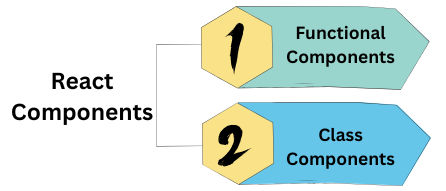
A component in React is a reusable piece of code that returns a part of the user interface (UI).
It can contain HTML, CSS, and JavaScript logic — all bundled together.
For example:
This small block of code is a React component.
function Hello() {
  return <h1>Hello, React!</h1>;
}
Functional Components are the simplest and most widely used type of component in React today.
They are just JavaScript functions that return JSX (HTML-like syntax).
function Welcome() {
  return <h2>Welcome to React Functional Components!</h2>;
}
Usage:
function App() {
  return (
    <div>
      <Welcome />
    </div>
  );
}
useState, useEffect, and other hooks for state and lifecycle.You can pass props (data) to functional components just like function arguments.
function Greeting({ name }) {
  return <h3>Hello, {name}!</h3>;
}

function App() {
  return (
    <><Greeting name="Alice" />
      <Greeting name="Bob" />
    </>
  );
}
Functional components can manage state using the useState hook.
import React, { useState } from "react";

function Counter() {
  const [count, setCount] = useState(0);

  return (
    <><p>You clicked {count} times</p>
      <button onClick={() => setCount(count + 1)}>Click Me</button>
    </>
  );
}
How it works:
useState(0) creates a state variable count with an initial value of 0.setCount() updates that value.Before React Hooks (introduced in 2018), developers used Class Components to manage state and lifecycle methods.
They are still valid, but functional components are now preferred for simplicity.
Basic Class Component Example
import React, { Component } from "react";

class Welcome extends Component {
  render() {
    return <h2>Hello from Class Component!</h2>;
  }
}

export default Welcome;
Usage:
function App() {
  return (
    <div>
      <Welcome />
    </div>
  );
}
Example with Props
In class components, props are accessed using this.props.
class Greeting extends React.Component {
  render() {
    return <h3>Hello, {this.props.name}!</h3>;
  }
}

function App() {
  return (
    <><Greeting name="John" />
      <Greeting name="Emma" />
    </>
  );
}
Example with State
In class components, state is declared using a constructor and updated with this.setState().
class Counter extends React.Component {
  constructor() {
    super();
    this.state = { count: 0 };
  }

  increase = () => {
    this.setState({ count: this.state.count + 1 });
  };

  render() {
    return (
      <><p>Count: {this.state.count}</p>
        <button onClick={this.increase}>Increase</button>
      </>
    );
  }
}
| Feature | Functional Component | Class Component |
|---|---|---|
| Syntax | Simple function | Uses ES6 class syntax |
| State Handling | useState Hook |
this.state & setState() |
| Lifecycle Methods | useEffect Hook |
componentDidMount(), etc. |
| Performance | Faster & lightweight | Slightly slower |
| Ease of Use | Easier to read and write | More boilerplate |
| Recommended in 2025 | Yes (modern standard) | Legacy support only |
Use Functional Components for all new React projects.
They are:
Class Components are mainly found in older codebases or legacy React tutorials.
It’s good to understand them — but not necessary for new projects.
| Concept | Functional Component | Class Component |
|---|---|---|
| Definition | JavaScript function returning JSX | ES6 class extending React.Component |
| Hooks Support | Yes | No (uses lifecycle methods) |
| Example | function Welcome() { return <h1>Hello</h1>; } |
class Welcome extends React.Component { render() { return <h1>Hello</h1>; } } |
