

Password Safety, Phishing & Public Wi-Fi Risks (Complete Guide 2026)
Introduction: Why Online Safety Matters in 2026
In 2026, almost everything we do is connected to the internet—online banking, shopping, social media, work, and even private conversations. While this makes life easier, it also increases the risk of cyber attacks.
Cybercrime is rising rapidly. Hackers are using advanced techniques, and online scams are becoming more realistic and harder to identify. Data breaches, phishing attacks, and identity theft are no longer rare—they happen every day.
? Just one small mistake can expose your entire digital life—your money, personal data, and online identity.
That’s why learning basic online safety is no longer optional. It’s a must for everyone who uses the internet.
? Password Safety
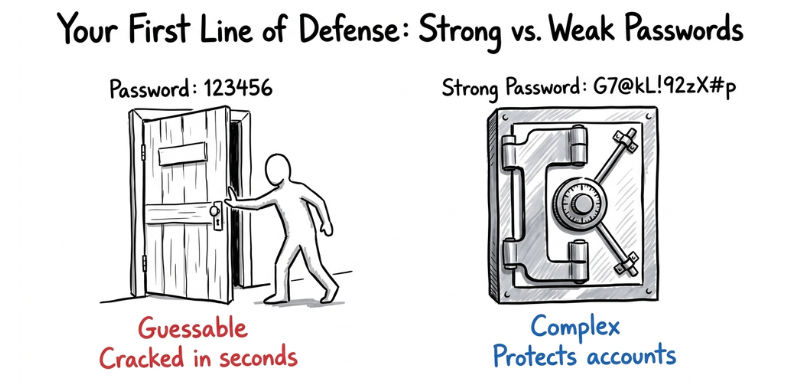
Your password is the first and strongest line of defense against hackers. If your password is weak, attackers can break into your accounts in seconds using automated tools.
? In many cases, hacking doesn’t require advanced skills—just a weak password.
? What Makes a Strong Password?
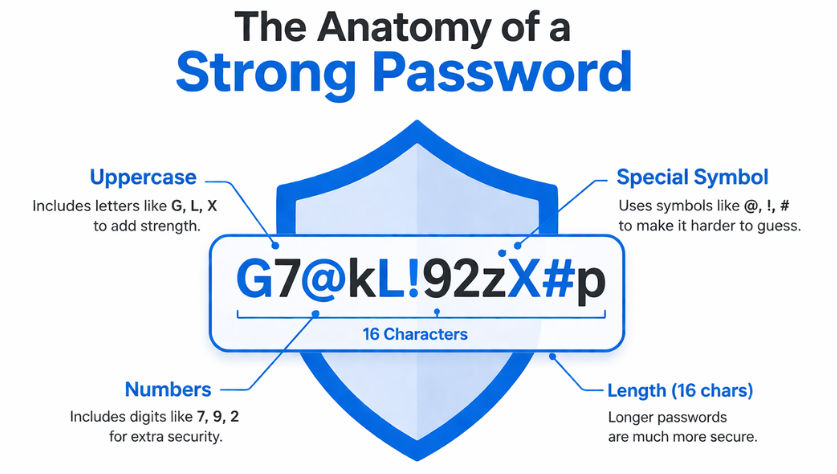
A strong password protects your accounts from being guessed or cracked easily. Follow these rules:
Use at least 12–16 characters
Include a mix of:
Uppercase letters (A–Z)
Lowercase letters (a–z)
Numbers (0–9)
Special symbols (!@#$%^&*)
✅ Example of a strong password:
G7@kL!92zX#p
Common Password Mistakes
Many people unknowingly make small mistakes that put their accounts at serious risk. Avoid these common errors:
Using weak passwords like “123456” or “password”
Using personal details like your name, date of birth, or phone number
Reusing the same password across multiple accounts
? Big Risk:
If one account gets hacked, attackers can easily access your other accounts using the same password.
? This is how most people lose access to email, social media, and even bank accounts.
Best Practices for Password Safety
Follow these simple but powerful tips to keep your accounts secure:
Use a password manager to generate and store strong passwords safely
Enable Two-Factor Authentication (2FA) for an extra layer of security
Never share your password—even with friends or support calls
Change your passwords regularly, especially for important accounts
? Phishing Attacks (Most Dangerous Threat)
Phishing is one of the most common and dangerous cyber attacks today. Even smart users fall for it because modern scams look very real.
? Hackers don’t break systems—they trick people.
? What is Phishing?
Phishing is a type of cyber attack where scammers send fake emails, messages, or links to steal your sensitive information.
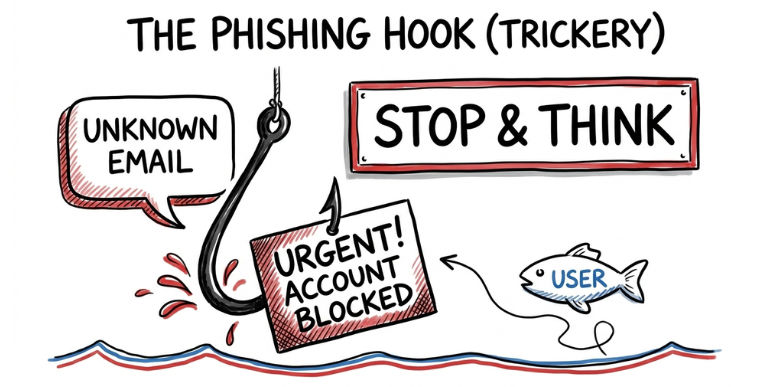
They try to make the message look like it’s coming from a trusted source like:
Your bank
A popular website
A government service
⚠️ Common Phishing Examples
Phishing messages are designed to look urgent and real so that you act without thinking. You might see messages like:
“Your bank account has been blocked. Click here to verify immediately.”
“Congratulations! You’ve won ₹5000. Claim your reward now.”
“Your account will be deleted. Act immediately.”
? These messages use fear, urgency, and excitement to force quick action.
? The goal is simple: make you click before you think.
? How to Identify Phishing
Spotting phishing early can save you from serious loss. Watch for these warning signs:
Suspicious or shortened links (strange URLs or mismatched domains)
Unknown or fake sender (email doesn’t match official domain)
Urgent language like “Act now!” or “Limited time!”
Spelling or grammar mistakes in the message
? Public Wi-Fi Risks (Hidden Danger)
Public Wi-Fi is convenient and free—but it can also be a major security risk if you’re not careful.
Airports, cafes, hotels, and malls often offer open Wi-Fi networks. But these networks are usually not secure, making it easier for hackers to access your data.
? Just because it’s free doesn’t mean it’s safe.
? What Happens on Public Wi-Fi?
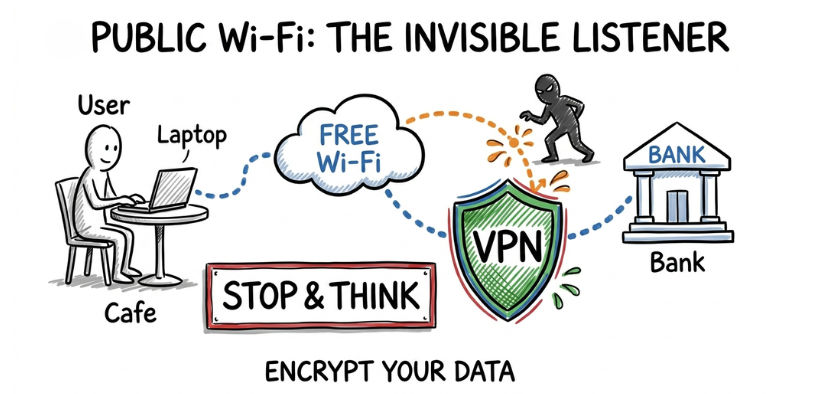
When you connect to public Wi-Fi, your data can be exposed. Hackers on the same network can:
Intercept your internet traffic (what you browse, type, or send)
Monitor your online activity
Steal sensitive data like passwords and personal information
? In some cases, attackers create fake Wi-Fi networks (e.g., “Free_Airport_WiFi”) to trap users.
⚠️ Major Risks
Using unsecured Wi-Fi can lead to serious problems:
Password theft
Banking or payment information leaks
Social media or email account hacking
? One unsafe connection can compromise multiple accounts.
✅ Safety Tips for Public Wi-Fi
Protect yourself with these simple steps:
Avoid logging into banking or payment apps on public networks
Use a VPN (Virtual Private Network) to encrypt your data
Turn off auto-connect to open Wi-Fi networks
Always log out after accessing any account
Prefer websites with HTTPS (secure connection)
?️ Simple Online Safety Checklist
Follow these simple daily habits to protect your digital life from hackers and scams:
Use strong and unique passwords for every account
Enable Two-Factor Authentication (2FA) on important apps
Avoid clicking unknown or suspicious links
Don’t trust public Wi-Fi for sensitive activities
Keep your apps and devices updated regularly
? Conclusion: Stay Alert, Stay Safe
Online safety isn’t complicated—but it does require awareness and smart habits.
Hackers don’t always target experts; they look for easy mistakes and unprotected users. The good news is that most cyber attacks can be prevented by following simple precautions.
? A few seconds of caution can save you from major loss—money, data, and identity.