

How the Internet Works
Introduction
We use the Internet every day, but have you ever wondered what actually happens when you open YouTube or search something on Google?
In just a few seconds, your device talks to thousands of computers around the world and brings the information to your screen.
In this guide, you will understand how the Internet works step by step in simple English, with real-life examples that make everything super easy to understand.
What is the Internet?
The Internet is a huge global network where billions of computers and servers are connected with each other. These systems communicate using special rules called protocols.
Put simply, the Internet is a worldwide system that connects devices so they can share and access information instantly.
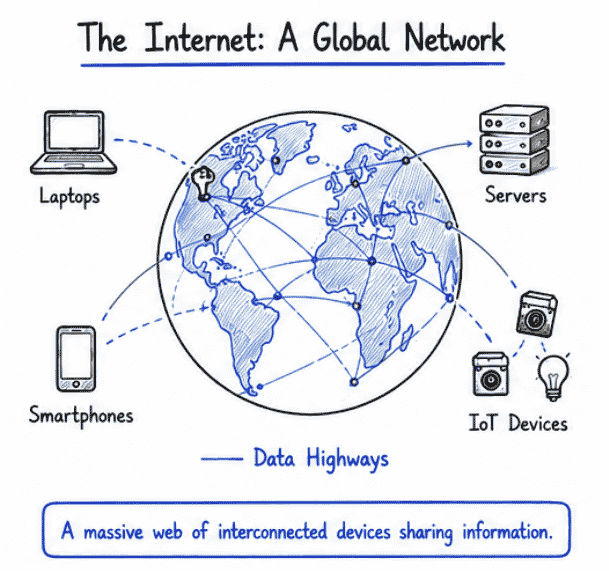
Whenever you watch videos on YouTube, search on Google, scroll social media, or send messages on WhatsApp, the Internet is working behind the scenes to make everything happen in just a few seconds.
People often search for topics like what is the internet in simple terms, how the internet works for beginners, and internet explained with real examples. In reality, the Internet allows us to browse websites, watch videos, play online games, and stay connected with people across the world.
How the Internet Works (Step-by-Step)
Let’s understand what actually happens behind the scenes when you open a website like Google, YouTube, or any other site. This is one of the most searched topics like how the internet works step by step, what happens when you open a website, and how browsers load web pages in real time.
1. You Enter a Website Name (URL)
When you type a website address like:
www.google.com
This is called a URL (Uniform Resource Locator).
In simple words, a URL is the address of any website on the internet.
2. DNS Finds the Website Address
Your computer cannot understand names like google.com directly.
So it uses DNS (Domain Name System) to convert the domain name into an IP address.
Example:
google.com → 142.250.183.14
👉 This step is also searched as how DNS works in internet communication and how domain names are converted into IP addresses.
3. Browser Sends a Request
Your browser (Chrome, Firefox, Edge, etc.) sends a request to the web server using HTTP or HTTPS protocol.
In simple words, your browser is asking: “Please send me the website so I can show it on the screen.”
4. Server Responds
A web server is a powerful computer that stores website data.
It sends back all the required files such as:
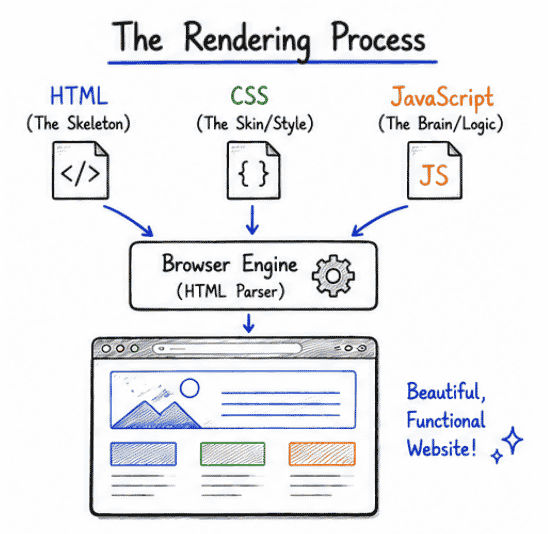
HTML (structure of the page)
CSS (design and styling)
JavaScript (interactive features)
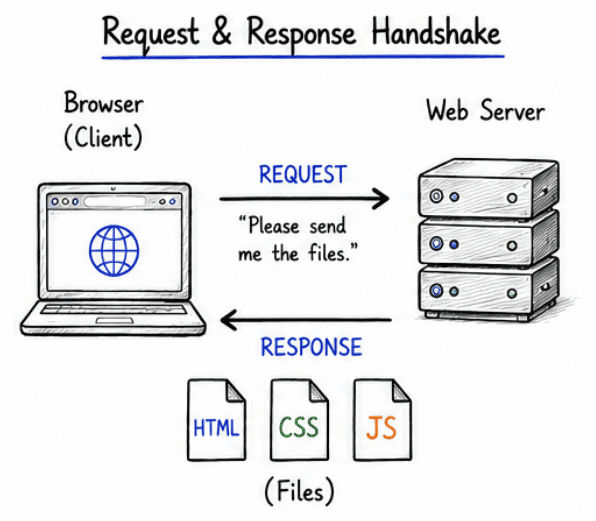
👉 This process is also searched as how web servers respond to browser requests and how websites load step by step in browser.
5. Browser Shows the Website
Finally, your browser collects all the files, processes them, and displays the complete webpage on your screen.
Even though many systems work behind the scenes, this entire process usually happens in less than 1–2 seconds.
Key Components of the Internet
To understand how the internet works step by step, you also need to know the main building blocks that make the internet possible. These components work together whenever you open a website, send a message, or watch a video online.
1. IP Address
Every device connected to the internet has a unique address called an IP address (Internet Protocol Address).
Example: 192.168.1.1
In simple words, an IP address works like a home address for your device on the internet. It helps computers find and communicate with each other.
2. Domain Name
Domain names are easy-to-remember website names used instead of complex IP addresses.
Examples:
👉 Instead of remembering numbers, users can simply type domain names to open websites easily.
3. DNS (Domain Name System)
DNS is often called the phonebook of the internet.
It converts human-readable domain names into machine-readable IP addresses.
Example: google.com → 142.250.183.14

👉 This process is also searched as how DNS works in networking and how domain names are converted to IP addresses step by step.
4. HTTP / HTTPS
HTTP and HTTPS are communication protocols used to transfer data between your browser and websites.
HTTP → Not secure (data is not encrypted)
HTTPS → Secure (data is encrypted for safety)
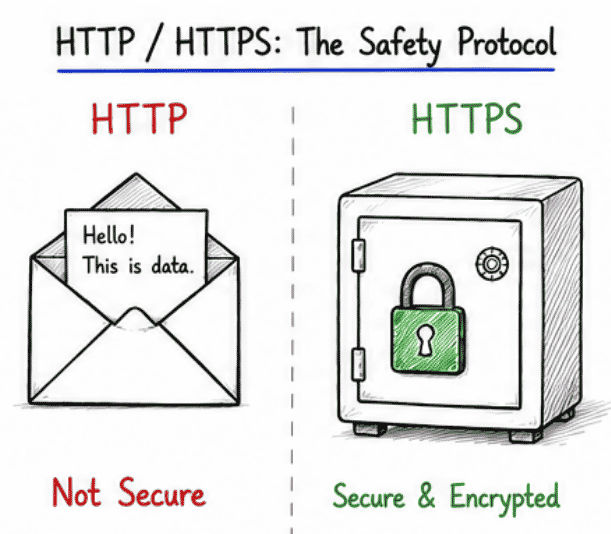
👉 Most modern websites use HTTPS to protect user data and improve security while browsing.
Real-Life Example of Internet Working
Imagine you order food on Zomato or Swiggy:
You open the app on your mobile phone
The app sends a request to the server
The server searches and finds available restaurants
The data (menu, prices, options) is sent back to your phone
You see the menu on your screen instantly
👉 This is exactly how the internet works behind the scenes in real time.
Why Understanding the Internet is Important
If you are a student or developer, understanding how the internet works helps you in many real-world areas.
It allows you to:
Build websites and web applications
Understand networking and backend systems
Perform better in technical interviews
Fix common internet and website issues
Conclusion
The Internet may look complex from the outside, but it actually works in a simple and structured flow.
You → Browser → DNS → Server → Response → Website Display
Once you clearly understand this flow, topics like web development, APIs, backend systems, and networking will become much easier to learn.
In short, the internet is not magic—it is just communication between computers in a very smart and fast way.
Common Questions (FAQ)
1. What is the simple definition of the internet?
The Internet is a global network of computers that share information using special rules called protocols.
2. How does data travel on the internet?
Data travels in small packets through routers, servers, and different networks before reaching your device.
3. What happens when I search something on Google?
When you search on Google, your browser sends a request to Google servers, and they instantly return the most relevant results.