

Cloud Computing Simplified – A Complete Beginner’s Guide (2026)
Cloud computing is no longer a “future technology”.
From watching movies on Netflix to storing photos on Google Drive, we all use cloud computing every day—often without realizing it.
If you are a student, beginner, or non-technical user, this guide will explain cloud computing in very simple words, without confusing jargon.
Let’s start from the basics.
What Is Cloud Computing?
Cloud computing means using computing power, storage, and software through the internet instead of relying on your own computer or local hardware.
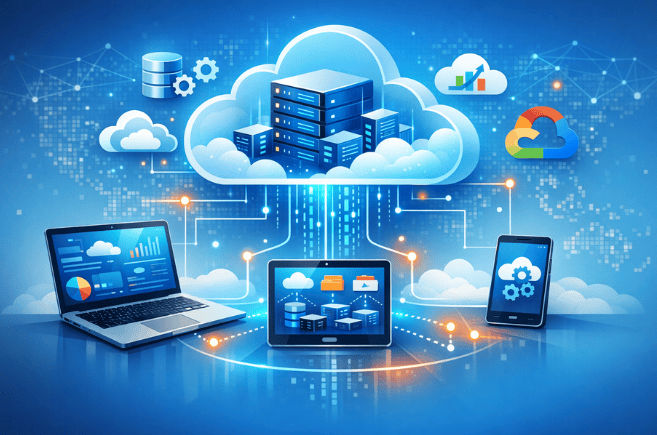
In simple words, your data and applications are stored and run on remote servers, not on your personal device.
Earlier (Traditional Computing)
Before cloud computing became popular:
- You needed a powerful computer or server
- Software had to be installed manually
- Files were saved on hard disks or pen drives
- Upgrading hardware was expensive
Now (Cloud Computing)
With cloud computing:
- Everything runs on remote cloud servers
- You access data and apps using the internet
- You pay only for what you use
- No need to worry about maintenance or upgrades
Simple Real-Life Example
When you save photos in Google Drive, where are they actually stored?
Not on your phone or laptop — they are saved on Google’s cloud servers.
You can access them anytime, from any device, as long as you have an internet connection.
? This is cloud computing in action.
Traditional Computing vs Cloud Computing
| Traditional Computing | Cloud Computing |
|---|---|
| You must buy physical hardware like servers and storage | You rent computing resources over the internet |
| High upfront cost for setup and upgrades | Pay only for what you use (monthly or hourly) |
| Capacity is limited and hard to expand | Easy scaling anytime |
| Requires manual maintenance and updates | Maintenance is handled by the cloud provider |
Cloud computing removes the headache of buying, maintaining, and upgrading hardware.
How Does Cloud Computing Work?
Cloud computing works through large data centers that are located in different parts of the world. These data centers contain powerful servers that store data and run applications for users.
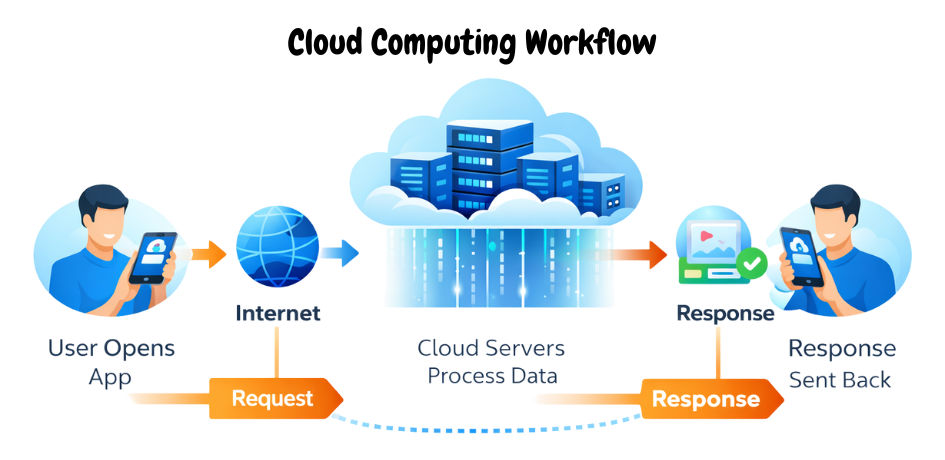
Simple Step-by-Step Flow
Here’s what happens when you use a cloud-based website or app:
- You open a website or mobile app
- Your request travels through the internet
- The request reaches cloud servers
- Servers process the request and send data back to your device
This entire process happens in seconds, often without you noticing it.
What Happens Behind the Scenes?
Behind the scenes, cloud providers manage:
- Thousands of powerful servers
- Virtual machines that share resources
- High-speed global networks
- Advanced security and monitoring systems
All this complexity is hidden from the user.
? You don’t manage servers — you simply use the service.
Types of Cloud Computing
Cloud computing is mainly divided into three types, based on how resources are shared and used.

1. Public Cloud
In a public cloud, computing resources are shared among multiple users over the internet. The infrastructure is owned and managed by a cloud service provider.
Popular Examples:
- Amazon Web Services (AWS)
- Google Cloud Platform (GCP)
- Microsoft Azure
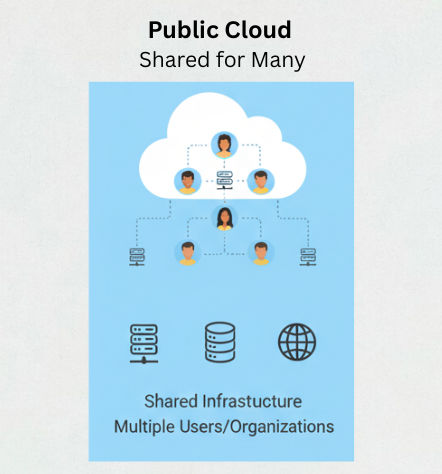
Best for:
Startups, students, developers, and small businesses
Public cloud is popular because it is affordable, flexible, and easy to use.
2. Private Cloud
In a private cloud, all resources are dedicated to a single organization. These clouds offer more control and security.
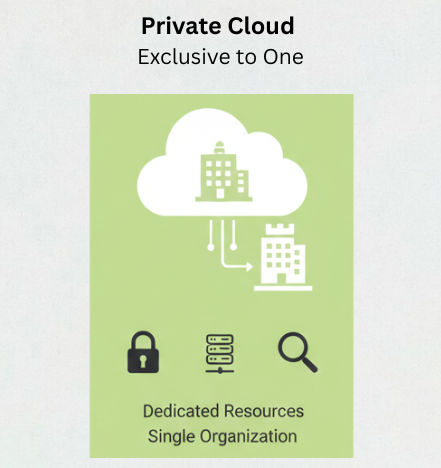
Best for:
Banks, government organizations, and large enterprises
Private clouds are chosen when data security and compliance are top priorities.
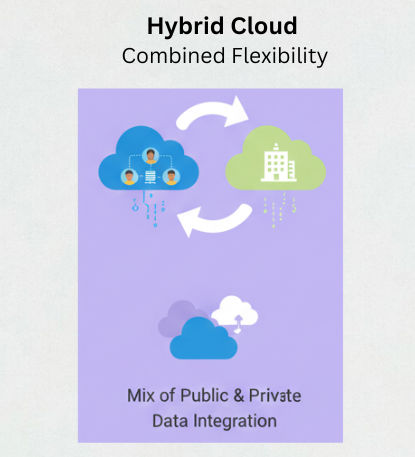
3. Hybrid Cloud
A hybrid cloud combines both public and private cloud environments. Companies can choose where to store and process different types of data.
Best for:
Large organizations that need flexibility, scalability, and security
Hybrid cloud offers the best of both worlds.
Cloud Service Models Explained
Cloud services are generally divided into three models, based on how much control you have and how much the cloud provider manages.
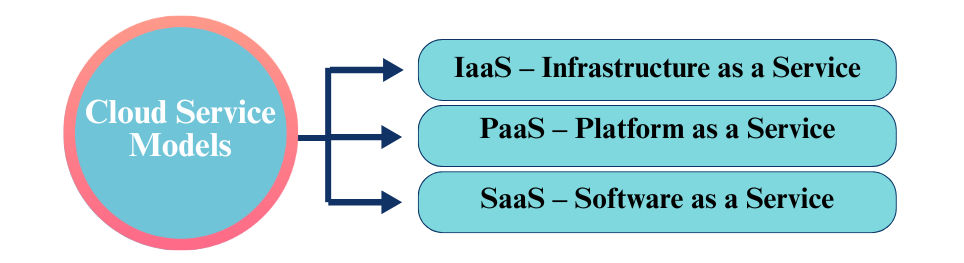
IaaS – Infrastructure as a Service
With IaaS, you get the basic infrastructure needed to run applications.
You get:
- Virtual machines
- Storage
- Networking resources
You manage:
- Operating system
- Software
- Applications
Example: Amazon EC2 (AWS)
? IaaS gives you maximum control, but also more responsibility.
PaaS – Platform as a Service
With PaaS, you focus mainly on writing and deploying code.
The cloud provider manages:
- Servers
- Operating system
- Scaling and runtime environment
Example: Heroku, Google App Engine
? PaaS is ideal for developers who want to build apps faster without managing infrastructure.
SaaS – Software as a Service
With SaaS, you simply use the software through the internet.
Popular Examples:
- Gmail
- Google Docs
- Zoom
There is:
- No installation
- No maintenance
- No updates to manage
? SaaS is the most common cloud model used by everyday users.
Popular Cloud Providers (2026)
Today, many companies offer cloud services, but a few providers dominate the market due to their reliability and global infrastructure.
- Amazon Web Services (AWS) – The market leader with the widest range of services
- Microsoft Azure – Strong enterprise and corporate support
- Google Cloud Platform (GCP) – Known for data analytics and AI capabilities
? All these platforms offer free tiers, making it easy for beginners to learn and practice cloud computing.
Advantages of Cloud Computing
Cloud computing offers several benefits that make it the preferred choice for modern applications.
- No need to buy expensive hardware
- Easily scale resources up or down anytime
- High availability and reliability
- Built-in data backup and recovery
- Access applications from anywhere
- Faster development and deployment
Because of these advantages, startups and large enterprises prefer cloud computing over traditional hosting.
Disadvantages of Cloud Computing (Honest Truth)
While cloud computing offers many benefits, it also has some limitations that every user should know.
- Internet dependency – Without a stable internet connection, cloud services cannot be accessed
- Cost can increase – Poor resource management may lead to higher bills
- Vendor lock-in risk – Moving from one cloud provider to another can be difficult
- Limited control – Shared cloud environments offer less control compared to private servers
Understanding these limitations builds trust with both readers and search engines.
Real-World Uses of Cloud Computing
Cloud computing is used in almost every digital service we rely on today.
- Mobile applications (WhatsApp, Instagram)
- Streaming platforms (Netflix, Spotify)
- Online education and learning platforms
- Banking and financial systems
- AI and machine learning applications
- Government and public services
? Cloud computing is truly the backbone of the modern internet.
Cloud Computing vs Traditional Hosting
Cloud computing is very different from traditional hosting in several key areas. Here’s a quick comparison:
| Feature | Traditional Hosting | Cloud Computing |
|---|---|---|
| Scalability | Limited – Adding servers takes time and money | Unlimited – Scale resources up or down instantly |
| Cost | Fixed – Pay for hardware and setup upfront | Flexible – Pay only for what you use |
| Downtime | Higher – Server failures affect users | Very low – Cloud providers offer high availability |
| Speed | Medium – Limited by your hardware | High – Optimized servers and global networks |
Is Cloud Computing a Good Career in 2026?
Absolutely! Cloud computing is one of the fastest-growing and most in-demand career paths in technology.
Whether you are a student, fresher, or someone looking to switch careers, cloud skills can open high-paying and future-proof opportunities.
Popular Cloud Roles
- Cloud Engineer – Builds and manages cloud infrastructure
- DevOps Engineer – Focuses on automation, deployment, and CI/CD pipelines
- Cloud Architect – Designs cloud solutions for organizations
- Site Reliability Engineer (SRE) – Ensures cloud systems run reliably and efficiently
Skills to Start
If you are a beginner, start with these core skills:
- Basic networking – Understanding how computers communicate
- Linux fundamentals – Most cloud servers run on Linux
- One cloud platform – AWS, Azure, or Google Cloud Platform (GCP)
- Docker & CI/CD – Learn containerization and automated deployment (later)
Learning these skills will help you land your first cloud role and grow in the industry.
Why Cloud Careers Are Future-Proof
- Companies are moving almost everything to the cloud
- Demand for cloud professionals is growing globally
- Roles are high-paying and flexible, with remote opportunities
- Knowledge of cloud complements skills in AI, DevOps, and software development
? Start learning cloud basics today, and you’ll be prepared for the jobs of 2026 and beyond.
How to Start Learning Cloud Computing (Beginner Path)
Getting started with cloud computing is easier than you think — you don’t need advanced math or programming knowledge at the beginning. Follow this simple path:
- Understand the basic concepts – Start with this guide and learn what cloud computing is, how it works, and its different types. ✔
- Create a free cloud account – Most providers like AWS, Azure, and Google Cloud offer free tiers for beginners.
- Deploy a simple application – Try hosting a small website or app to get hands-on experience.
- Learn networking fundamentals – Basic knowledge of how computers communicate over the internet will help you understand cloud systems better.
- Explore DevOps tools – Learn about Docker, CI/CD pipelines, and automation to manage cloud applications effectively.
? Pro Tip: Start small and practice regularly. Hands-on experience is the fastest way to understand cloud computing.
Frequently Asked Questions
1. Is cloud computing hard to learn?
Not at all! The basics are simple, and you can understand them without coding or advanced math. As you gain hands-on experience, advanced concepts like networking, virtualization, and DevOps will become easier.
2. Do I need coding to learn cloud computing?
No. Coding is optional at the start. Beginners can start by exploring cloud services, deploying apps, and managing resources. Coding becomes important later when building complex applications or automation scripts.
3. Is cloud computing secure?
Yes. Most cloud providers use enterprise-grade security, including encryption, firewalls, and monitoring. Following best practices keeps your data safe.
4. Are cloud computing and DevOps the same?
No. Cloud computing is about infrastructure and services over the internet, while DevOps is a set of practices and tools for faster software development and deployment. They often work together, but they are not the same.
5. Can I learn cloud computing for free?
Yes! Platforms like AWS, Azure, and Google Cloud offer free tiers and tutorials for beginners to practice without spending money.
Final Thoughts
Cloud computing is no longer just for developers — it has become a core digital skill for anyone in tech or digital business in 2026.
By understanding the basics of cloud computing today, you can:
- Future-proof your career by learning a high-demand skill
- Understand how modern applications work behind the scenes
- Open doors to high-paying roles in cloud, DevOps, AI, and software development
This guide provides the strong foundation you need to start your cloud journey.
Take small steps, practice regularly, and soon you’ll be confident working with cloud technologies.
? Next Step: Create a free cloud account, try deploying a small project, and explore more advanced cloud concepts.