Durgesh Tiwari
Author
Every application we use today, whether it is YouTube, Instagram, WhatsApp, Amazon, or Uber, may look simple from the outside. We open the app, click a button, and get the result within seconds. But behind the scenes, many components work together to make that happen.
These components process user requests, store data, handle traffic, and deliver information to users.
Deciding how all these components will work together is called System Design.
In simple words, System Design is the process of planning how a software application will work before developers start building it.
It helps engineers decide:
How different parts of the application will communicate
Where data will be stored
How user requests will be processed
How the system will handle increasing traffic
How failures will be managed
How the application will scale in the future
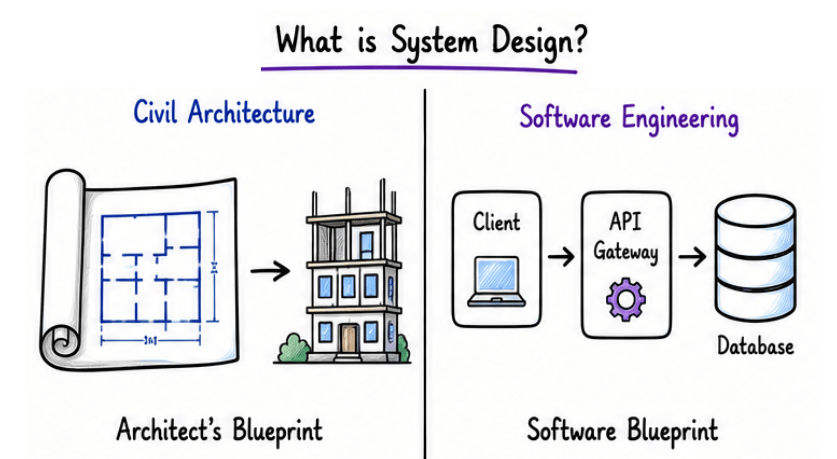
A simple way to understand System Design is to think of it as a blueprint for software.
Just like architects create a blueprint before constructing a building, software engineers create a design before building an application.
As applications grow, they face challenges such as:
Increasing user traffic
Large amounts of data
Slow response times
Infrastructure failures
Scalability issues
Reliability concerns
System Design helps developers prepare for these challenges before they become serious problems.
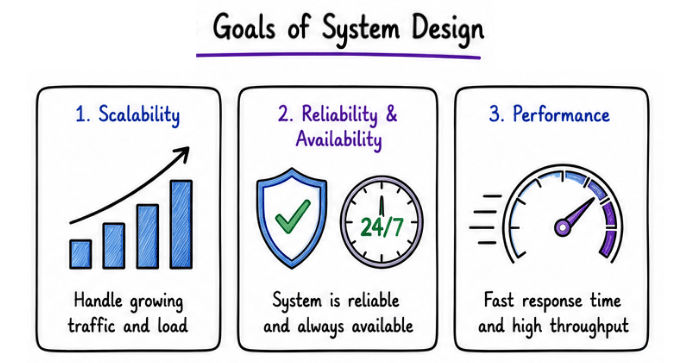
A good System Design focuses on:
Scalability: The system should handle increasing users, requests, and data efficiently.
Reliability: The application should continue working even when some components fail.
Availability:Users should be able to access the application whenever they need it.
Performance: The system should process requests quickly and provide a good user experience.
Maintainability: Developers should be able to update and improve the application easily.
Cost Efficiency: The system should balance performance and infrastructure costs.
Consider an online shopping platform.
When a customer places an order, multiple services work together:
User Service authenticates the customer
Product Service displays products
Inventory Service checks stock availability
Payment Service processes payments
Order Service creates the order
Notification Service sends confirmations
Although users see only a few screens, many components work together in the background.
Designing how these components communicate, store data, handle failures, and scale with increasing traffic is the main purpose of System Design.
Learning a programming language helps you write code. Learning System Design helps you understand how an entire application works in the real world.
System Design helps you understand:
How large-scale applications work
How data is stored and processed
How systems handle millions of users
How performance and scalability are improved
How failures are managed
System Design helps you think beyond individual features and focus on how the entire system should work.
This way of thinking helps developers solve problems more effectively and make better design decisions.
System Design is a common topic in software engineering interviews.
Interviewers evaluate your ability to:
Design scalable systems
Identify bottlenecks
Discuss trade-offs
Make architecture decisions
Communicate solutions clearly
System Design is an important skill for:
Software Engineers
Backend Developers
Full Stack Developers
Technical Leads
Solution Architects
Engineering Managers
As your experience grows, you will spend less time writing individual features and more time thinking about architecture, scalability, and system decisions. This is where System Design becomes important.
System Design is a broad topic, and many beginners are confused about where to start. The easiest approach is to learn one topic at a time and follow a clear roadmap. The best way to learn System Design is to follow a structured roadmap and build your knowledge step by step.
Start with the basic concepts of System Design, requirements gathering, estimations, and design thinking.
Learn how applications communicate over the internet and how requests move between users and servers.
Understand how different services and applications exchange data.
Learn how data is stored, managed, and retrieved in software systems.
Understand how caching improves application speed and performance.
Learn how applications handle increasing users, traffic, and data.
Understand the concepts used to build large-scale distributed applications.
Learn common architecture patterns used in modern software systems.
Understand how applications are monitored, deployed, and maintained in production.
Practice designing real-world applications to strengthen your System Design skills.
Foundations → Networking & Internet → APIs & Communication → Databases & Storage → Caching & Performance → Scaling Systems → Distributed Systems → Architecture Patterns → Production Engineering → Real System Design Problems
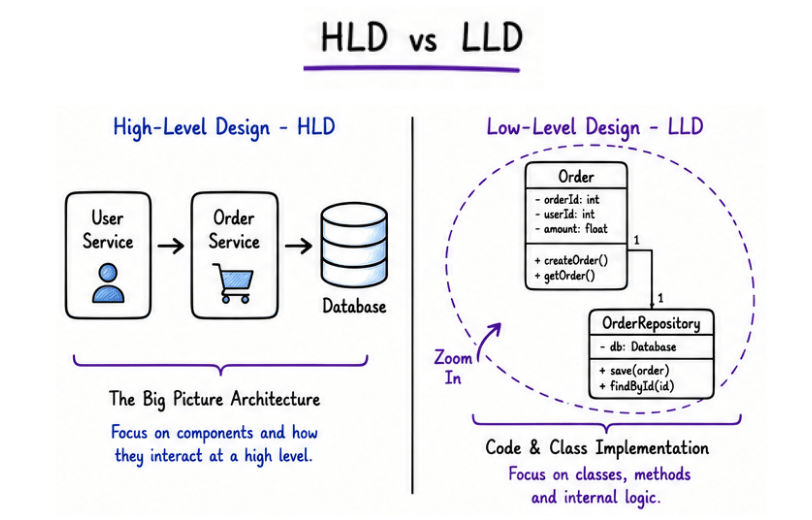
When designing a software system, engineers usually work at two different levels:
High-Level Design (HLD)
Low-Level Design (LLD)
If you are preparing for System Design interviews or building real-world applications, understanding the difference between HLD and LLD is very important.
High-Level Design focuses on the overall structure and architecture of a system.
It helps us understand how different components of an application will work together.
HLD answers questions such as:
What services will be part of the system?
How will these services communicate?
Which database will be used?
How will the system handle growth and increasing traffic?
In simple words, HLD shows the big picture of the application without going into coding details.
Suppose you are designing an e-commerce application.
A High-Level Design may include:
User Service
Product Service
Order Service
Payment Service
Notification Service
Cache Layer
Database Layer
Here, the focus is on understanding the main components and how they interact with each other.
Low-Level Design focuses on the internal implementation of individual components.
Once the overall architecture is decided, LLD helps developers understand how each component will be built.
LLD answers questions such as:
Which classes will be created?
What methods and functions will be used?
How will objects interact with each other?
Which design patterns should be implemented?
In simple words, LLD explains how a component will be implemented in code.
For the Order Service in an e-commerce application, a Low-Level Design may include:
Order Class
OrderService
OrderRepository
PaymentStrategy
NotificationHandler
Here, the focus is on class structure, object relationships, and implementation details.
Feature | HLD | LLD |
|---|---|---|
Focus | System Architecture | Code-Level Design |
Scope | Entire System | Individual Components |
Detail Level | High Level | Detailed Level |
Audience | Architects and Senior Engineers | Developers |
Output | Architecture Diagrams | Class Diagrams and Code Design |
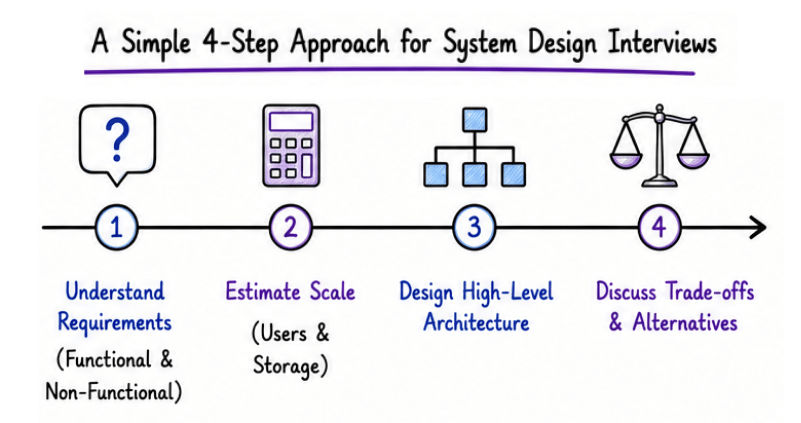
One of the most common mistakes in a System Design interview is starting the solution too quickly without understanding the problem.
Before designing the system, understand what needs to be built.
Functional Requirements define the features of the system, while Non-Functional Requirements focus on scalability, reliability, availability, and performance.
Estimate important factors such as:
Number of users
Requests per second (QPS)
Storage requirements
Bandwidth usage
These estimates help guide architecture decisions.
Identify the main components of the system, such as:
Load Balancer
API Servers
Cache
Database
Message Queue
Then explain how these components work together.
Review important design decisions related to:
Database design
Caching
Scalability
Reliability
Explain why you selected a particular approach and discuss possible alternatives.